Example: bankruptcy
DINION inteox 7100i IR
compared to a standard camera. H.265 high-efficiency video encoding The camera is designed on the most efficient and powerful H.264 and H.265/HEVC encoding platform. The camera is capable of delivering high-quality and high-resolution video with very low network load. With a doubling of encoding efficiency, H.265 is the
Tags:
Information
Domain:
Source:
Link to this page:
Documents from same domain

B8512G IP control panel, 8 areas, 99 points Datasheet 51 ...
resources-boschsecurity-cdn.azureedge.netIntrusion Alarm Systems - B8512G IP control panel, 8 areas, 99 points B8512G IP control panel, 8 areas, 99 points G Series u Fully integrated intrusion, fire, and access control allows users to interface with one system instead of three u Provides up to 99 points using a combination of hardwired or wireless devices for installation

Configuration Manager 7
resources-boschsecurity-cdn.azureedge.netThe Configuration Manager program is automatically part of the installation for all video IP devices that require the Configuration Manager program for configuration purposes. Furthermore, you can also use the Configuration Manager program to simplify the configuration in a CCTV system with many similar video senders. 3.1 System requirements i ...

NBE-5503-AL Bullet 5MP HDR 2.7-12mm auto IP67 IK10
resources-boschsecurity-cdn.azureedge.netfor an installer to accurately zoom and focus the camera for both day and night operation. The wizard is ... Intelligent Auto Exposure technology, for example, allows you to view moving objects in bright ... modern IP-based system. DORI coverage DORI …
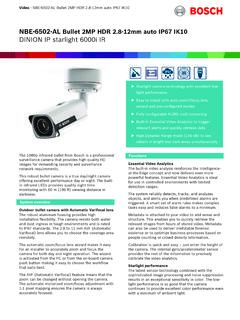
NBE-6502-AL Bullet 2MP HDR 2.8-12mm auto IP67 IK10 ...
resources-boschsecurity-cdn.azureedge.netfor an installer to accurately zoom and focus the camera for both day and night operation. The wizard ... Intelligent Auto Exposure technology, for example, allows you to view moving objects in ... modern IP-based system. DORI coverage DORI (Detect, Observe, Recognize, Identify) is a ...

DS160/DS161 Installation Guide High Performance …
resources-boschsecurity-cdn.azureedge.netThe DS160/161 is a passive-infrared (PIR) detector designed for Request to Exit (REX) interior applications. The DS160/161 is UL Listed as an access control device under the UL 294 Standard and is listed for Class I for UL Canada under ULC-S319 when it is connected to a UL approved access control system. For C-UL

Bosch Video Management System
resources-boschsecurity-cdn.azureedge.net9.8 Adding an iSCSI device 111 9.9 Configuring automatic recording mode on a pool111 9.10 Adding a DSA E-Series iSCSI device112 9.11 Configuring an iSCSI device 113 9.12 Moving an iSCSI system to another pool114 9.13 Adding a LUN 115 9.14 Formatting a LUN 116 9.15 Changing the password of a VRM device116

PVA-4CR12 Controller Datasheet 51 en 17564736907
resources-boschsecurity-cdn.azureedge.netAltitude Up to 2000 m Mechanical Dimensions (HxWxD)88 mm x 483 mm x 391 mm (2 RU) Weight (net) 8.0 kg Mounting Standalone; 19 in. rack Color Black with silver Ordering information PVA-4CR12 Controller System controller for audio processing, routing and supervision of a PAVIRO system, rack unit 2 RU. Order number PVA-4CR12 | F.01U.396.302 F.01U ...

PRS-NCO3 Network Controller
resources-boschsecurity-cdn.azureedge.netOrdering information PRS-NCO3 Network Controller System controller, router, supervisor and interface, built-in web server for configuration, provides local audio and control I/O, 4-channel WAV-message player, power supply for powering other network connected units, rack unit 2 RU. Order number PRS-NCO3 PRS‑SW Praesideo Software
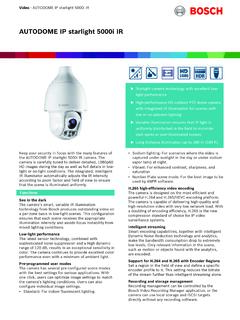
AUTODOME IP starlight 5000i IR Datasheet 51 en 43022556811
resources-boschsecurity-cdn.azureedge.netinformation. PTZ drive and mechanism The camera supports 256 pre-positions and two styles of Guard Tours: Pre-position and Record/Playback. The Pre-position tour has capability for up to 256 pre-positions with a configurable dwell time between pre-positions and can be customized as to the order and the frequency that each Pre-position is ...

D9127 Series POPIT Modules
resources-boschsecurity-cdn.azureedge.netControl Panels All G Series control panels, D9412, D7412, D7212, D7212B1, D9112, D9112B1, D8112G1, D8112G2, and D9124 Modules D8125, B299 The D8125 or B299 POPEX Modules are required. The D9127 modules are wired in parallel on the D8125 or B299 data loops. Number of POPIT Modules per Control Panel D7212G, D7212GV2, D7212GV3 32 D9127 POPITs
Related documents

Network Video Recorder User Manual
www.exacq.comMar 15, 2015 · System Installation Checklist Quick Start Installation ... Config (Setup) Page (see Chapter 4) System* Set exacqVision server for static IP address. ... If supported by the cameras, set recording format to MPEG4 or H.264 instead of JPEG for better storage.

Wireless NVR kit Quick installation guide
xonz-cctv.comSetup”->“Channel Setup”.Click“quick adding”,then Pop up “video manage” Two ways for Wireless NVR to add IPC “Code Add”and “Auto Add”. Adding camera by matching code,the camera transmits video images through wireless and NVR,IP is 17.20.14.X; Operating System Embedded linux Image Sensor 1/4”Progressive Scan Sensor S/N ...

IP-CAMERA USER MANUAL - Provision-ISR
provision-isr.com2.2 CMS and IP-Tool Installation Find CMS software from CD and then double click “Setup.exe” file to pop up installation wizard. Install the software according to the prompts in the wizard. After you complete the installation, you will see the CMS and IP-Tool icon on the desktop. Please see the user manual of this software for more details.

OOSSXX Security Kit Manual 20180224
www.oossxx.com• H.264,4ch/8ch/16ch real-time D1 1080P 3.0MP 4.0MP 5.0MP system • Built-in high-performance and high-stability module,100Mbps; • Camera automatically access DVR by cable ;
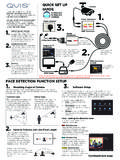
BEFORE INSTALLING ANYTHING WE STRONGLY …
www.free-instruction-manuals.comMounting Angle of Camera 30° 30° Cameras Distance and Lens Focal Length 8% 20% 100% L-max L-better 1. 2. 3. Software Setup To complete the facial detection setup you will need to switch on the the DVR and set the detection areas (the first thing you may see on the monitor screen will be the P2P Setup Wizard, please turn over for the ...

H.264 Network DVR User Manual
www.velleman.euNote: The DVR will automatically detect the video system of the camera, please make sure that the cameras are properly connected to the DVR and power-supplied before the DVR is turned on. 3) AUDIO IN (1 ~ 4) Connect to the audio connector of a camera if …
DVR User Manual
www.secutech.com.auand embedded Linux system. Meanwhile, it utilizes many most advanced technologies, such as standard H.264 with low bit rate, Dual stream, SATA interface, VGA output mouse supported, IE browser supported with full remote control, mobile view(by phones), etc., which ensure its …

User Manual - D-Link
support.dlink.comH.264 Codec for Smooth, Space-Efficient Video This camera supports use of the H.264 video codec, which gives you high-quality video with reduced bandwidth requirements. This means that you can enjoy smoother, more reliable video streaming over the Internet, and less disk space is required to save recordings.