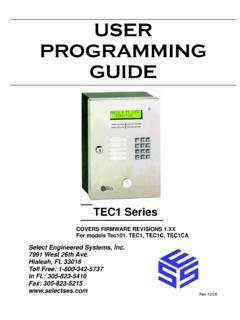
Transcription of DKT3000/2000 Series Telephone User Guide
1 user ProgrammingFeature CodesFeature CodesFeature access Codes are entered as a sequence on your Telephone to use a particular 10 Feature access Codes FeatureFeature access code SequencesAccount code & QI 7U Q + + Account code digitsAttendant Console Automatic Busy Redial - On Automatic Busy Redial - Off Automatic Callback Cancel Background MusicTelephone Speaker OnExt. button + + source number + Telephone Speaker OffExt. button + External Speaker OnExt. button + + source number + External Speaker OffExt. button + Call Forward - Any Calls (Internal and External)All CallExt. button + + Dest. NoBusyExt. button + + Dest. AnswerExt. button + + Dest. No. + Timer + Busy No AnswerExt. button + + Dest. No. + Timer + CancelExt. button + Call Forward - Incoming Line CallsAll CallExt. button + + Dest.
2 Button + + Dest. AnswerExt. button + + Dest. No. + Timer + Busy No AnswerExt. button + + Dest. No. + Timer + CancelExt. button + user ProgrammingFeature CodesCall Forward Any Call - Set for Another StationAll CallExt. button + + ext. no. + Pass code + + Dest. No. + BusyExt. button + + ext. no. + Pass code + + Dest. No. + No AnswerExt. button + + ext. no. + Pass code + + Dest. No. + + Timer + Busy No AnswerExt. button + + ext. no. + Pass code + + Dest. No. + + Timer + CancelExt. button + + ext. no. + Pass code + Call Forward - Incoming Line Call - Set for Another StationAll CallsExt. button + + ext. no. + Pass code + + Dest. No. + BusyExt. button + + ext. no. + Pass code + + Dest. No. + No Answer Ext. button + + Dest. No. + + ext. no. + Pass code + + Dest.
3 No. + + Timer + Busy No AnswerExt. button + # + Dest. No. + + ext. no. + Pass code + + Dest. No. + + Timer + CancelExt. button + + ext. no. + Pass code + Change Pass CodeExt. button + + ext. no. + old Pass code + + new Pass code + Call Forward - SystemActivate Cancel Call ParkActivate& QI 7U Q + Orbit NumberRetrieveExt. button + + Orbit NumberSystem Orbits ~ Call PickupIncoming - Group Pickup Ext. button + Incoming - Directed Extension Pickup Ext. button + + Ext. Number to be picked upIncoming - Directed Group Pickup Ext. button + + Group Number to be picked up Feature access Codes (continued)FeatureFeature access code SequencesUser ProgrammingFeature CodesIncoming - Directed Extension Pickup Ext. button + + Ext. NumberOn hold - Local RetrieveExt. button + On hold - Remote RetrieveExt.
4 Button + + Remote Ext. hold - Outside line RetrieveExt. button + + Line on holdOn hold - Directed Extension RetrieveExt. button + + Ext. No. on holdIncoming - Any External CallExt. button + Conferencing - Three Way DialingDial Dial DISA Security code - Change + old Security code (1~15 digits) + + new Security code (1~15 digits) + Do Not DisturbLocal - On Local - Off Remote - On + ext. no. + Pass code Number + Remote - Off + ext. no. + Pass code Number + Door Lock Control + Door Lock Number Door Phone Calling + Door Phone No. (01~24, depending on system size)Emergency Call Flash - Short Flash - Long LCD Language (Change) + Language (Outgoing Call) Message Waiting (MW)Release a received MW Retrieve a received MW Table 10 Feature access Codes (continued)FeatureFeature access code SequencesUser ProgrammingFeature CodesActivate MW at another Station without Ringing + Ext.
5 MW at another Station without Ringing + Ext. - AdvisoryAdvisory Message - Activation + Message Message - Cancellation Network access code (Private Network) + Private Network Ring Answer Off-hook Call Announce (Manual Mode)Voice First: ; Tone First: , , or OverrideBusy, Do Not Disturb Executive PagingPage All Groups Page Individual Groups + Group NumberEmergency Page - Individual Group + Group NumberEmergency Page - All Groups Answer Page - All Groups Answer for External Group Page + Zone NumberRepeat Last Number Dialed Table 10 Feature access Codes (continued)FeatureFeature access code SequencesUser ProgrammingFeature CodesSpeed Dial Register Station (00~99) + Index Number (00~99)System + Index Number (000~099) + Index Number (100~199) + Index Number (200~299) $ + Index Number (300~399) + Index Number (400~499) + Index Number (500~599) + Index Number (600~699) + Index Number (700~799)
6 Start Application Substitution of Dial Substitution of Dial Travelling Class OverrideEnter code Change code + Index Number + old code + + new code + user Programming Mode Voice Mail (VM)Direct Transfer to Voice Mail + Ext. NumberVolume Control - Beep Volume Control - Ringing Table 10 Feature access Codes (continued)FeatureFeature access code Sequences