Transcription of Econami Digital Sound Decoder Steam Quick Start Guide
1 Econami Digital Sound Decoder Steam Quick Start Guide Software Release Previous software versions included Notice The information in this document is subject to change without notice. SoundTraxx (Throttle Up! Corp.) shall not be liable for technical or editorial errors or omissions contained herein, nor for incidental or consequential damage resulting from the furnishing, performance or use of this material. This document contains information protected by copyright. No part of this document may be photocopied or reproduced in any form without the prior written consent of Throttle Up! Corp. Product names mentioned herein may be trademarks and/or registered trademarks of their respective companies.
2 SoundTraxx, Econami , Tsunami, SoundTraxx DCC, Dynamic Digital Exhaust, Auto-Exhaust, Hyperlight, Hyperdrive2, SoundCar, and Intelligent Consisting are trademarks of Throttle Up! Corp. Contents All Aboard! .. 4. Overview .. 4. Default Operation .. 5. Using Econami for Steam .. 5. Customizing Econami .. 7. Summary of User-Adjustable Features .. 7. Support .. 8. 90-Day Safety-Net Service Warranty .. 8. All Aboard! All Aboard! Overview Congratulations on purchasing your SoundTraxx Econami Digital Sound Decoder for Steam locomotives! Econami is designed to further enhance your model railroading experience at an affordable cost. This Quick Start Guide summarizes operating your Decoder 's default settings without adjusting CVs.
3 For details regarding installation and adjusting CV settings to customize operation, refer to the following documentation: The Econami Installation Guide provides step-by-step installation instructions and effective strategies to receive high-quality Sound . The Econami Steam User's Guide provides in-depth information regarding CV settings, customizing operation, and troubleshooting. The Econami Steam Technical Reference offers a chronological list of all included CVs and details showing each adjustable setting. The Econami Steam Sound Selections document serves as a reference for adjusting Sound effects. To download all user documentation, visit Econami Steam Quick Start Guide 4.
4 Default Operation Default Operation Using Econami for Steam Your Econami has been preprogrammed so that you can activate various effects and features right away. This section addresses the automatic Sound effects enabled by default and describes using function keys to activate the Decoder 's default functions. Note: Analog mode operation has been disabled to enable DCC as Econami 's default power source. If only a DC power source is available, refer to the Econami Steam User's Guide and Econami Steam Technical Reference to enable analog mode. Automatic Sounds Automatic Sound effects will become active when the Decoder receives power; the automatic Sound effects enabled by default are defined below: Auto-Exhaust: 2-cylinder exhaust for a light Steam locomotive is active by default.
5 The chuff cadence is automatically adjusted in response to motor speed. Side Rod Clank: The clanks and clunks of the side rod occur with the exhaust chuff. Airpump: The airpump Sound effect simulates air pressure being maintained in the reservoir during operation. The pump cadence will revert to its most rapid setting every time you engage the coupler and every third time you apply the brake function. Blower: The blower simulates draft being maintained near the exhaust nozzle in the smokebox during operation. Activating Functions Select address 3 using your cab or command station, and refer to the following descriptions of each default function to activate effects.
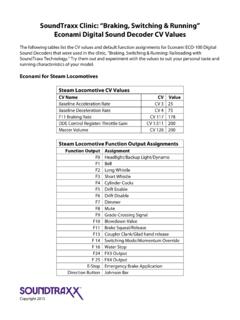
6 Note: Pressing function keys will toggle functions F0-F28 on or off.. F0: Headlight Turn on F0 in the forward direction to illuminate the headlight and spool Backup Light up the dynamo. Reverse direction to turn off the headlight and turn on Dynamo the backup light. Turn off F0 to turn off the headlight/backup light and fade the dynamo to silence. F1: Bell Turn on F1 to ring the bell. Turn off F1 to stop the bell from ringing. F2: Whistle Turn on F2 to blow the whistle. Turn off F2 to stop the whistle blast. F3: Short Whistle Press F3 to blow the short whistle; the whistle blast will be the same length every time you press the function key.
7 F4: Cylinder Cocks Turn on F4 to purge the condensed water from the cylinder. F5: Drifting Mode Enable Turn on F5 to mute the exhaust chuff and amplify the side rod clank. F6: Drifting Mode Disable Turn on F6 to return the exhaust chuff and side rod clank volume levels to the prior settings. F7: Dimmer Turn on F7 to dim all active lighting outputs. Turn off F7 to return all brightness levels to the prior settings. F8: Mute Turn on F8 to mute all Sound effects. Turn off F8 to return all volume levels to the prior settings. Econami Steam Quick Start Guide 5. Default Operation F9: Grade-Crossing Signal Turn on F9 to issue a grade-crossing signal.
8 F10: Blowdown Turn on F10 to open the blowdown valve and blow out the sediment buildup. Turn off F10 to close the valve. F11: Brake Squeal Set the throttle to speed-step 1, and turn on F11 to apply the brakes. Brake Release The brakes will squeal until you decelerate to a stop or turn off F11. Reduce the throttle to zero to stop the brakes from squealing. While stopped, turn off F11 to release the brakes before departing. F12: Not Assigned Refer to the Econami Steam User's Guide to map an effect to F12. F13: Coupler Turn on F13 to engage the coupler. Turn off F13 to open the knuckle Coupler Release and separate the glad hands. F14: Switching Mode Turn on F14 to reduce the throttle setting by 50%.
9 Turn off F14 to resume the prior speed step. F15: Not Assigned Refer to the Econami Steam User's Guide to map an effect to F15. F16: Water Stop When the locomotive is stopped, turn on F16 to fill the tender with water. Turn off F16 to stop filling the tender. F17: Not Assigned Refer to the Econami Steam User's Guide to map an effect to F17. F18: Not Assigned Refer to the Econami Steam User's Guide to map an effect to F18. F19: Not Assigned Refer to the Econami Steam User's Guide to map an effect to F19. F20: Not Assigned Refer to the Econami Steam User's Guide to map an effect to F20. F21: Not Assigned Refer to the Econami Steam User's Guide to map an effect to F21.
10 F22: Not Assigned Refer to the Econami Steam User's Guide to map an effect to F22. F23: All Aboard! / Turn on F23 when the locomotive is stopped to issue the conductor's all Coach Doors aboard! announcement and close the coach doors. F24: FX3 Function Output Turn on F24 to illuminate FX3 lighting. Turn off F24 to turn off FX3. F25: FX4 Function Output Turn on F25 to illuminate FX4 lighting. Turn off F25 to turn off FX4. F26: FX5 Function Output** Turn on F26 to illuminate FX5 lighting. Turn off F26 to turn off FX5. F27: FX6 Function Output** Turn on F27 to illuminate FX6 lighting. Turn off F27 to turn off FX6. F28: Not Assigned Refer to the Econami Steam User's Guide to map an effect to F28.