Example: bankruptcy
Entering Grades in PeopleSoft
Entering Grades in PeopleSoft 1. Log in to your ctcLink account (if you have forgotten your login credentials, contact IT). 2. Once you're logged in, click on the "Faculty Center" icon in the lower left-hand side of the page. 3. Once you're in the Faculty Center, click on the "Grade Roster" on the left-hand side of the page. 4.
Tags:
Information
Domain:
Source:
Link to this page:
Related documents

UFS Password Self-service System FAQ
www.ufs.ac.zaregistered on PeopleSoft Student Self-service. If you do not receive this SMS the Servicedesk agent may not be able to assist you further. This normally indicates that your mobile number is incorrect on the UFS PeopleSoft Student Self-service portal. You will have to visit UFS Student Academic Services department to have your mobile number updated.

SBCTC Student & Coding Manual
www.sbctc.eduAdded additional PeopleSoft coding information to Worker Retraining and WorkFirst sections 7/19/2017 2.3 Changed the Apprenticeship (SAPR) Student Group to “mass assigned”. Added Apprenticeship Student Attribute Values (used for mass assign) Added Appendices Updated Student Group section to link with associated programs/criteria 9/6/2017 2.4
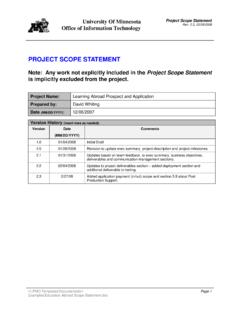
Project Scope Statement Template - IT@UMN
it.umn.eduTo implement PeopleSoft Campus Solution modules along with custom-built features (in PeopleSoft and Java) for the Learning Abroad prospect and applicant business processes. The project will include automating both student and administrative business processes related to student abroad prospects and applicants.
Information Technology General Controls Audit Report
www.azregents.eduAug 15, 2016 · The scope also included a review of access rights assigned to users of PeopleSoft applications for Human Capital Management, LOUIE (student and employee information management system), and PeopleSoft Financials. Methodology: We used control questionnaires and interviews to identify IT general controls, then tested a sample of the controls.
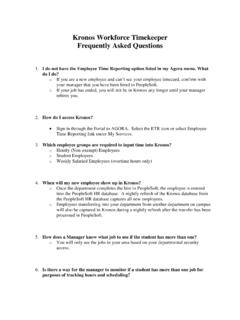
Kronos Workforce Timekeeper Frequently Asked Questions
www.bc.eduthe PeopleSoft HR database captures all new employees. o. Employees transferring into your department from another department on campus will also be captured in Kronos during a nightly refresh after the transfer has been processed in PeopleSoft. 5. How does a Manager know what job to use if the student has more than one? o
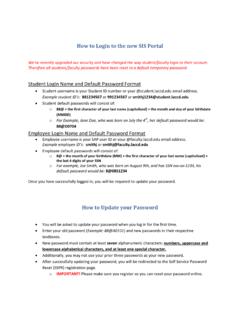
How to Login to Mycollege.LACCD.edu and Office365
www.laccd.edu• Student username is your Student ID number or your @student.laccd.edu email address. Example student ID’s: 881234567 or 901234567 or smithj1234@student.laccd.edu • All student default passwords will consist of: o. 88@ + the first character of your last name (capitalized) + the month and day of your birthdate
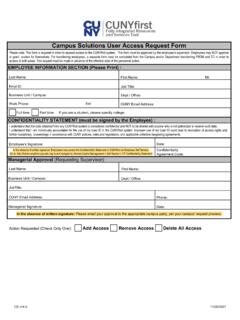
CUNYfirst Campus Solutions User Access Request Form
www.cuny.eduIf you are a student, please specify college: Last Name: First Name: CS v14.0 11/05/2021: CU_CSSS_Student_Srvcs_Center: View info about a student via Student Services Center. CU_CSCC_Extern_ID_Maintainer: Intended for staff maintaining External System ID for Students.

ACA44 - Deferred Examination Application Form
forms.uct.ac.zaOffice of the Deputy Registrar Student Records Section ACA44 – Deferred Examination Application Form (Session: 2021) 17 August 2021 Page 1 of 1 ACA44 IMPORTANT • For on campus exams: Only the UCT Daily Health Screening app may be used for COVID-19 screening. After completing the UCT Daily Health Screening app form on the day you were intending to …