Example: quiz answers
Excel 2016 Advanced Quick Reference - CustomGuide
Excel 2016 Advanced Quick Reference Guide PivotTable Elements PivotTables Create a PivotTable: Select the data range to be used by the PivotTable. Click the Insert tab on the ribbon and click the PivotTable button in the Tables group. Verify the range and then click OK. Add Multiple PivotTable Fields: Click a field in the
Tags:
Information
Domain:
Source:
Link to this page:
Documents from same domain

Excel 2013 Quick Reference - CustomGuide
www.customguide.comMicrosoftExcel 2013 ® Quick Reference Card The Excel 2013 Screen Keyboard Shortcuts Close button General Open a Workbook Ctrl + O Create New Ctrl + N

Microsoft PowerPoint 2013 - CustomGuide
www.customguide.comMicrosoft® PowerPoint 2013 Quick Reference Card The PowerPoint 2013 Screen Keyboard Shortcuts The Fundamentals To Create a New Presentation: Click the File tab, click New.

Word 2013 Quick Reference - SharePoint Training
www.customguide.comMicrosoftWord 2013 ® Quick Reference Card The Word 2013 Screen Keyboard Shortcuts General Open a Document Ctrl + O Create New Ctrl + N …

Quick Reference Card Visit: qr.customguide
www.customguide.comMicrosoftWord 2016 ® Quick Reference Card The Word 2016 Screen Keyboard Shortcuts General Open a Document Ctrl + O Create New Ctrl + N …

Windows 10 Quick Reference - CustomGuide
www.customguide.comMicrosoft® Windows 10 Quick Reference Card Start Menu Keyboard shortcuts Basic Commands Start Menu Copy a Folder/File Ctrl + C Cut a Folder/File Ctrl + X

Your Organization’s Name Here - SharePoint Training
www.customguide.com©CustomGuide 2015 3 Table of Contents Table of Contents ..... 3

Project 2013 Quick Reference - CustomGuide
www.customguide.comMicrosoft® Project 2013 Quick Reference Card Project 2013 Screen Common Views To Display a View: Select the View tab and choose from the Task Views available.

Windows 8 Quick Reference - CustomGuide
www.customguide.comicrosof inos uic eference Car For Personal Use Only ustomuide Contact Us at info@customguide.com for organizational use. Free Quick References! Visit: qr.customguide.com The Start Screen

Word 2007 Quick Reference - SharePoint Training
www.customguide.comMicrosoft® Word 2007 Quick Reference Card Word 2007 Screen [Grab your reader’s attention with a great quote from the Shortcuts The Fundamentals Open a Document …

uic eference Car Free Quick References! - …
www.customguide.comicrosof nc uic eference Car For Personal Use Only ustomuide Contact Us at info@customguide.com for organizational use. Free Quick References! Visit: qr.customguide.com The Lync 2013 Window
Related documents
Microsoft Excel: Advanced - Towson University
www.towson.eduMicrosoft Excel Advanced: Participant Guide 7 8. Using the Autofill handle, drag the formula down to F10. Figure 9 Data Validation Data validation is an Excel feature that you can use to define restrictions on what data can or should be entered in a cell. You can configure data validation to prevent users from entering data that is not valid. 1.

ADVANCED EXCEL TRAINING COURSE SYLLABUS
www.inventateq.com4 Excel Scenarios Section Seven - Processing Data in Excel (Advanced Excel) 1 Flash Fill 2 Data Tables in Excel 3 A Second Data Table 5 Goal Seek 6 Absolute Cell References 7 Named Ranges in Excel 8 Create a Custom Name in Excel 9 More on Named Ranges 10 Excel Pivot Tables 11 Pivot Tables, Part Two 12 Reference other Worksheets
Advanced Modelling in Finance using Excel and VBA
160592857366.free.fr1.5 Excel solutions 3 1.6 Topics covered 3 1.7 Related Excel workbooks 5 1.8 Comments and suggestions 5 Part One Advanced Modelling in Excel 7 2 Advanced Excel functions and procedures 9 2.1 Accessing functions in Excel 9 2.2 Mathematical functions 10 2.3 Statistical functions 12 2.3.1 Using the frequency function 12 2.3.2 Using the quartile ...

Advanced Excel Tutorial
www.tutorialspoint.comAdvanced Excel i About the Tutorial Advanced Excel is a comprehensive tutorial that provides a good insight into the latest and advanced features available in Microsoft Excel 2013. It has plenty of screenshots that explain how to use a particular feature, in a step-by-step manner. Audience
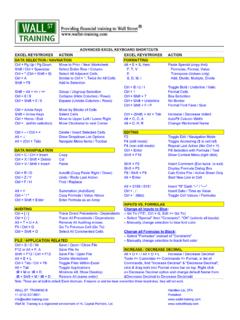
ADVANCED EXCEL KEYBOARD SHORTCUTS EXCEL …
www.wallst-training.comADVANCED EXCEL KEYBOARD SHORTCUTS EXCEL KEYSTROKES ACTION EXCEL KEYSTROKES ACTION DATA SELECTION / NAVIGATION FORMATTING Ctrl + Pg Up / Pg Down Move to Prior / Next Worksheet Alt + E + S, then: Paste Special (copy first) Shift / Ctrl + Spacebar Select Entire Row / Column F, T, V Formulas, Format, Value
ADVANCED EXCEL VLOOKUP H PIVOT TABLES E 2010
www.cmu.eduFeb 25, 2014 · ADVANCED EXCEL – VLOOKUP, HLOOKUP AND PIVOT TABLES - EXCEL 2010 . Carnegie Mellon University . Author: Liz Cooke . Creation Date: March 16, 2010 . Last Updated ...
Advanced Excel: Pivot Tables - Elmhurst Public Library
elmhurstpubliclibrary.orgAdvanced Excel: Pivot Tables . 2 surprisingly, one of the most feared features of Excel, but as you’ll quickly discover, pivot tables are easy to make, fun to use, and extremely helpful and informative. Originally, if you wanted to take a collection of data and make an attractive and

Excel 2019 Advanced Quick Reference - CustomGuide
www.customguide.comExcel 2019 Advanced Quick Reference Guide PivotTable PivotTableElements PivotTables Create a PivotTable: Select the data range to be used by the PivotTable. Click the Insert tab on the ribbon and click the PivotTable button in the Tables group. Verify the range and then click OK. Add Multiple PivotTable Fields: Click a field in the
Excel VBA Advanced Best STL Training Manual
www.stl-training.co.ukExcel VBA Advanced Microsoft Application Series. E&OE Best Training reserves the right to revise this publication and make changes from time to time in its content without notice. Like this training manual? Why not learn even more on one of our industry-leading training courses?
239 Excel Keyboard Shortcuts
d13ot9o61jdzpp.cloudfront.netBelow is a huge list of Excel keyboard shortcuts you can use to work faster. Scroll through the list or use the Index to quickly go to the section you want. How To Read The List Where shortcut keys must be pressed together they will be shown like this Ctrl + P which means press CTRL and P together.
Related search queries
Excel: Advanced, Towson University, Excel Advanced, Excel, Advanced Excel, Excel Advanced Excel, Advanced, Audience, EXCEL KEYSTROKES ACTION EXCEL KEYSTROKES ACTION DATA SELECTION / NAVIGATION FORMATTING, ADVANCED EXCEL VLOOKUP, ADVANCED EXCEL – VLOOKUP, Carnegie Mellon University, Excel 2019 Advanced, Excel VBA Advanced