Example: quiz answers
First-time User Login Instructions
The instructions on the screen give an overview of the process you will need to follow. FIRST you will need to download a two-factor authentication application t o your smartphone, computer or tablet. Again, ensure you choose a device that you will have access to the next time you need to log into e-QIP.
Tags:
Information
Domain:
Source:
Link to this page:
Documents from same domain

RISK ASSESSMENT REPORT (RAR) <ORGANIZATION>
www.dcsa.mileffect on organizational operations, organizational assets, individuals, other organizations, or the Nation. Very Low 0-4 0 Threat event could be expected to have a negligible adverse effect on organizational operations, organizational assets, individuals, other organizations, or the Nation.

National Industrial Security Program Enterprise Mission ...
www.dcsa.milThe eMASS privileges align with the system roles. As a standard, Industry users are assigned to the CAC – 1 Role. ISSPs are assigned to the CAC – 2 Role. Industry users have the following roles available in the CAC: IAM, Artifact Manager, and View Only. To register a system and edit security controls, Industry users must have the IAM role.

SECURITY CATEGORIZATION AND CONTROL SELECTION …
www.dcsa.milCNSSI No. 1253 i NATIONAL MANAGER FOREWORD 1. The Committee on National Security Systems (CNSS) Instruction No. 1253, Security Categorization and Control Selection for National Security Systems, provides all Federal Government departments, agencies, bureaus, and offices with guidance on the first two steps of

Frequently Asked Questions Regarding: 2018 Implementation ...
www.dcsa.milFiscal Year 2018. Investigation requests that meet deferment criteria will be stopped in JPAS. A JPAS notification will be sent upon transmission for CE enrollment review as opposed to the actual successful CE enrollment date. The process change is an effort to better align with the internal schedule of the system enrollment that occurs.

STANDARD OPERATING PROCEDURES (SOP) TEMPLATE
www.dcsa.milstandard operating procedures (sop) template. sop topical outline (sample only) (activity name and address) approved: (pso) (yymmdd) sop table of contents - sample. chapter 1 - general provisions and requirements section 1. introduction.

Version 2.00 www.opm.gov/e-qip/ SETTINGS INTERNET ...
www.dcsa.milQuestions that only you can know the correct answers to in order to assure that no one can attempt to impersonate you on the e-QIP system. Please carefully consider who else may possibly know the answer to each Golden Question. Remember it may be 5 years or more before you return to the e-QIP system for a reinvestigation.

DISS Account Request Procedures Document v1.1 Defense ...
www.dcsa.milDMDC Contact Center, as described in the Submitting the PSSAR Form section 2.2 of this document. Once the account has been created, the DMDC Contact Center will contact you with your initial log-in credentials. 2.3.2 Users: To obtain a new DISS account required to perform your job duties on behalf of an Industry company, you

DCSA ENROLLS U.S. SECURITY CLEARANCE HOLDERS IN …
www.dcsa.milThis includes moving from periodic reinvestigations every five-10 years towards a Continuous Vetting (CV) program, which protects the trusted workforce in real time. To reach that end state by October 1, 2023, DCSA developed two transitional phases — Trusted Workforce 1.25 and Trusted Workforce 1.5. HOW DOES CONTINUOUS VETTING (CV) WORK?
Defense Counterintelligence and Security Agency Assessment ...
www.dcsa.milNational Industrial Security Program Authorization Office Version 2.1 9 March 2020 Defense Counterintelligence and Security Agency Assessment and
Completing your Investigation Request in e‐QIP
www.dcsa.milo Address o If attendance was within the last 3 years, you will need a name address and contact information for a person who knew you at the school (instructor, student, etc.). • Relatives’ citizenship information (see above for list of applicable documents), aliases, employers, and foreign activities • Selective Service ID number, if ...
Related documents
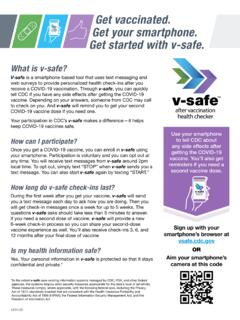
Get vaccinated. Get your smartphone. Get started with v-safe.
pn.heb.comRead the instructions. Click Get Started. 3. Enter your name, mobile number, and other requested information. Click Register. 4.ou will receive a text message with a verification code on your smartphone. Enter the code in Y v-safe and click Verify. 5.

V-safe active surveillance for COVID-19 vaccine safety ...
www.cdc.goventered during registration. Subsequently, text messages will be sent to their smartphone with a link to a web-based survey at 2:00 pm (local time based on zip code entered at registration) on the schedule listed below. Surveys for all timepoints are included in Attachment 1. Electronic health check-in schedule

APPROACH Owner’s Manual S60
www8.garmin.comyour smartphone. TIP: You can select > Settings > Pair Phone to enter pairing mode after the initial setup process. 3. Select an option to add your device to your Garmin Connect Mobile account: • If this is the first device you are pairing with the Garmin Connect Mobile app, follow the on-screen instructions.

Get vaccinated. Get your smartphone. Get started with v-safe.
emergency.cdc.govGet your smartphone. Get started with v-safe. 10:18 AM What is v-safe? V-safe is a smartphone-based tool that uses text messaging and web surveys to provide personalized health check-ins after you receive a COVID-19 vaccination. Through v-safe, you can quickly tell CDC if you have any side effects after getting the COVID-19 vaccine.

Microsoft Token Registration Instruction - Pages
webassets.phsa.caRegistration Instruction M u l t i f a c t o r A u t h e n t i c a t i o n 1 Go to https://aka.ms/mfasetup Open your Internet browser on any computer with Internet access. Enter your health organization email address. Click Next. If part of VRHB domain, enter your V CH email, replacing @vch.ca with @vrhb.or g (e.g. first.last@vrhb.or g).

User’s Guide - Verizon Wireless
cache.vzw.comCheck it out 1 Check it out When you’re up and running, be sure to explore what your smartphone can do. •Watch: Experience crisp, clear photos, movies, and videos on your brilliant 4.3" HD display.

DR 0104 Related Forms 2020
tax.colorado.govRegistration Fees $91 $126 $162 $171 $189 $215 $242 $260 $269 $181 Alcoholic Beverages $3 $3 $5 $6 $8 $10 $15 $17 $51 $11 Cigarettes and Tobacco $42 $42 $53 $49 $50 $51 $43 $38 $58 $47 Total State Taxes $623 $960 $1,558 $1,969 $2,629 $3,671 $5,403 $7,654 $21,971 $4,037 Average Local Taxes Paid
Completing your Investigation Request in e‐QIP
www.dcsa.milfrom a Smartphone or a desktop application. • e-QIP uses layered security to stop hackers and limit access to personal data. Transport Layer Security (TLS) and its predecessor, Secure Socket Layer (SSL), are cryptographic protocols that provide security for communications over networks such as the Internet.