Example: marketing

Form: TM-G

Trademark e-FilingForm: on New Application Tab and select FileTM-G. User can select any one request for apply form . Old FormNew FormTMA-1 Application for Registration of Trade Mark AgentTMA-2 Application for renewal/restoration of the name of a person in the Register of trademarks agentsTMA-3 Application for an alteration in the Register of Trade Marks TYPE : Application for Registration of Trade Mark AgentFill all mandatory fields and clickon submit All mandatoryfields withDocumentupload and click on submit click on submit button request has sign document,request would be show in section of Payments menu. Click on Payment menu (lefthand side)-> click Make Payment. Select form and click on Make click on button Make payment , ACKNOWLEDGEMENT SLIP will showwith Payment History from Payment menu and click on RECEIPT .User viewreceipt details with Q-code.
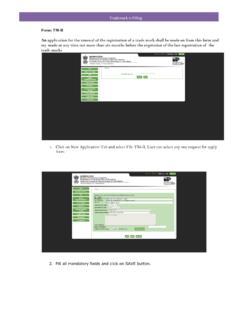
Trademark e-Filing Form: TM-G 1. Click on New Applicatio n Tab and select File TM-G. User can select any one request for apply form. Old Form New Form

Tags:

  Form, Tm g

Information

Domain:

Source:

Link to this page:

Please notify us if you found a problem with this document:

Other abuse

Advertisement

Transcription of Form: TM-G

1 Trademark e-FilingForm: on New Application Tab and select FileTM-G. User can select any one request for apply form . Old FormNew FormTMA-1 Application for Registration of Trade Mark AgentTMA-2 Application for renewal/restoration of the name of a person in the Register of trademarks agentsTMA-3 Application for an alteration in the Register of Trade Marks TYPE : Application for Registration of Trade Mark AgentFill all mandatory fields and clickon submit All mandatoryfields withDocumentupload and click on submit click on submit button request has sign document,request would be show in section of Payments menu. Click on Payment menu (lefthand side)-> click Make Payment. Select form and click on Make click on button Make payment , ACKNOWLEDGEMENT SLIP will showwith Payment History from Payment menu and click on RECEIPT .User viewreceipt details with Q-code.


Related search queries