Example: biology
Getting started with BCC950 ConferenceCam - Logitech
webcam (camera head). Doing so may damage the unit. • Volume Use Volume Up and Down to adjust the volume. • Calling Launch your video conferencing software. Use Answer to pick up a call and Hang up to end a call. Press the Mute button to mute audio. Usage notes: – The Answer and Hang Up buttons may not work in some video conferencing ...
Tags:
Information
Domain:
Source:
Link to this page:
Documents from same domain

Logitech® USB Headset H390
www.logitech.comEnglish Know your product 1. USB Headset H390 2. Microphone boom 3. Microphone 4. Volume controls (+/–) 5. Mute button 6. Mute light 7. USB connector

Activities Want to know more? - Logitech
www.logitech.comLogitech Gaming Software - Help Center file:///E|/Help/en_US/front_page.htm[4/28/2014 8:07:32 PM] Activities... Want to know more? Create a new profile Getting started

On - logitech.com
www.logitech.com1 2 Logitech® Wireless Mouse M217 Setup Guide Guide d’installation English Mac® OS X Users: When plugging in the Unifying receiver, the Keyboard Assistant

圧倒される 超・高解像度 - logitech.com
www.logitech.comLogicool BRIO Ultra HD 4K画像センサー 4K(Ultra HD)@ 30 fps、1080p(フルHD)@ 30/ 60 fps および 720p(HD)@ 30/60/90 fpsを含めた複 数の解像度をサポートし、お使いのアプリケーションや

SMALL GROUPS. BIG POTENTIAL. - Logitech
www.logitech.comSmall group video conferencing deserves more than huddling around PC webcams or begging for time on overbooked conference room systems. The ConferenceCam BCC950

Logicool ゲーム ソフトウェア - logitech.com
www.logitech.com快適な作業および安全性 file:///E¦/Help/ja_JP/comfort_and_safety.htm[4/26/2014 9:19:02 PM] 快適な作業および安全性 ここでは快適な作業 ...

SUPER-WIDE FIELD OF VIEW FOR SMALL SPACES.
www.logitech.comMeetUp’s integrated audio is optimized for huddle room acoustics and delivers an exceptional sound experience. Three horizontally-aimed beamforming mics and

Introducing the Logitech MeetUp
www.logitech.com3 TalkingPointz July 21, 2017 What’s a MeetUp? Logitech currently offers three small room conferencing products in its ConferenceCam lineup .

Setup Guide Guide d’installation Logitech® HD …
www.logitech.com4 English English 5 Getting started with Logitech® HD Pro Webcam C920 Thank you for buying your c920! Use this guide to set up and begin using your Logitech webcam.

Logitech Addresses and Phone Numbers
www.logitech.comLogitech ® G 27 Racing Wheel © 2013 Logitech. All rights reserved. Logitech, the Logitech logo, and other Logitech marks are owned by Logitech …
Related documents
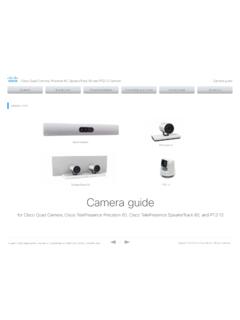
OCTOBER 2021 Precision 60 SpeakerTrack 60 Camera guide
www.cisco.coma camera by associating the camera ID with the camera’s serial number. The setting is persistent until the codec is factory reset. Power • Power rating: 12 V DC, 3 A. • Always use the provided cables and power adapter. Ethernet For camera control and software upgrades. Use Ethernet cable only. Do not connect a serial VISCA

DH-IPC-HDW1431S - Dahuasecurity.com
www.dahuasecurity.comThe IR Megapixel Fixed camera delivers 4MP resolution with a 2.8mm/ 3.6mm fixed lens.The camera's elegant blend of aesthetics combined ... Focus Control Fixed Close Focus Distance N/A DORI Distance Lens Detect Observe Recognize Identify …

CCTV Technology Handbook - United States Department of ...
www.dhs.govcoverage and security alarms for barriers, intrusion detection, and access control. For example, a CCTV system can provide the means to assess an alarm generated by an intrusion detection system and record the event. A CCTV system links a camera to a video monitor using a direct transmission system. This
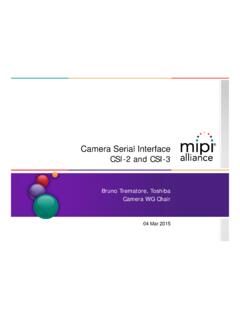
Camera Serial Interface - MIPI Alliance
www.mipi.org• I2C based control interface • Line based transmission – Easy implementation – Low gate count – Matched data rates for sensor and link • In-band interrupts • RGB, YUV, RAW, JPEG • Embedded Data • CRC/ECC for payload and header protection CSI-3 1.1 • M-PHY 3.0 • 32 Virtual Channels • In-band control • Packet based ...

H.264 Network DVR User Manual - Velleman
www.velleman.eu2) VIDEO IN (1 ~ 16 / 1 ~ 8 / 1 ~ 4): Connect to the video connector of a camera. VIDEO LOOP (1 ~ 16 / 1 ~ 8): Video output connector. (For Selected Models Only) Note: The DVR will automatically detect the video system of the camera, please make sure that the cameras are properly connected to the DVR and power-supplied before the DVR is turned on.