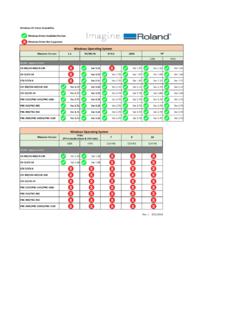
Transcription of GR55RN01—Documentation for Downloaded …
1 1 2011 Roland Corporation rights reserved. No part of this publication may be reproduced in any form without the written permission of Roland Corporation for Downloaded Patches GR-55 ReleaseNote2 About Loading Your Downloaded PatchesWhen you load your new patches into your GR-55, they replace your existing User patches in the GR-55 s memory. Since you probably want to keep your User patches, here s how to safely store them on your computer using the Librarian application that came with your GR-55. You can then re-load them whenever you you ve already got the GR-55 Librarian installed and set up, you can jump now to Backing Up Your User Patches on page Up and Understanding the GR-55 LibrarianInstalling and Configuring the Librarian1 The GR-55 s Librarian software is available on its Downloads tab at To get there, click Download the GR-55 driver for your computer s operating system.
2 The GR-55 Librarian for your computer s operating Follow the included instructions to install the driver Install the Librarian according to the included Launch the Click the Setup menu, Set Up MIDI Set the GR-55 as follows: Input GR-55 Output GR-55 Understanding the LibrarianThe Librarian has two types of windows: the Main window shown below. The Main window exchanges patches with the GR-55. library windows that contain collections of patches, such as the Acoustic window shown below. To get a patch or group of patches from a library into your GR-55, you must first copy them into the Librarian s Main window. To add patches to a library, you copy them from the Main files have a .g5l file Up Your User Patches Now that you have the Librarian ready to go, here s how to back up your existing User patches and then load your newly Downloaded At the top of the Main Librarian window, there are four boxes: You can retrieve all of the patches in the GR-55 s User bank for storage, or just the desired To grab all of the patches in the User bank click Read All.
3 Only certain patches command-click (Mac) or control-click (Windows) the patches you want to retrieve, and then click Read After the data s been retrieved from the GR-55, select Duplicate from the Librarian s File menu the Librarian creates a new library that contains all of the patches you grabbed from the Select Save from the file menu and select a location on your computer s hard drive in which to store your User files have a .g5l file the future, you can open this library and add or remove patches to keep all of your GR-55 patches stored in an order that makes sense to can return patches to the GR-55 s memory by1 opening the library2 copying the desired patches into the Main Librarian window3 sending them back to the GR-55 using the Write All or Write Selected buttons at the top of the Main Your Downloaded Patches Into the GR-551 Open one of the new GR-55 library files you Copy and paste its patches into the Librarian s Main Click on Write All or select only the desired new patches, and then click on Write Selected to load the patches into the GR-55 s User memory.