Example: tourism industry
Guidelines on securing public web servers - NIST
GUIDELINES ON SECURING PUBLIC WEB SERVERS Reports on Computer Systems Technology The Information Technology Laboratory (ITL) at the National Institute of Standards and Technology (NIST) promotes the U.S. economy and public welfare by providing technical leadership for the Nation’s
Information
Domain:
Source:
Link to this page:
Documents from same domain
Archived NIST Technical Series Publication
nvlpubs.nist.govNIST Special Publication 800-171 Protecting Controlled Unclassified Information in Nonfederal Information Systems and Organizations RON ROSS KELLEY DEMPSEY
Announcing the Standard for Personal Identity …
nvlpubs.nist.govFIPS PUB 201-2 . FEDERAL INFORMATION PROCESSING STANDARDS PUBLICATION . Personal Identity Verification (PIV) of . Federal Employees and Contractors
Security and Privacy Controls for Federal Information ...
nvlpubs.nist.govThis publication provides a catalog of security and privacy controls for federal information systems and organizations and a process for selecting controls to protect ...
Guidelines for Media Sanitization - NIST
nvlpubs.nist.govNIST Special Publication 800 -88 . Revision 1 . Guidelines for Media Sanitization . Richard Kissel . Andrew Regenscheid . Matthew Scholl . Kevin Stine . This publication is available free of charge from:
Computer Security Incident Handling Guide - NIST …
nvlpubs.nist.govNIST Special Publication 800-61 Revision 2 . Computer Security Incident Handling Guide . Recommendations of the National Institute of Standards and Technology
Volume I: guide for mapping types of information …
nvlpubs.nist.govNIST Special Publication 800-60 Volume I Revision 1 . Volume I: Guide for Mapping Types of Information and Information Systems to Security Categories
Guide for conducting risk assessments - NIST
nvlpubs.nist.govRevision 1. I N F O R M A T I O N S E C U R I T Y . Computer Security Division . Information Technology Laboratory . National Institute of Standards and Technology
Protecting Controlled Unclassified Information in ...
nvlpubs.nist.govNIST Special Publication 800-171 Revision 1 . Protecting Controlled Unclassified Information in Nonfederal Systems . and Organizations . RON …
Determination of trace elements in ruby laser …
nvlpubs.nist.govJOURNAL OF RE SEAR CH of the Nationol Bureau of Standards- A. Physics and Chemistry Vol. 75A, No.5, September-October 1971 j Determination of Trace Elements in Ruby Laser Crystals by Neutron Activation Analysis
Guide for Cybersecurity Event Recovery
nvlpubs.nist.govcyber event, but as a guide to develop recovery plans in the form of customized playbooks. As referred to in this document, a playbook is an action plan that documents an actionable set of steps an organization
Related documents

CCNA 200-301 Portable - pearsoncmg.com
ptgmedia.pearsoncmg.comLink Layer Discovery Protocol (802.1AB) 123 Configuring LLDP (802.1AB) 123 Verifying and Troubleshooting LLDP 124 Part III: Routing Technologies CHAPTER 14 Confi guring a Cisco Router 125 Router Modes 126 Entering Global Configuration Mode 126 Configuring a Router Name 126 Configuring Passwords 126 Password Encryption 127
Wireless-AC3100 Dual Band Gigabit Router - Asus
dlcdnets.asus.comwireless router's Web GUI to configure your wireless router's settings. ... If the ADSL “LINK” light blinks continuously or stays off, Internet access is not possible - the Router is unable to establish a connection with the ADSL ... • Try setting up the wired connection and configuring the wireless encryption again.

TL-MR3420 3G/4G Wireless N Router - TP-Link
static.tp-link.comTP-LINK 3G/4G Router provides up to 300Mbps, faster thanthat of traditional 11g products, surpasses 11G performance enabling the use of high bandwidthconsuming app- lications such as HD Videos. With just pressing onthe 'WPS ' button, the Router automatically establishes a WPA2 secure connection for solid security in under a minute.

Configuring Policy-Based Routing - Cisco
www.cisco.comConfiguring Policy-Based Routing ... (PBR) on a router and includes ... link. You can set up PBR as a way to route packets based on configured policies. For example, you can implement routing policies to allow or deny paths based on the identity of a particular end system, an

DIR-853 - D-Link
eu.dlink.comrouter (for connection to a wired or wireless ISP), access point, repeater, or client, and then configure all needed setting for operation in the selected mode in several simple steps. Also DIR-853 supports configuration and management via D-Link Click'n'Connect mobile
power over ethernet - Cisco
www.cisco.comConfiguring Power over Ethernet Support This chapter describes how to configure power over Ethernet (PoE) support on the Catalyst 6500 series ... – The IEEE 802.3af PoE standard de fines a method to sense a PD an d to immediately classify the ... timeout waiting for the link to go up on the line. During those 4 seconds, if the IP phone cable ...

D ATSEET - dl.ui.com
dl.ui.comconfiguring a router (EP-R6 or EP-R8) or switch (EP-S16), the configuration interface will differ. Routing Configuration The EP-R6 or EP-R8 offers robust features, including: • VLAN interfaces for network segmentation • Static routes and support of routing protocols: OSPF, RIP, and BGP • Firewall policies and NAT rules
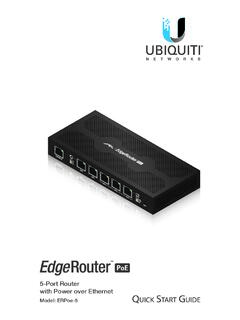
5-Port Router with Power over Ethernet - Ubiquiti
dl.ubnt.comEdgeRouter™ PoE 5-Port Router. This Quick Start Guide is designed to guide you through installation and also includes warranty terms. Package Contents EdgeRouter ERPoe-5 Power Adapter (48V, 1.25A) Power Cord Screws (Qty. 2) Screw Anchors (Qty. 2) TERMS OF USE: All Ethernet cabling runs must use CAT5 (or above).