Example: quiz answers
HEATED VEST User Manual
HEATING AREAS Heating Zones on left pocket, right pocket, mid-back and collar. CLEANING INSTRUCTIONS ① Remove the power bank from the vest pocket before washing, and put the USB plug back to the pocket and zip up. ② Gentle hand wash or machine wash in gentle cycle with a mild detergent and cold water.
Tags:
Information
Domain:
Source:
Link to this page:
Documents from same domain

USER MANUAL - akasotech.com
www.akasotech.comOverview of Basic Functions Welcome to use your AKASO Action Camera. To record or take pictures, Micro SD card (not included) is a must. Micro SD ca rd specifications: MicroSD/Micro SDHC/Micro SDXC Class 10 / UHS-I up to 64GB (compatible with 8GB, 16GB, 32GB, 64GB) Format the SD card first on this camera before using. Regularly formating the ...

USER MANUAL - akasotech.com
www.akasotech.comUSER MANUAL AKASO Brave 7 Action Camera v1.2. English 01 - 24 Deutsch 25 - 48 Español 49 - 72 Français 73 - 96 ... Press and hold the Down button to switch between the front screen and the touchscreen camera view. You can switch …

USER MANUAL - Best GoPro Alternative - AKASO
www.akasotech.comA video codec is an electronic circuit or software that compresses or decompresses digital video. It converts uncompressed video to a compressed format or vice versa. According to multiple studies, HEVC, High Efficiency Video Coding (H.265) should deliver up to 50% better compression than H.264 in video on demand (VOD)

USER MANUAL - Affordable Action Camera | Best GoPro ...
www.akasotech.comA Self Timer gives a delay between pressing the shutter release and the shutter's firing. It is most commonly used to let photographers to take a photo of themselves (often with family). 13. Image Size: 20M / 16M / 12M / 10M / 8M / 5M / 3M / VGA 640x480 Default setting is 20M. 14. Burst: Off / Burst3 / Burst5 / Burst10 Default setting is off.

USER MANUAL - Best GoPro Alternative - AKASO
www.akasotech.comTu rn on camera, p ess and hold Down button for th ee seconds to tu n on Wi-Fi. To Turn Off Wi-Fi Press Down button to turn off Wi-Fi. There are 5 modes: Video, Photo, Burst Photo, Time Lapse Photo and Setting. OVERVIEW OF MODES VIDEO MODE Video Mode is the default mode when you turn on the camera.
Related documents
RE-HEATING INSTRUCTIONS - hincksfarm.com
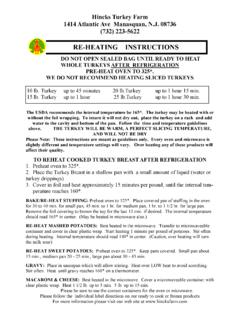
hincksfarm.comRE-HEATING INSTRUCTIONS 10 lb. Turkey up to 45 minutes 20 lb.Turkey up to 1 hour 15 min. 15 lb. Turkey up to 1 hour 25 lb.Turkey up to 1 hour 30 min. BAKING & RE-HEATING SPIRAL HAMS ( 7 - 10 LB. SPIRAL HAM) 1. Preheat oven to 350* 2. Place ham in large oven proof pan 3. Heat for 30 minutes (HAM IS PRE-COOKED) ...

Operating Instructions & User’s Information Manual
www.viessmann-us.comOperating Instructions & User’s Information Manual VITODENS 100-W 5600 333 - 01 03/2014 Vitodens 100-W WB1B Series Wall-Mounted, gas-fired condensing boiler with optional on demand hot water CombiPLUS Kit Read and save these instructions for future reference. IMPORTANT Please file in Service Binder Heating input: 37 to 118 MBH 10.8 to 34.5 kW ...

Use & Care Guide
dam.keurig.comThe brewer will automatically begin heating the water. This will take about 3 minutes. Once the heating sound stops, the brewer is ready. ... We’re here to help. Give us a call at 1-866-901-BREW (2739). NOTE: ... Brewing Instructions - While holding the brewer handle up, push down slowly on the K …
INSTALLATION AND OPERATING INSTRUCTIONS FOR EASY …
s3.supplyhouse.comresponsible for all costs incurred in removal and re-installation of product and must pre-pay shipment to factory or point of purchase. In Canada In USA Heating Cable Warranty Department Heating Cable Warranty Department 99 Union Street 2 Connecticut South Drive Elmira, ON N3B 3L7 East Granby, CT 06026

Hydrostat 3250 Plus Instructions - Hydrolevel
hydrolevel.comRead instructions completely before proceeding. CAUTIONTo prevent serious burns, boiler should be thoroughly cooled before installing or servicing control. WARNINGFrozen pipes/water damage.Central heating systems are prone to shut down as a result of power or fuel outages, ... limit temp is reached and re-fire with a 10° subtractive ...

YOUR THERMOSTAT REPLACES 1 PREPARATIONS
climate.emerson.comHeating System 1. Move SYSTEM switch to HEAT position. If the heating system has a standing pilot, be sure to light it. 2. Press to adjust thermostat setting above room tempera-ture. The heating system should begin to operate. 3. Press to adjust temperature setting below room tempera-ture. The heating system should stop operating.
ELECTRIC RANGE USER INSTRUCTIONS - Whirlpool
www.whirlpool.cominstructions. DANGER WARNING Tip Over Hazard A child or adult can tip the range and be killed. Verify the anti-tip bracket has been properly installed and engaged per installation instructions. Re-engage anti-tip bracket if range is moved. Do not operate range without anti-tip bracket installed and engaged.
ELECTRIC DOUBLE OVEN RANGE USER INSTRUCTIONS
www.whirlpool.cominstructions. DANGER WARNING Tip Over Hazard A child or adult can tip the range and be killed. Verify the anti-tip bracket has been properly installed and engaged per installation instructions. Re-engage anti-tip bracket if range is moved. Do not operate range without anti-tip bracket installed and engaged.

33-00200EF 01 - Honeywell RTH5160 Series
honeywellstore.comheating equipment type. Set value to 0 if you do not have Heat Stage/ Backup Heat Stage. 300 = System Changeover 0 = Manual 1 = Automatic Note: Thermostat can automatically control both heating and cooling to maintain the desired indoor temperature. To be able to select “automatic” system mode on thermostat home screen, turn this feature ON.