Transcription of How to Develop Your Map - ThunderMax : Home
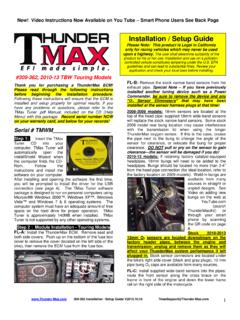
1 How to Develop your Map The ThunderMax Module has been engineered to make the required adjustments to Fine-Tune the running conditions of your engine based on a collection of readings it gathers while you are riding your motorcycle. Follow the steps below to Develop your map based on your specific motorcycle: 1. Following the link below and choose the map that is Closest to your combination. Maps-How to Select and Load From Software Data Base Selecting Data Base Map 2. After you have successfully written the desired map to your module, you need to ride the motorcycle specifically to create learned points in your map. (This is best done repeatedly accelerating up long hills if possible.) 3. After completing a Riding Session*(See Below), perform the AutoMap function located under the Map Editing tab.
2 This will save the learned points to your module and allow you to create more learned points with each AutoMap session. After a few of these sessions, your module should be to the point where it will be making very few, small corrections and your map will be Developed . *Riding Session After the engine is at normal operating temperature, ride the motorcycle using "smoothly varied" throttle and rpm conditions for at least 25 miles, stop and shut the engine off. That would be ONE riding session . Starting the engine and repeating this process creates another riding session . In one riding session you will ride several miles (25-50) of smoothly varied throttle position and rpm levels . Ride using smoothly varied, throttle position and rpms A suggested method of riding is to reduce speed in 4th gear until the engine rpm's are down to around 1750-2000 rpm.
3 Advance the throttle to 25% and "hold that throttle position" until the engine rpms climb to approximately 4600rpm OR until acceleration stops (it may be below 4600 rpm). NOTE: You will repeat this step using 25% - 100% throttle at increasing increments of 10-15%. you may make several passes one each at 25%, 35%, 50%, 60%, 75% ,85% ,100% TPS This provides the best conditions for the Thunder Max module to "see, adjust and record" information regarding your mapping configuration. Repeat these "sessions" at least 4 times. Each time choose a different throttle position as described above. Developing "session" information within the module will provide a "footprint" of the operation of your Thunder-Max module and the loaded map for analysis.
4