Transcription of How to use your Ignite TV Voice Remote: Program & pair
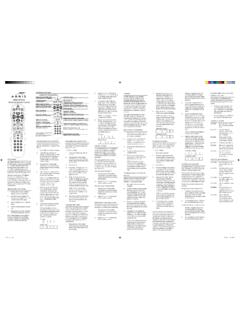
1 How to use your Ignite TV Voice Remote: Program & pair BEFORE YOU START: Find out which of these Ignite TV Voice remotes you own: TM. XR11 Voice Remote XR15 Voice Remote Power on. Turn on your TV and/or audio device. Check your batteries. Press any button on the Voice remote until the LED light turns either red or green. If the LED does not light up, replace your batteries. LED on XR11 LED on XR15. Check Voice Commands Press the Mic button on the Voice Remote and say, Help . Did a Troubleshooting Menu appear on your TV? YES NO.
2 Go ahead and Program your remote You'll need to pair your remote with to work with your TV and audio the Ignite TV box. devices. Pair your Voice Remote with the Ignite TV Box Once paired, you can use your remote to change channels, use Voice commands, search for shows and much more even if you're in another room! Voice REMOTE STEPS. Press the Setup button on your Voice Remote until the LED at the top changes from red to green. Press the Rogers The LED will begin flashing green and the TV screen will prompt you to enter a provided 3- digit code.
3 This may take a few moments to display on your TV. Enter the 3-digit code to finalize the pairing. You will now see the message: Would you like to control your TV using your remote? Click Not now . You have now paired your XR11. remote to the Ignite TV set top box. Try using Voice commands. Voice REMOTE STEPS. Press and hold the Rogers and Info (i). buttons at the same time for 5. seconds. Wait for the remote light to change from red to green. Follow the instructions by entering the 3-digit, on-screen pairing code. This may take a few moments to display on your TV.
4 You will now see the message: Would you like to control your TV using your remote? Click Not now . You have now paired your XR15. remote to the Ignite TV set top box. Try using Voice commands. Program your Voice Remote to work with your TV. Turn your TV on or off, and control your TV's volume using the Voice remote. Here's how to set it up. Program or pair your remote with your TV to control the power and volume. 1. Press the A button on your Voice Remote. 2. Select Remote Setup. 3. Follow the on-screen instructions. Still not working?
5 Try these steps for your specific remote type: * Please make sure TV is powered on. Voice REMOTE STEPS. Hold the Setup button until the LED. light changes from solid red to solid green. Enter 9-9-1. The LED will flash green twice. Press the CH+ button slowly multiple times until the TV turns off. Once the TV is turned off, press the Setup button to lock in the code. Voice REMOTE STEPS. Press and hold the A and D buttons at the same time until the LED at the top changes from red to green. Enter 9-9-1. The LED button will flash green twice.
6 Press the CH+ button slowly multiple times until the TV turns off. Once the TV is turned off, press the Select button located at the centre of the arrow controls to lock in the code. Program your Voice Remote to work with other devices Got an AV receiver or sound bar? You can control the volume of these audio devices using the Voice Remote. To Program or pair your Voice Remote to control AV receivers like HDMI compatible sound bars and your home theatre: 1. Press the A button on your Voice Remote. 2. Select Remote Setup. 3.
7 Follow the on-screen instructions. Keep in mind, not all TV and audio devices can be paired Last updated: May 6, 2020.