Example: dental hygienist
HyperX Cloud Stinger Core ČEŠTINA HyperX NGENUITY …
G - Stiftloch für drahtlose Kopplung H - Kabellos-Status LED I - USB-Ladekabel Verwendung des Headsets 1. Verbinde den kabellosen USB-Adapter mit deinem Gerät. 2. Schalte das Headset ein. HyperX NGENUITY Software Lade die Software und die …
Tags:
Information
Domain:
Source:
Link to this page:
Documents from same domain
Flash Memory Guide - Kingston Technology
media.kingston.com3 • Solid State: Flash storage devices, as semiconductor storage devices, have no moving parts and thereby are not subject to the mechanical failure issues of hard drives.

Kingston® SSD Manager
media.kingston.com490KSM-UG1X.A04 20180716 page| 3 Introduction Kingston® SSD Manager is an application that provides users with the ability to monitor and manage various aspects of …

Flash Memory Guide - Kingston Technology
media.kingston.com3 • Solid State: Flash storage devices, as semiconductor storage devices, have no moving parts and thereby are not subject to the mechanical failure issues of hard drives.
HyperX Cloud II FW Update 0010 Procedure
media.kingston.comHyperX Cloud II FW Update 0010 Procedure Document No. 480KHX-HSCP-FW10.A01 HyperX Cloud II Headset Firmware update Page 1 of 2
HyperX Cloud II Installation Guide
media.kingston.comDocument No. 480KHX-HSCP001.A01 HyperX Cloud II Headset Page 2 of 12 Introduction Optimized for pro-gaming, HyperX Cloud II Headset (KHX-HSCP-xx) is a high-quality communicating device that
SHFS37A Firmware Release Notes - Kingston …
media.kingston.comSHFS37A Firmware Release Notes Firmware Revision 60AABBF0 – May 28th, 2016 SHFS37A/120G SHFS37A/240G SHFS37A/480G
SMART Attribute Details - Kingston Technology
media.kingston.comSMART ttribut 2 SMART Attribute Details Provides a detailed description of SMART Attribute support and how each may be used. Kingston® SM2280S3G2, SEDC400S37, SKC310S37A, SHSS37A, SUV300S37A, SKC400S37 and
SMART Attribute Details - Kingston Technology
media.kingston.comSMART ttribut 2 SMART Attribute Details Provides a detailed description of SMART Attribute support and how each may be used. Kingston® SUV400S37 SMART Attribute Details
< Print User Manual
media.kingston.comOptimized for pro-gaming, HyperX Cloud Headset is a high-quality communicating device that delivers superior ... Max 0.5 mA • Nominal impedance: ≤2.2 k ohm +/- 30% ... If the PS4 user chooses to connect the headset to the PS4 game controller without using the volume control box (as ...

Acronis True Image HD - media.kingston.com
media.kingston.comAcronis True Image HD에서는 앱 내 스토어가 제공됩니다. 앱 내 스토어에 액세스하려면 계정 탭으로 이동한 다음 업그레이드를 클릭합니다. 이렇게 하면 앱 내 스토어에서 모든 구입 옵션을 볼 수 있습니다.
Related documents
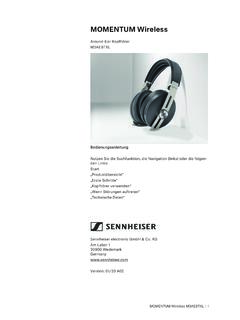
MOMENTUM Wireless - Sennheiser
assets.sennheiser.comdie drahtlose Audiokommunikation wie Musikwiedergabe und Tele-fonate über Bluetooth-Funktechnologie konzipiert. Als nicht bestimmungsgemäßer Gebrauch gilt, wenn Sie dieses Pro - dukt anders benutzen, als in den zugehörigen Produktanleitungen beschrieben. Sennheiser übernimmt keine Haftung bei Missbrauch oder nicht ord -

Deco M4 – Benutzerhandbuch
cdn11.a1.netRoaming für drahtlose Geräte Steuern Sie die LED auf Deco Benachrichtigungen ein- und ausschalten Betriebsart ändern Benutzerhandbuch Deco M4 | Erweiterte Funktionen Benutzerhandbuch Deco M4 | Erweiterte Funktionen

X1 Yoga und X1 Carbon – Benutzerhandbuch
download.lenovo.comFunktionen beeinflussen. Wenn Ihr Computer keine drahtlose WAN- oder GPS- Verbindung herstellen kann oder wenn Ihr Standort nicht über die GPS- Funktion Ihres Computers ermittelt werden kann, trennen Sie die Einheit von den Thunderbolt 3-Anschlüssen. 2. Ethernet- Erweiterungsanschluss Gen2

BENUTZERHANDBUCH - MDCC
www.mdcc.deHier können Sie das drahtlose Netzwerk scannen, um unter anderem Netzwerk-Diagnoseinformationen im 2,4 GHz- und 5 GHz-Band zu sammeln: • Die Anzahl der benachbarten Zugriffspunkte und ihre Parameter: + Netzwerkname (SSID) + Signalstärke (dBm) + Signal-Rausch-Verhältnis (SNR) + Die Kanalnummer, auf der der Zugriffspunkt arbeitet