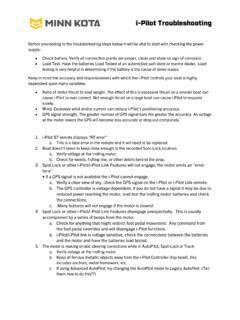
Transcription of i-Pilot & i-Pilot Link Troubleshooting Guide
1 i-Pilot & i-Pilot Link Troubleshooting Guide Rev. A P a g e | 1 Date 06/16 Caution: Always wear safety glasses and gloves. Disconnect all power to the trolling motor before beginning any work or maintenance. Johnson Outdoors Inc. is not responsible for any damage due to improper rigging or installation. If you do not have the skills, experience and tools to perform the following maintenance and repairs, we recommend you seek the help of a Minn Kota Authorized Service Center. A list of Authorized Service Centers can be found at Or contact our Technical Service Department by email at or, by dialing 800-227-6433.
2 The motor is making erratic steering corrections while using i-Pilot in AutoPilot, Spot-Lock Track to Start/End, or using i-Pilot Link in iTrack Navigation, BackTrack, Route Navigation, or Follow the Contour. Step 1. ( i-Pilot Link only). Ensure the i-Pilot Link remote and controller assemblies have the latest software downloaded. Click here to visit the MyHumminbird portion of the Humminbird website to download the latest software. Step 2. Check all electrical connections and trolling motor battery voltage to ensure that the proper voltage is supplied to the motor.
3 Proper voltage is critical to ensure the built-in compass is working correctly. The i-Pilot /Link systems use an internal compass to know which direction the controller and GPS receiver is pointing. A trolling motor battery below 12 volts could cause erratic behavior. Step 3. Be sure to keep all ferrous metallic objects away from the i-Pilot /Link controller as they will have an impact on the built-in compass. Such objects include: anchors, metal framework, etc. Step 4. Check to ensure proper motor lead wire routing in control box. A. The red and black motor leads in the control box should be routed on the coil cord half of the control box.
4 (Away from the compass in the front of the i-Pilot /Link controller.) B. The red and black motor leads in the control box should be twisted around each other to cancel out the magnetic field created around these wires when the motor is running. B-1. If the motor shaft was shortened, the brush lead wire should also be cut back the same length. B-2. If the motor shaft was shortened and the motor has a built-in transducer, the extra transducer cable should be routed out of the control box and down the coil cord. (Note that the red/black wires should be twisted three times on both the coil cord and brush lead wire sides and then the insulator or shrink tube is slid in place over the spade connectors.)
5 This picture shows an Ulterra, but the wire routing is similar and critical for all motors with i-Pilot .) Step 5. The i-Pilot /Link GPS-based functions are dependent on having good GPS signals (Advanced AutoPilot, Spot-Lock, and Track to Start/End). Check to make sure that a good signal is being received and that the GPS signal strength indicator on the i-Pilot remote is showing at least one bar. Step 6. If, after following the previous steps, the problem of erratic steering persists reference your owner s manual Troubleshooting section or click here to contact Minn Kota customer service for further assistance.
6