Transcription of Individual Development Plan (IDP) Training Guide
1 Individual Development plan (IDP) Training Guide Updated 2/2/11 Individual Development plan Training Guide Table of Contents I. Individual Development Planning Guiding Principles .. 3 What is Development ? 3 What is an Individual Development plan (IDP)? 3 II. Creating an Individual Development 4 IDP Process Overview 4 Lominger Card Sort Process 4 III. Using ePerform to Document the IDP .. 8 Accessing ePerform 8 System Overview 9 Development Tab 9 Creating Development Opportunities 10 IV. Additional Resources .. 15 The competency language and related content are used under license, and by permission, from KornFerry Leadership and Talent Consulting, powered by Lominger, and are intended for internal Otsuka use only. Updated 2/2/11 2 Individual Development plan Training Guide I. Individual Development Planning Guiding Principles What is Development ?
2 Development is the process of identifying and providing people with the opportunities that allow them to LEARN and GROW. Otsuka Development efforts focus on enhancing current skills and elevating performance to continually drive outcomes. Research has shown that: 70% 70% of Development comes from job-based Development tasks and special job-based assignments 20% from managers, coaches or mentors 10% from Training and coursework Development can be maximized by using a variety of these methods. What is an Individual Development plan (IDP)? A Development plan is a tool, which helps facilitate Development , by specifying the actions steps needed to address a specific competency. Development plans are useful for all employees, regardless of their position, current level, or job performance. Even the best employees have Development needs. Development objectives should focus on two or three competencies that if changed / improved / enhanced would improve this person s performance OR would prepare him / her for the next challenge or role.
3 Types of Development Plans Not all Development Plans address a weakness. There are several types of Development Plans employees should consider when creating their IDP. A few of the commonly used Development plans are listed below: Classic Development plan An employee identifies a competency that is a current weakness. Enhancement plan An employee may address a skill he /she is good at and make it better. This skill, if improved, might make the most difference. Job Assignments 20% Feedback, Coaching, Mentors People 10% Training Updated 2/2/11 3 Courses, eLearning Project assignments, job experience Individual Development plan Training Guide Types of Development Plans (Cont d.) Substitute plan An employee chooses to build other competencies to MASK the lack of a competency. PR plan An employee has a competency, but no one around them is aware of this. The plan shows others what the employee is capable of doing.
4 Employees are not expected to create all of the above, but rather determine which type of plan would have the most impact on his/her Development . HR Business Partners are available to provide further clarification on Development Plans as needed. II. Creating an Individual Development plan IDP Process Overview The following steps outline the overall IDP process: The employee completes his / her year end performance discussion and obtains feedback, and gathers additional input if needed The employee conducts the Lominger self card sort The employee reviews the results of the card sort against the Otsuka Core Competency Model The employee selects 2-3 competencies to be addressed in the IDP and drafts the action plan in ePerform The employee schedules and reviews the IDP with his / her manager to finalize the competency choices and planned actions Additional detail related to this process is further outlined below.
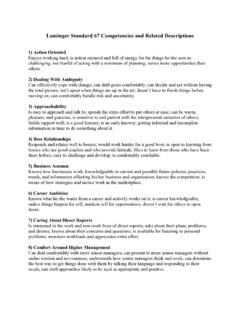
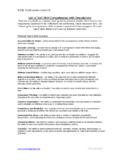
5 Lominger Card Sort Process The Lominger card sort process is used to facilitate the identification of an employee s top developmental opportunities (see second bullet above). Employees should collaborate with their manager on this process if needed. All managers and HR Business Partners have access to the appropriate materials (Card Deck and for your improvement Book, FYI ). Access the Lominger Card Deck : Step 1 Remove the 67 competency cards from the deck Step 2 - Locate the following 3 Divider cards and place on the table into 3 separate groups: Card A - High or Highest or Most or Would Describe You Card B - Moderate or Middle or Some or Might Describe You Updated 2/2/11 4 Card C - Low or Lowest or Least or Would Not Describe You Individual Development plan Training Guide Lominger Card Sort Process (Cont d.) Step 3 - Begin reading each of the 67 cards to understand the skill.
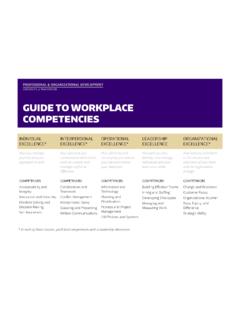
6 Read the front of the card as well as the back of the card (see example slide below). Step 4 - Begin placing each card into the 3 groups listed above (group A, B or C). Step 5 - Once all cards are placed into the appropriate deck, it may be helpful to force rank the cards: 22 cards into Group A High or Highest or Most or Would Describe You 23 cards into Group B Moderate or Middle or Some or Might Describe You 22 cards into Group C Low or Lowest or Least or Would Not Describe You" Updated 2/2/11 5 Most or Would Describe Middle or Might Describe Least or Would Not Describe ABC 222322 Individual Development plan Training Guide L Step 6 - Review the Otsuka Competency Model to determine if anyominger Card Sort Process (Cont d.) potential Development opportunities lign with those competencies identified as critical to the business. a Energy Energize Edgy Execute Passion Senior Leader ction Oriented Perseverance Effective eams on and Purpose trategic Agility Ambiguity usiness Acumen Priority Setting l ourage Customer Focus A BuildingT Managing VisiS Dealing withB ManageriaC Manager ction Oriented Perseverance otivating Others Creativity mbiguity Management rive for Results Measuring Work tanding Alone Customer Focus A M Dealing withA Conflict D Managing and S IndividContributoual r ction Oriented Perseverance elationships Creativity anagement Sizing Up People echnical Skills Drive for Results elf- Development Customer Focus A Peer R Conflict M Functional/ T S e employee s performance OR would prepare him / her for the next challenge, project, or role.
7 Nters the Developmental Opportunities in ePerform Add Developmental Opportunity(ies) Step 7 Determine the 2-3 greatest opportunities for inclusion in the IDP. Again, please recall, Development objectives should focus on two or three competencies that if changed / improved / enhanced would improve thStep 8 The employee e Launch ePerform Click the Development tab Updated 2/2/11 6 Individual Development plan Training Guide Lominger Card Sort Process (Cont d.) 1-2 actions basis for the personal Development plan icipated date of completion) Add learning activities if applicable dditional ePerform and technology instructions are provided in Section III of this Guide . d proposed action work together to redefine the top 2 -3 opportunities and revise actions plans as needed. The employee completes the following steps: Add the title of the Development Opportunity Select the identified competency to be developed Address how the Development need will be addressed?
8 Keep it simple, define theto take for each opportunity - this is the List specific outcomes to be achieved Enter a Start date and End date (Ant A Step 9 The employee schedules and discusses the IDP with his / her manager If the employee and manager both agree on the identified competencies an then checkpoints should be established to continue to monitor progress. If the employee and manager do not come to agreement they will need to Updated 2/2/11 7 Individual Development plan Training Guide III. Using ePerform to Document the IDP The IDP is available online via ePerform. It is an efficient and centralized way for Otsuka employees to track Development opportunities and associated actions. It is important to note that the focus of the IDP is NOT about the ePerform technology. The thoughtful assessment and identification of competencies and action planning that occurs outside of the tool truly provides the foundation for the IDP.)
9 The ePerform technology serves as a repository of Development opportunities for employees and managers to share in an online environment. The following section of this Training Guide provides user instruction on the basic functionality within the ePerform IDP. Accessing ePerform ePerform can be accessed through Otsuka Connect, From Otsuka Connect, click Quick Links / ePerform The connection to ePerform is automatic; therefore, employees do not have to enter a username and password as long as they are connected through the Otsuka network VPN and have access to Otsuka Connect. Updated 2/2/11 8 Individual Development plan Training Guide System Overview Development Tab The Individual Development plan is accessed through the Development tab in ePerform. The Individual Development plan page has two main components: Employee Hierarchy and Development Opportunities. 1 Employee Hierarchy shows the employee s manager and direct reports and allows the employee to access Goal and Performance Management information, including their Individual Development plan .
10 2 Development is the core of the ePerform Individual Development Planning tool and is addressed in detail in the next section. Updated 2/2/11 9 Individual Development plan Training Guide Creating Development Opportunities Once the employee is ready to document the IDP in ePerform, and has accessed the Development tab, the second step in building an IDP is to click the Add Development Opportunity button. (NOTE: To edit an existing Development Opportunity, an employee would go to the Action column, click the pad and pencil icon and edit these same fields.) The system displays the following fields to be completed. Updated 2/2/11 10 Individual Development plan Training Guide Creating Developmental Opportunities (Cont d.) 1 Developmental Opportunity The employee enters a name for the Developmental Opportunity, Conflict Management. This is a required field 2 Competencies Select the competency most relevant for the Development Opportunity if applicable.