Transcription of Inspiron 15 3542 Specifications - Dell
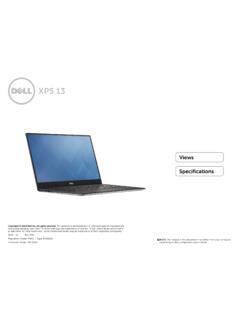
1 ViewsSpecificationsCopyright 2014 dell Inc. All rights reserved. This product is protected by and international copyright and intellectual property laws. dell and the dell logo are trademarks of dell Inc. in the United States and/or other jurisdictions. All other marks and names mentioned herein may be trademarks of their respective 09 Rev. A01 Regulatory model: P40F | Type: P40F001/P40F002 Computer model: Inspiron 15 3541/15 3542 NOTE: The images in this document may differ from your computer depending on the configuration you SeriesInspiron 151 Power and battery status lightIndicates the power and battery status of the is getting is low or Computer is plugged in and the battery is fully charged.
2 Computer is running on battery and battery has more than 10% cable slotConnect a security cable to prevent unauthorized movement of your adapter portConnect a power adapter to provide power to your computer and charge the portConnect a TV or another HDMI in enabled device. Provides video and audio portConnect an Ethernet (RJ45) cable from a router or a broadband modem for network or internet portConnect peripherals such as storage devices, printers, and so on. Provides data transfer speeds up to 480 portConnect peripherals such as storage devices, printers, and so on.
3 Provides data transfer speeds up to 5 portConnect a headphone, a microphone, or a headphone and microphone combo (headset).1234567 ViewsSpecificationsFrontLeftRightBaseDis playLeft1 Media card readerReads from and writes to media portConnect peripherals such as storage devices, printers, and so on. Provides data transfer speeds up to 480 driveReads from and writes to CDs and click areaTap to left your finger on the touchpad to move the mouse pointer. Tap to left click areaTap to right buttonPress to turn on the computer if it is turned off or in sleep to put the computer in sleep state if it is turned and hold for 10 seconds to force shut down the : You can customize the power button behaviour in Power Options.
4 For more information, see Me and My dell at high quality digital sound input for audio recording, voice calls, and so you to video chat, capture photos, and record status lightTurns on when the camera is in InformationMemoryPorts and ConnectorsDimensions and WeightComputer EnvironmentStorageTouchpadPower AdapterCameraCommunicationsBatteryVideoA udioDisplayMedia Card ReaderKeyboardDimensions and mm ( in)Non mm ( in) mm ( in) mm ( in)Weight (maximum) kg ( lb)Non kg ( lb)NOTE: The weight of your laptop varies depending on the configuration ordered and the manufacturing InformationMemoryPorts and ConnectorsDimensions and WeightComputer EnvironmentStorageTouchpadPower AdapterCameraCommunicationsBatteryVideoA udioDisplayMedia Card ReaderKeyboardSystem InformationComputer modelInspiron 15 3541/15 3542 ProcessorInspiron 15 3541 Inspiron 15 3542 AMD E1 6010 AMD E2 6110 AMD A4 6210 AMD A6 6310 4th Generation Intel Core i7 4th Generation Intel Core i5 4th Generation Intel Core i3 Intel
5 Pentium Dual Core Intel Celeron Dual CoreChipsetIntegrated in processorIntegrated in processorSpecificationsViewsSystem InformationMemoryPorts and ConnectorsDimensions and WeightComputer EnvironmentStorageTouchpadPower AdapterCameraCommunicationsBatteryVideoA udioDisplayMedia Card ReaderKeyboardMemorySlotOne SODIMM slotTypeDDR3 LSpeedUp to 1600 MHzConfigurations supported2 GB, 4 GB, and 8 GB SpecificationsViewsSystem InformationMemoryPorts and ConnectorsDimensions and WeightComputer EnvironmentStorageTouchpadPower AdapterCameraCommunicationsBatteryVideoA udioDisplayMedia Card ReaderKeyboardPorts and ConnectorsExternal:NetworkOne RJ45 portUSB Two USB ports One USB portHDMIOne HDMI out portAudioOne headset portInternal.
6 Mini CardOne half Mini Card slot for WLAN, Bluetooth, and Wireless Display (optional)SpecificationsViewsSystem InformationMemoryPorts and ConnectorsDimensions and WeightComputer EnvironmentStorageTouchpadPower AdapterCameraCommunicationsBatteryVideoA udioDisplayMedia Card ReaderKeyboardCommunicationsEthernet10/1 00 Mbps Ethernet controller integrated on system boardWireless Wi Fi b/g/n Bluetooth Wireless Display (optional)SpecificationsViewsSystem InformationMemoryPorts and ConnectorsDimensions and WeightComputer EnvironmentStorageTouchpadPower AdapterCameraCommunicationsBatteryVideoA udioDisplayMedia Card ReaderKeyboardVideoInspiron 15 3541 Inspiron 15 3542 Controller.
7 Integrated AMD Radeon R4 Graphics for AMD A6 Quad Core AMD Radeon R3 Graphics for AMD A4 Quad Core AMD Radeon R2 Graphics for AMD E1 Dual Core Intel HD Graphics 4400 for Intel Core i7, Intel Core i5, and Intel Core i3 Intel HD Graphics for Intel Pentium Dual Core and Intel Celeron Dual CoreDiscreteAMD Radeon HD R5 M230 GeForce 820M GeForce 840 MMemory:IntegratedShared system memoryShared system memoryDiscrete 1 GB DDR3L 2 GB DDR3L 1 GB DDR3L 2 GB DDR3 LSpecificationsViewsSystem InformationMemoryPorts and ConnectorsDimensions and WeightComputer EnvironmentStorageTouchpadPower AdapterCameraCommunicationsBatteryVideoA udioDisplayMedia Card ReaderKeyboardAudioController:IntelRealt ek ALC3234 with Waves MaxxVoiceAMDR ealtek ALC3223 with Waves MaxxVoiceSpeakersTwo Speaker output.
8 Average2 WMicrophoneDigital microphoneVolume controlsProgram menus and keyboard media control shortcut keys. To learn about your computer keyboard shortcut keys, see the Quick Start Guide at InformationMemoryPorts and ConnectorsDimensions and WeightComputer EnvironmentStorageTouchpadPower AdapterCameraCommunicationsBatteryVideoA udioDisplayMedia Card ReaderKeyboardStorageInterface SATA 6 Gbps for hard drive SATA 3 Gbps for optical driveHard driveOne in drive (supports Intel Smart Response Technology)Optical driveOne mm DVD+/ RW driveSpecificationsViewsSystem InformationMemoryPorts and ConnectorsDimensions and WeightComputer EnvironmentStorageTouchpadPower AdapterCameraCommunicationsBatteryVideoA udioDisplayMedia Card ReaderKeyboardMedia Card ReaderTypeOne slotCards supportedSD cardSpecificationsViewsSystem InformationMemoryPorts and ConnectorsDimensions and WeightComputer EnvironmentStorageTouchpadPower AdapterCameraCommunicationsBatteryVideoA udioDisplayMedia Card ReaderKeyboardDisplayType in HD touchscreen
9 In HD non touchscreenResolution (maximum)1366 x 768 mm ( in) mm ( in) mm ( in)Refresh rate60 HzOperating angle0 degree (closed) to 135 degreesPixel mmControlsBrightness can be controlled using keyboard shortcut keys. To learn about your computer keyboard shortcut keys, see the Quick Start Guide at InformationMemoryPorts and ConnectorsDimensions and WeightComputer EnvironmentStorageTouchpadPower AdapterCameraCommunicationsBatteryVideoA udioDisplayMedia Card ReaderKeyboardKeyboardType Standard keyboard Backlit keyboard (optional)Shortcut keysSome keys on your keyboard have two symbols on them.
10 These keys can be used to type alternate characters or to perform secondary functions. To type the alternate character, press Shift and the desired key. To perform secondary functions, press Fn and the desired : You can define the primary behavior of the shortcut keys by changing Function Key Behavior in BIOS setup InformationMemoryPorts and ConnectorsDimensions and WeightComputer EnvironmentStorageTouchpadPower AdapterCameraCommunicationsBatteryVideoA udioDisplayMedia Card ReaderKeyboardCameraResolution:Still megapixelVideo 1280 x 720 (HD) at 30 fps (maximum)Diagonal viewing angle74 degreesSpecificationsViewsSystem InformationMemoryPorts and ConnectorsDimensions and WeightComputer EnvironmentStorageTouchpadPower AdapterCameraCommunicationsBatteryVideoA udioDisplayMedia Card ReaderKeyboardTouchpadResolution:Horizon tal1207 dpiVertical1702 mm ( in) mm ( in)SpecificationsViewsSystem InformationMemoryPorts and ConnectorsDim