Example: quiz answers
Inspiron 15 5515 - Dell
Secure Digital Extended Capacity (SDXC) 2. USB 3.2 Gen 1 port. Connect devices such as external storage devices and printers. Provides data transfer speeds up to 5 Gbps. 3. Global headset jack. Connect headphones or a headset (headphone and microphone combo). Left. 1. Power-adapter port. Connect a power adapter to provide power to your computer. 2.
Tags:
Information
Domain:
Source:
Link to this page:
Documents from same domain

Inspiron 15-3505 Laptop Users Guide - Dell
dl.dell.comViews of Inspiron 3505. Right. 1. SD-card slot. Reads from and writes to the SD card. The computer supports the following card types: Secure Digital (SD)

Dell Optimizer Version 2.0 User's Guide
dl.dell.comOct 10, 2020 · Dell Optimizer is a software application that intelligently optimizes the performance of your system by using artificial intelligence and machine learning. Dell Optimizer dynamically configures your system settings to optimize the performance of your applications.

Dell Docking Station WD19DCS Dual Cable User Guide
dl.dell.comStation WD19DCS to supported Dell systems, the dock button works like your system's power button and you can use it to power on/sleep/force shutdown the system. NOTE: The dock button is not functional when connected to unsupported Dell systems or non-Dell systems. 4. 8 Identifying Parts and Features

Inspiron 15 7000 Gaming Setup and Specifications
dl.dell.comInspiron 15 7000 Gaming Setup and Specifications Computer Model: Inspiron 15-7567 Regulatory Model: P65F Regulatory Type: P65F001

XPS 13 9310 Re-imaging guide for Windows - Dell
dl.dell.comExpanded compatibility Fixed device issues Support for new features However, if your computer is operating normally and there are no driver issues or updates being prompted by Windows, driver updates may be unnecessary. Updating drivers unnecessarily may create new problems.

XPS 15 9510 Re-imaging guide for Windows - Dell
dl.dell.comExpanded compatibility Fixed device issues Support for new features However, if your computer is operating normally and there are no driver issues or updates being prompted by Windows, driver updates may be unnecessary. Updating drivers unnecessarily may create new problems.

Dell Wyse USB Imaging Tool
dl.dell.comsupport for Windows 10 Enterprise LTSC 2019 (64-bit) on Wyse 5070 Thin Client, Wyse 5470 Thin Client and Wyse 5470 All-in-One Thin Client. Key features USB Imaging Tool has the following key features: Provision to push an Image from a network.

Precision 3560 Setup and Specifications
dl.dell.comS4 (Hibernate) - The computer consumes the least power compared to all other sleep states. The computer is almost at an OFF state, expect for a trickle power. The context data is written to hard drive. S5 (OFF) - The computer is in a shutdown state. 10 Views of Precision 3560

Dell Precision 5560
dl.dell.comConnect the 8K display directly to a Thunderbolt port on your computer. Power on the display and than turn off the power on the display. Daisy chain two 4K monitor via WD19TB series cannot reach 4K resolution. Question. When two 4K display is connected by Daisy chain via WD19TB series docking station, it cannot reach resolution upto 4K *2 @60 ...

Dell EMC OpenManage Enterprise Release Notes
dl.dell.comOct 01, 2021 · Enterprise's system management and monitoring is best suited for enterprise LANs and is not recommended for usage over WANs. For information about supported browsers, see the OpenManage Enterprise Support Matrix available on the support site. With OpenManage Enterprise, a web-based one‑to‑many systems management application, users can:
Related documents

Meridian Digital Telephones User Guide - McGill University
knowledgebase.mcgill.caintegrated voice and data transmission • External Alerter Interface for high ambient noise environments • Add-on 22 configurable Feature Key Expansion Modules (2 maximum) • Analog Terminal Adapter (ATA) for simultaneous use of a fax, modem or other analog device through the ATA’s RJ-11 connection. Introducing your Meridian Digital Telephone
iPod User’s Guide - Apple
manuals.info.apple.comimport songs from your CD or digital music collection to your computer, or use the iTunes Music Store (available in some countries only) to purchase songs and download ... Record voice memos (using an optional microphone) ... onnect iPod to the iPod Power Adapter using the iPod Dock Connector to FireWire Cable. The built-in battery is 80 ...
XPS 13 9300 Setup and Specifications - Dell
dl.dell.comProvide digital sound input for audio recording, voice calls, and so on. 2. Power and battery-status light Indicates the power state and battery state of the computer. Solid white—Power adapter is connected and the battery is charging. Solid amber—Battery charge is low or critical. Off—Battery is fully charged.
XPS 15 9550 Specifications - Dell
downloads.dell.comrecording, voice calls, and so on. 2 Power and battery-status light Indicates the power state and battery state of the computer. Solid white — Power adapter is connected and the battery is charging. Solid amber — Battery charge is low or critical. 3 Right microphone Provides high‑quality digital sound input for audio
HP Spectre 13 Pro Ultrabook and HP Spectre 13 Ultrabook
h10032.www1.hp.comDual array digital microphones with software; beam forming, echo cancellation, noise suppression; supports voice recognition Wireless Integrated Wireless options with dual antennas (NGFF/PCIe) Intel WiDi support Miracast support Intel Dual Band Wireless-AC 7260 802.11 AC 2x2 WiFi + BT 4.0 Combo Adapter (except Indonesia, Russia, and Ukraine)
User Manual - SanDisk
mp3support.sandisk.comFM radio† – includes an integrated FM radio with digital tuner for listening to live-broadcast FM radio programs. Voice recorder – supports voice recording function with built-in microphone. EQ effect – select an EQ mode to personalize your music experience. Internal memory – store data on the internal memory.
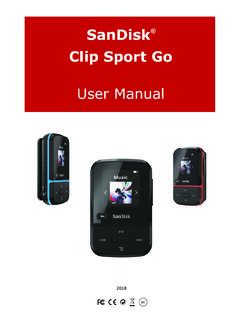
ClipSportGo UserManual 2018v11 - SanDisk
downloads.sandisk.com• FM radio: Includes an integrated FM radio with digital tuner for listening to live-broadcast FM radio programs. • Books: Audible DRM, audiobooks and podcasts. • Folders: Search root files for media. • Voice Rec: Record and save voice messages. • Sport: Includes stopwatch feature that saves logs and times.

Inspiron 15 3558 (with optical drive) Specifications - Dell
downloads.dell.com1 Power-adapter port Connect a power adapter to provide power to your computer and charge the battery. 2 Network port Connect an Ethernet (RJ45) cable from a router or a broadband modem for network or internet access. 3 HDMI port Connect a TV or another HDMI‑in enabled device. Provides video and audio output. 4 USB 3.0 port