Transcription of Instruction Manual - Tasco
1 03-13 Trail CameraModel #: 119256 CWInstruction Manual3 Page IndexIntroduction 5 Parts & Controls Guide 6-7 Battery and SD Card Installation 8 About the Setup Menu 9 Using the Setup Menu 9 SETUP MENU REFERENCE TABLE 10-11 camera Operation 12 Mount the
2 camera 12 Power on the camera 12 Test the Coverage Area 13 Secure the camera 13 Viewing the Photos and Videos 14 Glossary 15 Technical Specifications 16 Troubleshooting/FAQ 17-204 IMPORTANT NOTEC ongratulations on your purchase of one of the best trail cameras on the market!
3 Tasco is very proud of these cameras and we are sure you will be pleased with yours as well. We appreciate your business and want to earn your trust. Please refer to the notes below and the instructions in this Manual to ensure that you are completely satisfied with this your Tasco Trail Cam does not seem to be functioning properly or if you are having photo/video quality issues, please check the Troubleshooting/FAQ section on pages 17-20. Problems are often due to something simple that was overlooked, or require only changing one setting to your problem continues after trying the solutions in the Troubleshooting/FAQ section, please call Tasco Customer Service at (800) 423-3537.
4 In Canada, call (800) recommends using 4 Energizer Lithium AA batteries in this Trail Cam to obtain maximum battery Not Mix Old and New BatteriesDo not mix battery types-use ALL lithium or ALL batteries are not recommends using SanDisk SD and SDHC Cards (up to 32GB capacity) in this Trail on your purchase of a Tasco Digital Trail camera . This camera is designed to record animal activity in the outdoors with its still image and movie modes and weatherproof, rugged construction. Your trail cam features a compact, portable size and an extra long battery life.
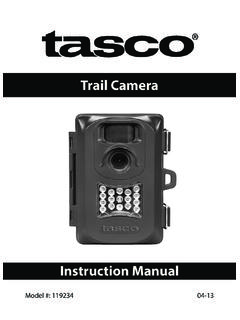
5 Main Features: MP digital sensor Compact Size (120mm*94mm*46mm) Long Battery Life (Up to 6 months) Trigger Time= seconds or less Automatic IR Filter LCD Display 15 Night Vision LEDs Adjustable Photo Delay: 5~ 59 second ,1~ 10mins (default 10S) Multiple Shot Mode (3 images per trigger) 640*480 at 30 FPS Videos Supports up to 32 GB SD Card Date, Time & Moon Phase Imprint Auto Exposure Auto White Balance Power Supply: 4 AA batteries (lithium or alkaline) Mounting Socket for Standard Tripods Weatherproof6 Parts and Controls GuideFront of CameraCamera LensInfrared LED ArrayPIR Motion SensorTripod SocketPadlockHoleIR LED Array DetailPIR Indicator (Setup Mode OnlyLight Sensor7 Control Panel DetailParts and Controls GuideControl Panel (Front Unlatched & Opened))
6 Power SwitchUSB Port LCD DisplaySD Card SlotBattery Compartment8 BATTERY and SD CARD INSTALLATIONYour Tasco Digital Trail camera is designed to operate using 4 AA batteries. We recommend using Lithium (for longest life) or Alkaline batteries. NOTE: Always set the power switch to the OFF position when installing or removing make sure the batteries are inserted correctly, as indicated inside the battery compartment. Incorrect voltage or polarity (+/-) will damage the camera . Do not mix old and new not mix battery types-use ALL lithium or ALL batteries are not Digital Trail camera has a memory card slot, to accept SD cards up to 32GB max.
7 Capacity (sold separately). Inserting an SD card Make sure the power switch is in the OFF position whenever adding or removing memory. Insert an SD card into the card slot completely and oriented correctly as shown by the icon above the slot (label up, contacts facing down and notched corner on the right). To remove the SD memory card, depress the SD card and pull out the card a new, blank SD card is recommended. If the SD card has been used in another device, please make sure to format using the Format option in the Trail Cam s Setup menu before you set the camera to capture photos/videos.
8 New cards are ready to use straight from the THE SETUP MENUS lide the power switch to the On position. You ll see WAIT on the display, then the setup menu screen. Before you start using the camera , you ll no doubt want to set the date/time so they are imprinted correctly on your photos, and maybe change the trigger delay time and image resolution to your preferences. This is done by editing the settings of an item listed in the Setup Menu. To enter the Setup Menu at any time, press the SETUP button (to left of the power switch).
9 USING THE SETUP MENUThe Setup Menu has 5 different items, which appear on a list in the left frame of the display. Here s how to edit (change) the setting of a menu item:1. Select the menu item you want to edit by pressing the UP or DOWN button until the item is blinking. Note: you can see the current/default setting for each item (without changing it) in the main center frame as you move up and down the list of Press the OK You can now select the setting you prefer for the selected item by pressing the UP or DOWN button (do not hold the button down).
10 The setting displayed in the center frame will blink until you press OK to confirm it is the setting you want to To exit the Setup menu at any time, simply press the Setup MENU DISPLAYSELECTED MENU ITEMCURRENT SETTING OF SELECTED ITEMI ndicates Photo (1P or 3P) or Movie ModeBattery Level10 Menu ItemSettings (Bold=default)Description/OperationDates et year, month, and dayPress OK and use the UP/DOWN keys (to change the setting), then press OK again to go to the next date parameter and repeat, to set the current year, month, and day.