Transcription of IntelliComfort App - UPGNET
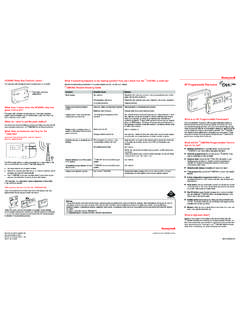
1 IntelliComfortAppUsersGuideUsers GuideTable of Contents1. Icon Description2 AccountCreationand Setup2. Account Creation and Create new app Login Process / Forgot Add thermostat to app Account / Rename and Delete24 Connectthermostatto wirelessnetworkthroughthe app(iOS ONLY) Connect thermostat to wireless network through the app (iOS ONLY)3. Screens and View Dashboard / Flip Tile Locations Screen33 Settings Home Swipe Between Mobile Device is Offline (Mobile Device is NOT Connected to Wireless Network) Thermostatis Offline(Thermostatis NOT Connectedto WirelessNetwork) Thermostat is Offline (Thermostat is NOT Connected to Wireless Network) Thermostat Faults (App is NOT accessible during a fault condition. All Fault s must be reset from the Master Thermostat)1 Icon Description*Cool Mode Enable/Disable*Quick Cool/Heat Enabled (Heat/Cool Mode Must be Enabled from the Homescreen)*Heat Mode Enable/Disable*Settings Enter settings(iOS Only)*Quick Cool/Heat Disabled(Heat/Cool Mode Must be Disabled from the Homescreen)*Q i kCl/HtRi*Add a new Location(iOS Only)*Quick Cool/Heat Running(ONLY Quick Heat or Quick Cool canRun at a time)*Away Adjust Setpoints under settings*Home Resets to Original Setpoints*Up/Down Arrows Increase andDecrease temperature*Online Thermostat is connected to a wireless network*Humidity Animation (Animation Only)*Offline Thermostat is NOTconnectedto a wireless network.
2 *Fan Animation (Animation Only)App Creation and Setup Create new app AccountEnter: Name, Email Address,Password, ,CountryPress SIGNUP tab (Check Registered Press SIGNUP tabEmail to Verify Account)Press Accept tabPressPress LOGIN Create new app AccountPress Save tabEnter Email& PasswordType inDevice IDfrom theThermostatEnter Device Name (What you want the & Password Press Login tabLocation Called)illDevicewill appear Login Process / Forgot PasswordEnter Email& PasswordPress& Password Press Login tabPress LOGIN tabEnter Email AddressResetToken will be Press Reset Passwordlocated in the reset emailSelect ForgotPassword Add thermostat to app AccountiOSPress Save tabPress Add symbolEnter Device Name (What you want the Location Called)Type inDevice IDfrom theThermostatddAndroidTypeinEnter Device Name (What you want the )
3 Type inDevice IDfrom theThermostatPress Save tabLocation Called)Press Register new Rename and Delete thermostat to app AccountiOSSlideLocationto the LeftSelectRemovetoSelect Rename to Changethe nameofSelect Remove to Delete the LocationChange the name of the LocationddHoldLocationAndroiduntil popupSelect Rename to Change the name of the Locationthe LocationSelect Remove to Delete the LocationiOS Connect thermostat to wireless network through the appSelect Acceptand go to theSettingsappPress SIGNUP taband go to the Settings appon your Mobile DeviceSelectSettingsappSelect theSettings appWi Fi settingsiOS Connect thermostat to wireless network through the appTurn Wi Fi ON Select theT Stat .. networkSelect yourWirelessSelect JoinFor Password Restricted NetworksWireless NetworkEnter in PasswordiOS Connect thermostat to wireless network through the appConnection SuccessfulSelectOKPressSelectOK(You can now View the Thermostat)Press LOGIN tabScreens and View Dashboard / Flip Tile ScreenNon ZoningNon ProgrammableNon programmable (Flip Tile)Non ZoningLocation NameSettingsIndoorUp/Down ArrowsAwayCool Set PointIndoor TemperatureAwayHeat Set PointArrowsQuick HeatQuick CoolAway/HomeProgrammableProgrammable (Flip Tile)Location NameSettingsOverrideIndoor TemperatureUp/DownOverride TemperatureQuick HeatQuick CoolAway/HomeHeat Set PointCool Set PointUp/Down Dashboard / Flip Tile ScreenZoningNon ProgrammableNon programmable (Flip Tile)
4 ZoningLocation NameSettingsUp/Down ArrowsCool Set PointIndoor TemperatureHeat Set PointQuick HeatQuick CoolAway/HomeProgrammableLocation NameSettingsProgrammable (Flip Tile)Cool Set PointIndoor TemperatureHeat Set PointUp/Down ArrowsOverride TemperatureAway/HomeQuick HeatQuick Miscellaneous Dashboard ScreensAuto Mode Non programmable SlidersNo ModeActiveQuick CoolEnabledQuick HeatEnabledCoolSetpointHeatSetpointSetpo intSetpointActiveCoolingActiveHeatingNo Locations ScreenAdd New Device1 Location3 Locations LogoutHomeModeLocation 1(Vacation)Thermostat OnlineSingle LocationHome Mode()Away ModeLocation 2(Office)Location 3(Home)Thermostat Offline(Home)Rf hVlRefresh app Values* Pull Down on the LocationScreen to refresh the Settings Screen TemperatureThreshold Set the MaximumEnable Temperature EmailsTemperature Threshold Set the Maximum and Minimum temperature values for temperature alert emails.
5 Humidity Threshold Set the Maximum and Minimum humidity percentage range for humidity alert Humidity Emails Fault Alerts Enable or Disable email notificationsfor active fault occurrences. Temperature Override Choose Custom Overrides: Cancel, Next Event, or Hours from Now Overrides(ONLY availablein ProgrammableandEnableFault EmailsOverrides. (ONLY available in programmable and Advanced programmable ) Away Mode Set Heat and Cool Away Mode Override SettingsHumidityStVlHumidity SettingsExample:Adjust Away ModeSet ValuesApp VersionHumidityMinimum/ Settings Screen TemperatureThreshold Set the MaximumEnable Temperature EmailsTemperature Threshold Set the Maximum and Minimum temperature values for temperature alert emails. Humidity Threshold Set the Maximum and Minimum humidity percentage range for humidity alert Humidity Emails Fault Alerts Enable or Disable email notificationsfor active fault occurrences.)
6 Temperature Override Choose Custom Overrides: Cancel, Next Event, or Hours from Now Overrides(ONLY availablein ProgrammableandEnableFault EmailsOverrides. (ONLY available in programmable and Advanced programmable ) Away Mode Set Heat and Cool Away Mode Override SettingsHiditHumidity SettingsExample:Adjust Away ModeHumiditySet ValuesHumidityMinimum/MaxApp Home ScreenTurnMobile Device Non Programmableto HorizontalViewSun/Moon IIndoor TemperatureOutdoorTtBrandZone Name(Zoning ONLY)idifi iSiIconTemperatureTemperatureUp/Down ArrowsHumidification Settings(Animation Only)Fan Settings (Animation Only)Indoor HumidityArrowsHeat Mode EnabledCool Mode Home ScreenTurnMobile Device programmable & Advanced Programmableto HorizontalViewSun/Moon Indoor TtOutdoorBrandIconTemperatureTemperature Zone Name(Zoning ONLY)Fan Settings (Animation Only)Up/Down AHumidification Settings(Animation Only))
7 Indoor HumidityCancel OverrideArrowsHeat Mode EnabledCool Mode Swipe between ZonesHome Screen View*Swipescreen to the LEFT to view Zones 2 6*Swipescreen to the Right to view Zones 1 Mobile Device is Offline (Mobile Device is NOT Connected to Wireless Network)No Internet ConnectionNo Internet ConnectionNo Internet ConnectionNo Internet Thermostat is Offline (Thermostat is NOT Connected to a Wireless Network)Thermostat is OfflineThermostat is OfflineThermostatThermostat OfflineThermostat Thermostat Faults (App is not accessible during a fault condition. All Fault s must be reset from the Master Thermostat)Indoor Equipment Fault(Dashboard View)Thermostat Fault(Dashboard View)Fault DescriptionFault Description(Mustbe Enabled(Must be Enabled from theInstaller Side of Thermostat)(Must be Enabled from the Installer Side of Thermostat)Outdoor Equipment Fault(Dashboard View)FaultDescriptionThermostat Fault(Homescreen View)Fault Description(Must be Enabled from theInstaller Side of Thermostat) IntelliComfort AppSubject to change without notice.)
8 Published in 2014 by Johnson Controls, Inc. All rights : 035-23713-001-A-0314 York International York DriveNorman, OK 73069