Example: bachelor of science
Interchangeable Lens Digital Camera - Manuals & Specs
Interchangeable Lens Digital Camera Instruction Manual E-mount. GB 2 This camera is equipped with a built-in instruction guide. In-Camera Guide The camera displays explanations for MENU items and the setting values. 1 Press the MENU button or the Fn (Function) button.
Tags:
Information
Domain:
Source:
Link to this page:
Documents from same domain

Interchangeable Lens Digital Camera - Manuals & Specs
docs.sony.comGB 2 “Help Guide” is an on-line manual. You can read the “Help Guide” on your computer or smartphone. Refer to it for in-depth instructions
Bluetooth Audio System - Sony
docs.sony.comBluetooth™ Audio System. 2 Warning Be sure to install this unit in the dashboard of the car for safety. For installation and connections, see the supplied installation/ connections manual. You are cautioned that any changes or modifications not expressly approved in this

Guide de l’utilisateur - Sony eSupport
docs.sony.comGuide de l’utilisateur du Cyber-shot Rechercher Imprimer Avant utilisation Utilisation de l’appareil photo Prise de vue Visualisation Fonctions utiles pour la prise de

Home Audio System Système audio de salon - docs.sony.com
docs.sony.com— Connect to another audio system to enjoy the Wired Party Chain function (page 24). • AUDIO/PARTY CHAIN IN L/R jacks — Connect to the audio output jacks of a TV or an audio/ video equipment. The sound is output through this system. — Connect to another audio system to enjoy the Wired Party Chain function (page 24). RESET button

Stereo Receiver Connection and Preparation Playback Tuner ...
docs.sony.comTroubleshooting/ Specifications. 2GB D:\NORM'S JOB\SONY HA\SO17_STR-DH190\STR-DH190\4726907111_GB\020REG.fm4-726-907-11(1) masterpage: Left STR-DH190 ... This radio equipment is intended to be used with the approved version(s) of software that are indicated in the EU Declaration of Conformity. The software loaded on this radio
DVD Player/ Video Cassette Recorder - Sony eSupport
docs.sony.comDVD Player/ Video Cassette Recorder Operating Instructions For customers in the USA If you have any questions about your Sony DVD-VCR, you may call Sony Customer Information Services Company at 1-800-VHS-SONY (847-7669). For all other Sony product questions, please call Sony Customer Information Services

Video Cassette Recorder - Sony eSupport
docs.sony.com3-089-903-11 (1) US Video Cassette Recorder Operating Instructions For customers in the USA Many solutions to common problems and service information can be found at
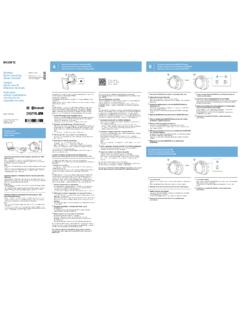
One-touch connection with a smartphone (NFC)/ Pairing and ...
docs.sony.comOne-touch connection is possible only when the app screen is displayed on the smartphone. 4 ouch this unit with the smartphone.T Unlock the screen of the smartphone beforehand. Touch the smartphone on the N marked part of this unit. Keep touching the unit with the smartphone until the smartphone reacts.
WARNING FM/AM Clock Radio - Sony eSupport
docs.sony.comAbout the backup battery To keep To use both sleep timer and alarmgood time, as backup power source, this unit contact. has one CR2032 battery inside of the unit in addition

Heat TV/WEATHER/FM/AM CD Clock Radio - Sony eSupport
docs.sony.com1 –. CD 4 –. antenna. –. AM –. –. unit.....
Related documents

DIGITAL CAMERA - download.nikonimglib.com
download.nikonimglib.comDIGITAL CAMERA User's Manual En Nikon Manual Viewer 2 Use the Nikon Manual Viewer 2 app to view ... tablet to view Nikon digital camera manuals, anytime, anywhere. Nikon Manual Viewer 2 can be downloaded free of ... 2 Choose a language and download the Reference Manual. 3 Double-click the downloaded file. The Reference Manual. v
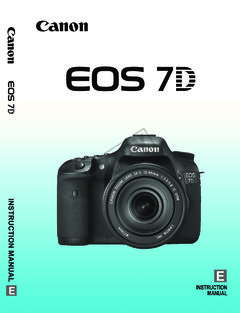
INSTRUCTION MANUAL INSTRUCTION MANUAL
gdlp01.c-wss.comINSTRUCTION MANUAL E INSTRUCTION MANUAL; 2 Thank you for purchasing a Canon product. The EOS 7D is a high-performance, digital SLR camera featuring a fine-detail CMOS sensor with about 18.0 effective megapixels, Dual “DIGIC 4”, approx. 100% viewfinder coverage, high-precision and high-
Online Manual - hp.com
www.hp.comOnline Manual. 2 Navigating the online manual Use the navigation controls at the bottom of each page to move through the guide: Go to the Table of Contents Go to previous page Go to next page Acrobat Reader provides a number of ways to page through a document. You …

INSTRUCTION MANUAL - Hobbico
manuals.hobbico.commanual is limited to radio control models. 2. Export precautions: a) When this product is exported, it cannot be used where prohibited by the laws governing radio waves of the destination country.
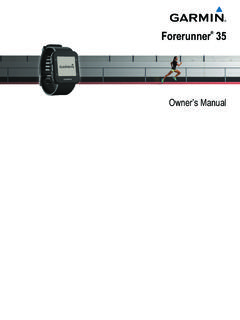
Owner’s Manual - Garmin International
static.garmin.comproducts and to make changes in the content of this manual without obligation to notify any person or organization of such changes or improvements. Go to www.garmin.com for current updates and supplemental information concerning the use of this product.

Driver’s Manual - Connecticut
www.ct.govCompiled by the Connecticut Department of Motor Vehicles, with the assistance . of the American Association of Motor Vehicle Administrators. This manual attempts to provide a general familiarity with the principles of safe and

Ducky One1+2 12in1 usermanual V1 20170817 ol
www.duckychannel.netDucky_One1+2_12in1_usermanual_V1_20170817_ol Created Date: 8/24/2017 12:07:09 PM ...

Kindle User’s Guide 2 - Amazon Web Services
kindle.s3.amazonaws.comMonitoring Download Status ..... 24 1.6 Wi-Fi and 3G Connectivity ... User’s Guide and read it on any supported device (for example, Kindle for iPhone or Kindle for PC). For a complete list of supported devices, visit the Kindle Store on the Amazon website.
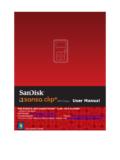
User Manual - SanDisk
mp3support.sandisk.com2 Sansa® Clip+ Overview 2 This chapter helps you familiarize yourself with the features and functionality of your Sansa® Clip+ MP3 player. Sansa® Clip+ MP3 Player Overview Congratulations on your purchase of a Sansa® Clip+ MP3 player! Sansa® Clip+ MP3 player is a sleek and wearable MP3 player with a removable clip and a 1.0” display screen.

User Guide - HP
h10032.www1.hp.com2 Using the on-screen keyboard 1. To open the on-screen keyboard, touch the text field at the top of the screen. Type one or more keywords, and then tap the magnifying glass icon .