Example: bachelor of science
Internet and Email Help - North State Communications
Internet Explorer for Windows - Go to the web page you want to set as your home page. - Pull down the "Tools" menu of Internet Explorer. - Select "Internet Options." - The "General" tab appears. You'll see the "Home page" box at the top. - Click the "Use Current" button in that box. Click "OK." - Close and then reopen Internet Explorer.
Tags:
Information
Domain:
Source:
Link to this page:
Related documents

Recommended QoS Configuration Settings for ASUS RT …
netstorage.ringcentral.comInternet Explorer ® 11 or higher (Windows® XP, 7, 8 or higher) Firefox version 36 or higher (Windows and Mac ®) Safari ® version 6.2 or higher (Mac) Note: The routers recommended here are quality hardware that we have tested internally and work reliably with our services. However, given the constantly updated firmware and physical

Accessing the LVHN Network Off-site TLC
www.lvhn.orgWindows, the version of Internet Explorer and your I.E. security settings, the prompts may be at the top or bottom of your screen, and may be different from those shown.) a. Click Install. b. After clicking “Install”, you may be prompted to run or save a file. Click Run. c.

SSL 2 TLS 1.2 SSL 3 any TLS version HOW TO CHANGE TLS ...
www.waco-texas.comto check (and enable) additional browser security settings. The Waco Water Online Account Access and Payments system uses a SH2 Digital Certificate. When accessing the system, make sure your browser is up-to-date (for Internet Explorer, at least version 10). If
Internet Explorer Personal Computer Checklist
www.realpage.comTo configure Internet Explorer’s compatibility settings to function with OneSite: 1. Open Internet Explorer. 2. Click Settings in the upper-right corner of the browser and then select Compatibility view settings from the drop-down list.
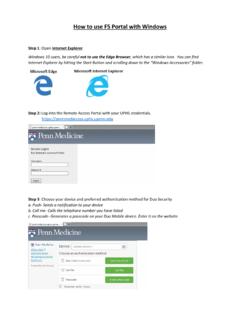
1 Open Explorer not to use the Edge Browser 2
www.uphs.upenn.eduHow to use F5 Portal with Windows Step 1: Open Internet Explorer Windows 10 users, be careful not to use the Edge Browser, which has a similar icon. You can find Internet Explorer by hitting the Start Button and scrolling down to the “Windows Accessories” folder.
1 Open Explorer not to use the Edge Browser 2
www.uphs.upenn.eduHow to use F5 Portal with Windows Step 1: Open Internet Explorer Windows 10 users, be careful not to use the Edge Browser, which has a similar icon. You can find Internet Explorer by hitting the Start Button and scrolling down to the “Windows Accessories” folder.
Fios Extender 3.1 User Manual - Verizon
www.verizon.com• A web browser, such as Chrome™, Firefox®, Internet Explorer 8® or higher, or Safari® 5.1 or higher. 1.2/ FEATURES . Your Fios Extender features include: • Support for multiple networking standards, including – LAN – 802.11 a/b/g/n/ac/ax, Gigabit Ethernet and MoCA 2.5 interfaces