Example: dental hygienist
IPCamClient quick installation guide - Apexis,IP …
Click , will pop-up the window as below: Select P2P Device, then click OK, will pop-up the window as below Click Search, will pop-up the result: Choose the IP camera,Click OK, will show the Basic Info page automatically: Note :when working at outside . We only had to manually enter the UID numbers .
Tags:
Information
Domain:
Source:
Link to this page:
Related documents
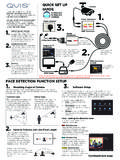
BEFORE INSTALLING ANYTHING WE STRONGLY …
www.free-instruction-manuals.comFACE DETECTION FUNCTION SETUP degrees. Clear facial images will decrease the chance of an omission Mounting Angle of Camera 30° 30° …

P2P Function on Dahua Recorders and Network IP …
www.dh-vision.comP2P Function on Dahua Recorders and Network IP Cameras As many installers can attest, port forwarding for external access to recorders and cameras can
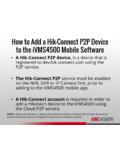
How to Add a Hik-Connect P2P Device to the …
hikvisionusa.comHow to Add a Hik-Connect P2P Device to the iVMS4500 Mobile Software •A Hik-Connect P2P device, is a device that is registered to dev.hik-connect.com using the P2P service. •The Hik-Connect P2P service must be enabled on the NVR, DVR or IP Camera …
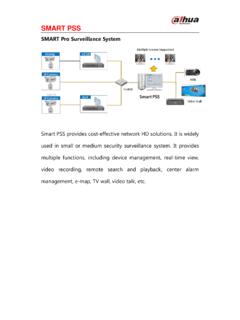
Fixed IP Camera - Dahua Technology
www.dahuasecurity.comSMART PSS SMART Pro Surveillance System Smart PSS provides cost-effective network HD solutions. It is widely used in small or medium security surveillance system.

Quick Start Guide
www.p2plivecam.com1 / 14 What’s in the Box 1. IP Camera 2. DC Power Adapter 3. Network Cable 4. Mounting Bracket 5. Quick Start Guide 6. CD Get Started Hardware Installation

Quick Install for use with P2P with network …
www.ipcam-shop.nlEyesight P2P IP Cam Quick Install Quick Install for use with P2P with network connection 1) This manual shows in a few easy steps how to use the camera via P2P …

Digital Video Recorder - Hikvision
www.hikvision.comUser Manual of Digital Video Recorder 2 Hikvision® Network Digital Video Recorder User Manual This manual, as well as the software described in it, is furnished under license and may be used or copied only