Transcription of IPG AMS LES SF Datasheet - hp.com
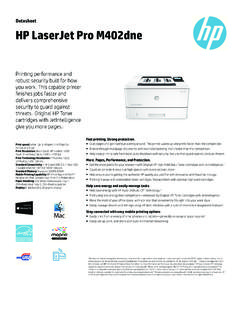
1 DatasheetHPLaserJetProM402dnPrinting performance androbust security built for howyou work. This capable printerfinishes jobs faster anddelivers comprehensivesecurity to guard HP Tonercartridges with JetIntelligencegive you more Grab pages and go without waiting around. This printer wakes up and prints faster than the Breeze through multipage documents with two-sided printing that s faster than the Keep printing safe from boot up to shutdown with security features that guard against complex ,Performance,andProtection. Get the most prints for your money with Original HP High Yield Black Toner cartridges with Count on consistent results at high speeds with precision black toner.
2 Help ensure you re getting the authentic HP quality you paid for with innovative anti-fraud technology. Print right away with preinstalled toner cartridges. Replace them with optional high-yield Help save energy with HP Auto-On/Auto-Off Print using less energy than competitors enhanced by Original HP Toner cartridges with Make the most of your office space, with a printer that conveniently fits right into your work style. Easily manage devices and settings using HP Web Jetadmin with a suite of essential management Easily print from a variety of smartphones and tablets generally no setup or apps Easily set up, print, and share with built-in Ethernet Based on HP internal testing of top three leading competitors first page out from sleep mode and duplex print speed completed 8/2015.
3 Subject to device settings. Actual results may vary. For details see 2 Based on cartridge yields for HP 80X compared with HP 26X Original HP LaserJet Toner Cartridges. For more information, see 3 HP Auto-On/Auto-Off Technology capabilities subject to printer and settings; May require a firmware Based on HP testing using the ENERGY STAR program s Typical Electricity Consumption (TEC) method or as reported in of top three leading competitors as of 8/2015. Actual results may vary. For details see 5 HP Web Jetadmin is free and available for download at Wireless operations are compatible with GHz operations only.
4 App or software and HP ePrint account registration may also be required. Some features require purchase of an optional accessory. Learn more at :Letter: Up to 40 ppm black; First Page Out: Asfast as sec blackPrintResolution:Black (best) 600 x 600 dpi, Up to 4800 x600 enhanced dpi; Black (fine lines): Up to 1200 x 1200 dpiPrintTechnologyResolution:HP FastRes 1200, HP ProRes1200, 600 dpiStandardConnectivity:1 Hi-Speed USB ; 1 Host USB; 1 Gigabit Ethernet 10/100/1000T networkStandardMemory:128 MBMobilePrintingCapability:HP ePrint,Apple AirPrint ,Morpria-certified, Google Cloud Print, Mobile AppsPaperHandling:100-sheet multipurpose input Tray 1,250-sheet input Tray 2.
5 150-sheet output bin, Optional550-sheet tray 3 Display:2-line LCD (text and graphics) Datasheet | HP LaserJet Pro M402dnHPLaserJetProM402dnSpecificationsT ablePrintSpeedLetter: Up to 40 ppm black;4 FirstPageOut: As fast as sec black;5 PrintResolutionBlack(best): 600 x 600 dpi, Up to 4800 x 600 enhanced dpiPrintTechnologyLaserPrintResolutionTe chnologiesHP FastRes 1200, HP ProRes 1200, 600 dpiPrintCartridgesNumber1 (black)StandardPrintlanguagesHP PCL 5, HP PCL 6, HP postscript level 3 emulation, direct PDF (v ) printing, URF, PCLM, PWGP rinterSmartSoftwareFeaturesAuto-duplex printing, N-up printing, collation, HP ePrint, Apple AirPrint , Google Cloud, PrintMopria-certified, Instant-on Technology, HP Auto-On/Auto-Off technology, JetIntelligenceCartridge Technology, Job Storage with PIN printingPrinterManagementPrinter Administrator Resource Kit (Driver Configuration Utility, Driver Deployment Utility,Managed Printing Administrator); HP Web JetAdmin Software; HP Proxy Agent Software; HPImaging and Printing Security Center; HP Utility (Mac); HP Device ToolboxStandardConnectivity1 Hi-Speed USB ; 1 Host USB.
6 1 Gigabit Ethernet 10/100/1000T networkNetworkCapabilitiesVia built-in 10/100/1000 Base-TX Ethernet, Gigabit; Auto-crossover Ethernet; Authenticationvia (built-in Gigabit Ethernet)WirelessCapabilityNoMobilePrint ingCapabilityHP ePrint,Apple AirPrint , Morpria-certified, Google Cloud Print , Mobile AppsMemoryStandard: 128 MB;Maximum: 128 MBProcessorSpeed1200 MHz /Harddisk:NoneDutyCycleMonthly,letter: Up to 80,000 pages6 RecommendedMonthlyPageVolume750 to 40007 MediaTypesSupportedPaper (plain, EcoFFICIENT, light, heavy, bond, colored, letterhead, preprinted, prepunched,recycled, rough); envelopes; labels; transparenciesMediaWeightSupportedTray 1: 16 to lb; Tray 2, Optional 550-sheet Tray 3: 16 to 32 lbMediaSizesSupportedTray 1: Letter, Legal, Executive, Oficio ( x 13 in), A4, A5, A6, B5 (JIS), Oficio (216 x 340 mm),16K (195 x 270 mm), 16K (184 x 260 mm), 16K (197 x 273 mm), Japanese Postcard, DoubleJapan Postcard Rotated, Envelope #10 Envelope Monarch, Envelope B5, Envelope C5, Envelope DL, Custom Size, A5-R, 4 x 6 in, 5 x 8in, B6 (JIS), 10 x 15 in, statement.
7 Tray 2 & Tray 3: Letter, Legal, Executive, Oficio ( x 13 in),A4, A5, A6, B5 (JIS), Oficio (216 x 340 mm), 16K (195 x 270 mm), 16K (184 x 260 mm), 16K(197 x 273 mm), Custom Size, A5-R, 5 x 8 in, B6 (JIS), statementMediaSizesCustomTray 1: 3 x 5 to x 14 in; Tray 2, 3: x to x 14 inPaperHandling100-sheet multipurpose Tray 1, 250-sheet input Tray 2; 150-sheet output bin;DuplexOptions: Automatic(standard);EnvelopeFeeder: No;StandardPaperTrays: 2;InputCapacities: Up to 350 sheets (Tray 1: up to 100 sheets; Tray 2: up to 250 sheets);OutputCapacities: Up to 150 sheets; Up to 10 envelopes; Up to 75 sheetsWhat'sintheboxC5F94 AHP LaserJet Pro M402dn; Preinstalled HP 26A Black LaserJet Toner Cartridge (~3100pages); Getting Started Guide; Setup Poster; Support Flyer; Warranty Guide; Printerdocumentation and software on CD-ROM; Power cord1 ReplacementCartridgesHP 26A Black LaserJet Toner Cartridge (~3100 pages), CF226A; HP 26X Black LaserJet TonerCartridge (~9000 pages), CF226X1 ProductDimensionsWxDxH: 15 x x in2;Maximum: 15 x 25 x lb10 WarrantyFeaturesOne-year warranty, return to HP Authorized Service ProviderEnergyEfficiencyComplianceENERGY STAR certified; Blue Angel.
8 EPEAT SilverControlPanel2-line backlit LCD graphic display; Buttons (OK, Menu, Cancel, Back); LED indicator lights(Attention, Ready)DisplayDescription2-line LCD (text and graphics)SoftwareIncludedFor Windows 7: HP Software Installer/Uninstaller, HP PCL 6 Printer Driver, HP Device Experience(DXP), HP Update, HP Device Toolbox, HP Printer Status and Alerts, HP Product ImprovementStudy, Reconfigure your HP Device; Warranty and Legal Guide, User Guide; For Windows 8+: HPSoftware Installer/Uninstaller, HP PCL-6 Printer Driver, HP Device Experience (DXP), Warrantyand Legal Guide, User Guide, Reconfigure your HP Device; For Windows XP, Windows Vista andassociated servers: HP Software Installer/Uninstaller, HP Printer Driver, Warranty andLegal Guide, User Guide.
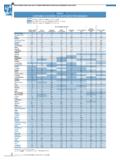
9 For Mac OS: Welcome Screen (Directs users to orOS App Source for LaserJet Software)FontsandTypefaces84 scalable TrueType fontsCompatibleOperatingSystemsWindows OS compatible with In-Box Driver: Windows XP SP3 all 32-bit editions (XP Home, XPPro, etc), Windows Vista all 32-bit editions (Home Basic, Premium, Professional, etc.), Windows7 all 32 & 64-bit editions, Windows 8 all 32 & 64-bit editions (excluding RT OS for Tablets),Windows 10 all 32 & 64-bit editions (excluding RT OS for Tablets); Windows OS compatible withUniversal Print Driver (From ): Windows XP SP3 32 & 64-bit editions (XP Home, XP Pro,etc.)
10 , Windows Vista all 32 & 64-bit editions (Home Basic, Premium, Professional, etc),Windows 7 all 32 & 64-bit editions, Windows 8 all 32 & 64-bit editions (excluding RT OS forTablets), Windows 10 all 32 & 64-bit editions (excluding RT OS for Tablets); Mac OS (HP PrintDrivers available from and Apple Store): OS X Mountain Lion, OS X Mavericks,OS X Yosemite; Mobile OS (In-OS drivers): iOS, Android, Windows 8 RT; Linux OS(In-OS HPLIP); Auto install: BOSS ( , ), DEBIAN ( , , , , , , , , , , , , , , , , , ), FEDORA (17, 18, 19, 20), LINUX MINT(13, 14, 15, 16, 17), SUSE LINUX ( , , ), UBUNTU ( , , , , , , , ); Manual install: MANDRIVA LINUX ( , ), MEPIS ( , , , ), PCLINUXOS ( , 2006, , 2007, , 2008, , 2009), RED HAT ( , ), RED HAT ENTERPRISE LINUX ( , , ), SLACKWARE LINUX ( , , , , ,11, 12, ), GOS ( ), IGOS ( ), LINPUS LINUX( , ), LINUX FROM SCRATCH (6).