Transcription of Lab 2.5.1: Basic Switch Configuration - ut
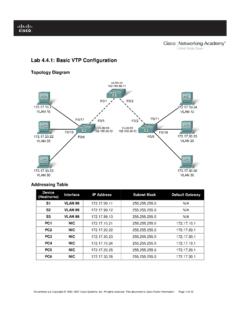
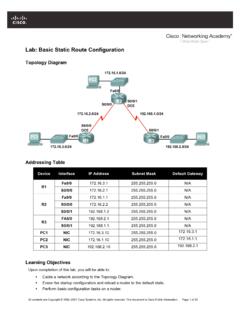
1 All contents are Copyright 1992 2007 Cisco Systems, Inc. All rights reserved. This document is Cisco Public Information. Page 1 of 13 Lab : Basic Switch Configuration Topology Addressing Table Device Interface IP Address Subnet Mask Default Gateway PC1 NIC PC2 NIC S1 VLAN99 Learning Objectives Upon completion of this lab, you will be able to: Cable a network according to the topology diagram Clear an existing Configuration on a Switch Examine and verify the default Configuration Create a Basic Switch Configuration , including a name and an IP address Configure passwords to ensure that access to the CLI is secured Configure Switch port speed and duplex properties for an interface Configure Basic Switch port security Manage the MAC address table Assign static MAC addresses Add and move hosts on a Switch Scenario In this lab.
2 You will examine and configure a standalone LAN Switch . Although a Switch performs Basic functions in its default out-of-the-box condition, there are a number of parameters that a network administrator should modify to ensure a secure and optimized LAN. This lab introduces you to the basics of Switch Configuration . CCNA Exploration LAN Switching and Wireless: Basic Switch Concepts and Configuration Lab : Basic Switch Configuration All contents are Copyright 1992 2007 Cisco Systems, Inc. All rights reserved. This document is Cisco Public Information. Page 2 of 13 Task 1: Cable, Erase, and Reload the Switch Step 1: Cable a network.
3 Cable a network that is similar to the one in the topology diagram. Create a console connection to the Switch . You can use any current Switch in your lab as long as it has the required interfaces shown in the topology. The output shown in this lab is from a 2960 Switch . If you use other switches, the Switch outputs and interface descriptions may appear different. Note: PC2 is not initially connected to the Switch . It is only used in Task 5. Step 2: Clear the Configuration on the Switch . Clear the Configuration on the Switch using the procedure in Appendix 1. Task 2: Verify the Default Switch Configuration Step 1: Enter privileged mode.
4 You can access all the Switch commands in privileged mode. However, because many of the privileged commands configure operating parameters, privileged access should be password-protected to prevent unauthorized use. You will set passwords in Task 3. The privileged EXEC command set includes those commands contained in user EXEC mode, as well as the configure command through which access to the remaining command modes are gained. Enter privileged EXEC mode by entering the enable command. Switch >enable Switch # Notice that the prompt changed in the Configuration to reflect privileged EXEC mode. Step 2: Examine the current Switch Configuration .
5 Examine the current running Configuration file. Switch #show running-config How many Fast Ethernet interfaces does the Switch have? _____ How many Gigabit Ethernet interfaces does the Switch have? _____ What is the range of values shown for the vty lines? _____ Examine the current contents of NVRAM: Switch #show startup-config startup-config is not present Why does the Switch give this response? _____ Examine the characteristics of the virtual interface VLAN1: Switch #show interface vlan1 CCNA Exploration LAN Switching and Wireless: Basic Switch Concepts and Configuration Lab : Basic Switch Configuration All contents are Copyright 1992 2007 Cisco Systems, Inc.
6 All rights reserved. This document is Cisco Public Information. Page 3 of 13 Is there an IP address set on the Switch ? _____ What is the MAC address of this virtual Switch interface? _____ Is this interface up? _____ Now view the IP properties of the interface: Switch #show ip interface vlan1 What output do you see? _____ Step 3: Display Cisco IOS information. Examine the following version information that the Switch reports. Switch #show version What is the Cisco IOS version that the Switch is running? _____ What is the system image filename? _____ What is the base MAC address of this Switch ? _____ Step 4: Examine the Fast Ethernet interfaces.
7 Examine the default properties of the Fast Ethernet interface used by PC1. Switch #show interface fastethernet 0/18 Is the interface up or down? _____ What event would make an interface go up? _____ What is the MAC address of the interface? _____ What is the speed and duplex setting of the interface? _____ Step 5: Examine VLAN information. Examine the default VLAN settings of the Switch . Switch #show vlan What is the name of VLAN 1? _____ Which ports are in this VLAN? _____ Is VLAN 1 active? _____ What type of VLAN is the default VLAN? _____ Step 6 Examine flash memory. issue one of the following commands to examine the contents of the flash directory.
8 Switch #dir flash: or Switch #show flash Which files or directories are found? _____ CCNA Exploration LAN Switching and Wireless: Basic Switch Concepts and Configuration Lab : Basic Switch Configuration All contents are Copyright 1992 2007 Cisco Systems, Inc. All rights reserved. This document is Cisco Public Information. Page 4 of 13 Files have a file extension, such as .bin, at the end of the filename. Directories do not have a file extension. To examine the files in a directory, issue the following command using the filename displayed in the output of the previous command: Switch #dir The output should look similar to this: Directory of 6 drwx 4480 Mar 1 1993 00:04:42 +00:00 html 618 -rwx 4671175 Mar 1 1993 00:06:06 +00:00 619 -rwx 457 Mar 1 1993 00:06:06 +00:00 info 32514048 bytes total (24804864 bytes free) What is the name of the Cisco IOS image file?
9 _____ Step 7: Examine the startup Configuration file. To view the contents of the startup Configuration file, issue the show startup-config command in privileged EXEC mode. Switch #show startup-config startup-config is not present Why does this message appear? _____ Let s make one Configuration change to the Switch and then save it. Type the following commands: Switch #configure terminal Enter Configuration commands, one per line. End with CNTL/Z. Switch (config)#hostname S1 S1(config)#exit S1# To save the contents of the running Configuration file to non-volatile RAM (NVRAM), issue the the command copy running-config startup-config.
10 Switch #copy running-config startup-config Destination filename [startup-config]? (enter) Building [OK] Note: This command is easier to enter by using the copy run start abbreviation. Now display the contents of NVRAM using the show startup-config command. S1#show startup-config Using 1170 out of 65536 bytes ! version no service pad service timestamps debug uptime service timestamps log uptime no service password-encryption ! hostname S1 ! <output omitted> CCNA Exploration LAN Switching and Wireless: Basic Switch Concepts and Configuration Lab : Basic Switch Configuration All contents are Copyright 1992 2007 Cisco Systems, Inc.