Example: barber
LabelManager 210D
1. Type the text for the first line and press D. A new-line symbol ë is inserted at the end of the line, but will not print on the label. 2. Type the text for the second line. 3. Press G to print. Aligning the Text You can align the text to print left or right justified on the label. The default alignment is centered. To change the alignment 1 ...
Tags:
Information
Domain:
Source:
Link to this page:
Documents from same domain
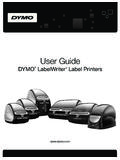
User Guide - DYMO
download.dymo.comAbout the LabelWriter Printer 2 Top cover Label spool Label release Label feed path and tear bar Label roll Label guide Reverse label button Form-feed button
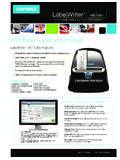
LabelWriter 450 Turbo
download.dymo.comLabelWriter ® 450 Turbo High-Speed Label and Postage Printer For PC and MAC® LabelWriter ® 450 Turbo Features: Print faster – and print postage 1 2 3 4 5 Eliminate the hassle of printing sheet labels through a desktop printer

LabelWriter 450 TwinTurbo - DYMO
download.dymo.comLabelWriter ® 450 TwinTurbo Dual Roll Label and Postage Printer For PC and MAC® LabelWriter ® 450 Twin Turbo Features: Double your label capacity and mailing efficiency 1 2 3 4 5

LabelWriter 450 Series Printers Technical …
download.dymo.comLabelWriter®. 450 Series Printers. Technical Reference Manual . Includes LabelWriter 450, LabelWriter 450 Turbo, LabelWriter 450 …

DYMO Label v.8.5
download.dymo.comDYMO Label v.8.5.4 . Read Me — 30 September 2016 . This document contains important information that is not included in any other DYMO Label documentation.

DYMO Label v.8.6
download.dymo.comDYMO Label v.8.6.1 . Read Me — 9 February 2017 . This document contains important information that is not included in any other DYMO Label documentation.
Quick Start Guide - DYMO
download.dymo.com5 4. Loading Labels To load a label roll 1 Press the form-feed button o ject lab ls at protected the printer during shipment. 2 Op en th op cover andremov ny packing ...
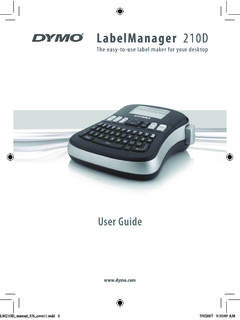
LM210D manual US cover1 - DYMO
download.dymo.com7 Using the Label Maker for the First Time The first time you turn on the power, you are asked to select the language. This selection will remain set until you change it, …

User Guide - DYMO
download.dymo.com4 Figure 1 RHINO 5200 Label Printer SHIFT SHIFT BKSP Feed Print/# of copies Escape Backspace Shift Size/CAPS Backlight Serialization Label exit …

LabelWriter 4XL Quick Start Guide - DYMO
download.dymo.com1 For complete information about your label printer, you can view the LabelWriter Printer User Guide from the DYMO Label v.8 Help menu or from the DYMO Web site at www.dymo…
Related documents

ANNUAL REPORT Form -1 2020 - Maryland
dat.maryland.govType of Business by Department . Check one business type be low Dept. ID Prefix Filing Fee Type of Business Check one business type below ... rental video cassette recorders . and rental DVDs and video tapes. Category B: 20% per annum* Mainframe computers originally costing $500,000 or more. Category F: 50% per annum* Pinball machines, rental ...
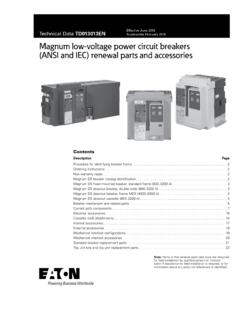
Magnum DS, SB and IEC low voltage power circuit breakers ...
www.eaton.comMDS type breaker A Low-voltage air circuit breaker family name B Breaker family designation number C Breaker frame size in amperes D Interrupting capacity rating ... Magnum drawout cassette (800–3200 A), universal standard frame OEM cassette shown. 5 Technical Data TD013013EN Effective June 2018

DYMO LetraTag 100-H
download.dymo.com2. Insert the cassette with the label positioned between the print head and pinch roller. See Figure 4. 3. Press firmly until cassette clicks into place. 4. Close the label cassette cover and press to turn on the power. Selecting a Language The first time you turn on the power, you are asked to select your desired language.
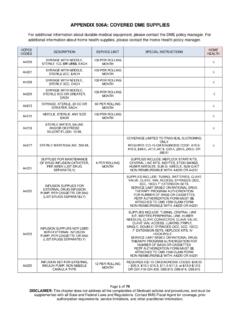
APPENDIX 506A: COVERED DME SUPPLIES
dhhr.wv.govtype, two-way, all silicone a4313 insertion tray without drainage bag with indwelling catheter, foley type,three-way, for continuous irrigation latex with coating (teflon, silicone, silicone elastomer or hydrophilic, etc.) 1 per day x 14 days non-reimbursable with a4310, a4332, a4346 √ a4314 insertion tray with drainage bag with

Punctuating Titles: When to Use Italics, Underlining, and ...
web.cn.eduto remember which type of title requires which type of punctuation. Despair not! If you remember these two handy rules, you can keep the difference straight: 1) Short works and parts of long works are usually in quotation marks. 2) Long works and collections of short works are usually put in italics (or underlined when submitting publication

ESC/EAS Guidelines for the management of dyslipidemias
www.escardio.orgABC-1 ATP-binding cassette transporter 1 ACCORD Action to Control Cardiovascular Risk in Diabetes ACS acute coronary syndrome AIM-HIGH Atherothrombosis Intervention in Metabolic syndrome with Low HDL-C/High Triglyceride and Impact on Global Health Outcomes ALT alanine aminotransferase apo (a) apolipoprotein (a) apo A1 apolipoprotein A1 apo B ...