Example: biology
Latitude 5420 设置和规格 - Dell
Latitude 5420 . 的视图. 主题: • 右侧 • 左侧 • 掌托 • 正面 • 底部 • 系统板布局 • 键盘快捷方式 • 电池充电和状态 LED. 右侧. 1. microSD 卡插槽 2. 通用音频端口 3. USB 3.2 第 1 代端口 4. USB 3.2 第 1 代端口,支持 PowerShare 5. HDMI 2.0 端口 6. RJ45 以太网端口 7. 楔型锁 ...
Tags:
Information
Domain:
Source:
Link to this page:
Documents from same domain

Dell Optimizer Version 2.0 User's Guide
dl.dell.comOct 10, 2020 · Dell Optimizer is a software application that intelligently optimizes the performance of your system by using artificial intelligence and machine learning. Dell Optimizer dynamically configures your system settings to optimize the performance of your applications.

Dell Docking Station WD19DCS Dual Cable User Guide
dl.dell.comStation WD19DCS to supported Dell systems, the dock button works like your system's power button and you can use it to power on/sleep/force shutdown the system. NOTE: The dock button is not functional when connected to unsupported Dell systems or non-Dell systems. 4. 8 Identifying Parts and Features

Inspiron 15-3505 Laptop Users Guide - Dell
dl.dell.comViews of Inspiron 3505. Right. 1. SD-card slot. Reads from and writes to the SD card. The computer supports the following card types: Secure Digital (SD)

Inspiron 15 7000 Gaming Setup and Specifications
dl.dell.comInspiron 15 7000 Gaming Setup and Specifications Computer Model: Inspiron 15-7567 Regulatory Model: P65F Regulatory Type: P65F001

XPS 13 9310 Re-imaging guide for Windows - Dell
dl.dell.comExpanded compatibility Fixed device issues Support for new features However, if your computer is operating normally and there are no driver issues or updates being prompted by Windows, driver updates may be unnecessary. Updating drivers unnecessarily may create new problems.

XPS 15 9510 Re-imaging guide for Windows - Dell
dl.dell.comExpanded compatibility Fixed device issues Support for new features However, if your computer is operating normally and there are no driver issues or updates being prompted by Windows, driver updates may be unnecessary. Updating drivers unnecessarily may create new problems.

Dell Wyse USB Imaging Tool
dl.dell.comsupport for Windows 10 Enterprise LTSC 2019 (64-bit) on Wyse 5070 Thin Client, Wyse 5470 Thin Client and Wyse 5470 All-in-One Thin Client. Key features USB Imaging Tool has the following key features: Provision to push an Image from a network.

Precision 3560 Setup and Specifications
dl.dell.comS4 (Hibernate) - The computer consumes the least power compared to all other sleep states. The computer is almost at an OFF state, expect for a trickle power. The context data is written to hard drive. S5 (OFF) - The computer is in a shutdown state. 10 Views of Precision 3560

Dell Precision 5560
dl.dell.comConnect the 8K display directly to a Thunderbolt port on your computer. Power on the display and than turn off the power on the display. Daisy chain two 4K monitor via WD19TB series cannot reach 4K resolution. Question. When two 4K display is connected by Daisy chain via WD19TB series docking station, it cannot reach resolution upto 4K *2 @60 ...

Dell EMC OpenManage Enterprise Release Notes
dl.dell.comOct 01, 2021 · Enterprise's system management and monitoring is best suited for enterprise LANs and is not recommended for usage over WANs. For information about supported browsers, see the OpenManage Enterprise Support Matrix available on the support site. With OpenManage Enterprise, a web-based one‑to‑many systems management application, users can:
Related documents

Latitude 5420 Rugged - Spec Sheet - Dell Technologies
www.delltechnologies.comFeatures & Technical Specifications LATITUDE 5420 RUGGED Feature Technical Specification Model Number 5420 Processor Options 8th Gen Intel® Core™ i5, i7 quad-core processors + vPro™ 7th Gen Intel® Core™ i3 dual-core processors OperatingSystem Microsoft® Windows 10 Pro 64 bit, Microsoft Windows 10 Pro Memory Options7 8GB, 16GB, or 32GB 2400MHz DDR4 …

Latitude 5420 Setup and Specifications
cdn.cnetcontent.comViews of Latitude 5420. Topics: • Right view • Left view • Palm-rest view • Display view • Bottom view • System board layout • Keyboard shortcuts • Battery charge and status LED. Right view. 1. micro-SD card slot 2. Universal audio port 3. USB 3.2 Gen 1 port 4. USB 3.2 Gen 1 port with PowerShare 5. HDMI 2.0 port 6. RJ-45 ...

Incompressible, Compressible, and Supersonic Flow Fields ...
mae-nas.eng.usu.eduMAE 5420 - Compressible Fluid Flow 1 Incompressible, Compressible, and Supersonic Flow Fields: Static, Dynamic, and Total Pressure (1) • In fluid mechanics static pressure is the pressure exerted by a fluid at rest.

Inspiron 15R 5520 Specifications - Dell
downloads.dell.comDimensions Inspiron 14R-5420/7420/ M421R-5425 Inspiron 15R-5520/7520/ M521R-5525 Height (front and back) 28.88 mm to 31.60 mm (1.14 inches to 1.24
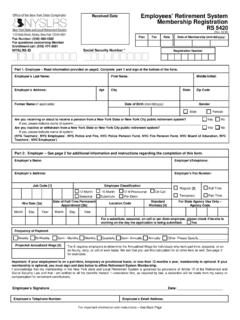
Employees' Retirement System Membership Registration …
www.osc.state.ny.usRS 5420 (Rev. 10/18) Fax Number: (518) 486-4382 For questions concerning Member Enrollment call: (518) 474-3081 . Plan . Tier . Rate . Date of Membership (mm/dd/yyyy) NYSLRS ID . Social Security Number * Registration Number . Part 1: Employee – Read information provided on page 2. Complete part 1 and sign at the bottom of the form.
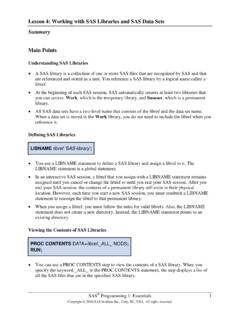
Lesson 4: Working with SAS Libraries and SAS Data Sets
www.biostat.umn.eduLesson 4: Working with SAS Libraries and SAS Data Sets SAS® Programming 1: Essentials 3 PROC PRINT DATA=SAS-data-set NOOBS; VAR variable(s); RUN; You can use the PRINT procedure to display the data portion of a SAS data set.

SET-UP GUIDE
www8.hp.comSTEP 5. If you chose all experiences. in Step 3, you will now set up the VR room boundary. Before you click Trace, move the HMD away from the center and to where your boundary will be. Then, click Trace and use the HMD to trace your boundary.