Transcription of Learning SAS by Example
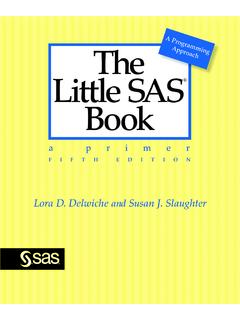
1 SasLearning SAS by Example Ron Cody A Programmer's guide Second Edition The correct bibliographic citation for this manual is as follows: Cody, Ron. 2018. Learning SAS by Example : A Programmer's guide , Second Edition. Cary, NC: SAS Institute Inc. Lear ning SAS by Example : A Programmer's guide , Second Edition Copyright 2018, SAS Institute Inc., Cary, NC, USA ISBN 978-1-63526-659-7 (Paperback) ISBN 978-1-63526-893-5 (Hardcover) ISBN 978-1-63526-656-6 (EPUB) ISBN 978-1-63526-657-3 (MOBI) ISBN 978-1-63526-658-0 (PDF) All Rights Reserved. Produced in the United States of America. For a hard copy book: No part of this publication may be reproduced, sto red in a retrieval system, or transmitted, in any form or by any means, electronic, mechanical, photocopying, or otherwise, without the prior written permission of the publisher, SAS Institute Inc.
2 For a web download or e-book: Your use of this publication shall be governed by the terms established by the vendor at the time you acqui re this publication. The scanning, uploading, and distribution of this book via the Internet or any other means without the permission of the publisher is illegal and punishable by law. Please purchase only authorized electronic editions and do not participate in or encourage electronic piracy of copyrighted materials. Your support of others rights is appreciated. Government License R ights; Restricted Rights: The Software and its documentation is commercial computer software developed at private expense and is pro vided with RESTRICTED RIGHTS to the U nited States Government.
3 Use, duplication, or disclosure of the Software by the United States Government is subject to the l icense terms of this Agreement pursuant to, as applicable, FAR , DFAR (a), DFAR (a), and DFAR 227. 7202-4, and, to the extent required under federal l aw, the minimum restricted rights as set out in FAR (DEC 2007). If FAR is applicable, this provision serves as notice under clause (c) thereof and no other notice is required to be affixed to the Software or documentation. The Government s rights in Software and documentation shall be only those set forth in this Agreement. SAS Institute Inc., SAS Campus Drive, Cary, NC 27513-2414 July 2018 SAS and all other SAS Institute Inc. pr oduct or ser vice names are registered trademarks or trademarks of SAS Institute Inc.
4 In the USA and other countries. indicates USA registration. Other brand and product names are trademarks of their respective companies. SAS software may be provided with certain third-party software, in cluding but not limited to open-source software, which is licensed under its applicable third-party software license agreement. For license information about third-party software distributed with SAS s oftware, refer to Contents List of Programs .. xi Preface .. xix About This Book .. xxi About the Author .. xxiii Acknowledgments .. xxv Part 1: Getting Started .. 1 Chapter 1: What Is SAS? .. 3 Introduction .. 3 Getting Data into SAS .. 4 A Sample SAS Program .. 4 SAS Names.
5 6 SAS Data Sets and SAS Data Types .. 7 The SAS Windowing Environment, SAS Enterprise guide , and the SAS University Edition .. 7 Problems .. 8 Chapter 2: Writing Your First SAS Program .. 9 A Simple Program to Read Raw Data and Produce a Report .. 9 Enhancing the Program .. 16 More on Comment Statements .. 18 How SAS Works (a Look inside the Black Box ) .. 18 Problems .. 21 Part 2: DATA Step 23 Chapter 3: Reading Raw Data from External Files .. 25 Introduction .. 25 Reading Data Values Separated by Blanks .. 26 Specifying Missing Values with List Input .. 27 Reading Data Values Separated by Commas (CSV Files) .. 27 Using an alternative Method to Specify an External File.
6 28 Reading Data Values Separated by Delimiters Other Than Blanks or Commas .. 29 Placing Data Lines Directly in Your Program (the DATALINES Statement) .. 30 Specifying INFILE Options with the DATALINES Statement .. 30 Reading Raw Data from Fixed Columns Method 1: Column Input .. 31 Reading Raw Data from Fixed Columns Method 2: Formatted Input .. 32 Using a FORMAT Statement in a DATA Step versus in a Procedure .. 36 Using Informats with List Input .. 36 Supplying an INFORMAT Statement with List Input .. 37 Using List Input with Embedded Delimiters .. 37 Problems .. 38 iv Contents Chapter 4: Creating Permanent SAS Data Sets .. 43 Introduction .. 43 SAS Libraries The LIBNAME 43 Why Create Permanent SAS Data Sets?
7 45 Examining the Descriptor Portion of a SAS Data Set Using PROC CONTENTS .. 45 Listing All the SAS Data Sets in a SAS Library Using PROC CONTENTS .. 48 Viewing the Descriptor Portion of a SAS Data Set Using a Point-and-Click Approach .. 48 Viewing the Data Portion of a SAS Data Set Using PROC PRINT .. 51 Using a SAS Data Set as Input to a DATA Step .. 52 DATA _NULL_: A Data Set That Isn t .. 53 Problems .. 55 Chapter 5: Creating Labels and Formats .. 57 Adding Labels to Your Variables .. 57 Using Formats to Enhance Your Output .. 58 Regrouping Values Using Formats .. 61 More on Format Ranges .. 63 Storing Your Formats in a Format Library .. 64 Permanent Data Set Attributes .. 64 Accessing a Permanent SAS Data Set with User-Defined Formats.
8 66 Displaying Your Format Definitions .. 67 Problems .. 68 Chapter 6: Reading and Writing Data from an Excel Spreadsheet .. 71 Introduction .. 71 Using the Import Wizard to Convert a Spreadsheet to a SAS Data Set .. 71 Creating an Excel Spreadsheet from a SAS Data Set .. 76 Using an Engine to Read an Excel Spreadsheet .. 78 Using the SAS Output Delivery System to Convert a SAS Data Set to an Excel Spreadsheet .. 79 A Quick Look at the Import Utility in SAS Studio .. 80 Problems .. 84 Chapter 7: Performing Conditional Processing .. 87 Introduction .. 87 The IF and ELSE IF Statements .. 87 The Subsetting IF Statement .. 90 The IN Operator .. 91 Using a SELECT Statement for Logical 92 Using Boolean Logic (AND, OR, and NOT Operators).
9 93 A Caution When Using Multiple OR Operators .. 94 The WHERE Statement .. 95 Some Useful WHERE Operators .. 96 Problems .. 96 Chapter 8: Performing Iterative Processing: Looping .. 99 Introduction .. 99 DO Groups .. 99 The Sum Statement .. 101 Contents v The Iterative DO Loop .. 106 Other Forms of an Iterative DO Loop .. 110 DO WHILE and DO UNTIL Statements .. 112 A Caution When Using DO UNTIL Statements .. 115 LEAVE and CONTINUE Statements .. 116 Problems .. 117 Chapter 9: Working with Dates .. 121 Introduction .. 121 How SAS Stores Dates .. 121 Reading Date Values from Text Data .. 122 Computing the Number of Years between Two Dates.
10 124 Demonstrating a Date Constant .. 125 Computing the Current Date .. 126 Extracting the Day of the Week, Day of the Month, Month, and Year from a SAS Date .. 126 Creating a SAS Date from Month, Day, and Year Values .. 127 Substituting the 15th of the Month when the Day Value Is 128 Using Date Interval Functions .. 129 Problems .. 134 Chapter 10: Subsetting and Combining SAS Data Sets .. 137 Introduction .. 137 Subsetting a SAS Data Set .. 137 Creating More Than One Subset Data Set in One DATA Step .. 139 Adding Observations to a SAS Data Set .. 139 Interleaving Data Sets .. 142 Combining Detail and Summary Data .. 143 Merging Two Data Sets .. 144 Omitting the BY Statement in a Merge.