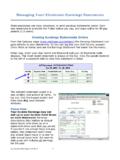
Transcription of Managing Your Regions Personal Checking Account
1 Managing your Regions Personal Checking AccountAt Regions , we believe in making banking with us as simple as possible. So we ve developed this guide with information and tips to help you get the most out of your Checking Account . We hope you ll find this information both easy to understand and a valuable way to help you: See why keeping track of your available balance is so important Understand when deposits are available and when there might be holds See how we post transactions on your Account Minimize common fees, including potentially costly overdraft feesWe re always ready to help answer any questions you may have about your Account . So after you ve had a chance to read this document, please feel free to visit your branch or call us at 1-800- Regions (734-4667) and one of our friendly associates will be glad to assist you.
2 You can also find valuable information about all our products and services at always, thank you for banking with for items underlined can be found in the Glossary of Terms, page 112 How To Keep Track of your Balances Staying on top of your balance and transaction activity will help you avoid fees and better manage your Availability Understanding when your deposits become available and why there may be holds The first key to understanding funds availability is knowing the difference between current posted balance and available balance. Current Posted Balance: The balance in your Account on a specific day. It does not reflect any pending (not yet posted)transactions. Available Balance: The balance in your Account that is immediately available for use.
3 It includes all cleared and all known pending (not yet posted) transactions. It may not include all transactions that you have made, such as a check you have written but we have not yet is important to know your available balance because it determines whether you have enough funds to pay for a transaction. The funds available to you can be affected by the types of deposits you make as well as CheckCard transactions and the time of day in which they are Holds: Let s look at deposits first. Funds from direct deposits, cash deposits, real-time electronic payments or wire transfers are generally available the same day they are deposited to your Account when made before the business day cutoff (see cutoff times on next page).
4 In most cases, funds from checks you deposit are available to you by the first business day after the business day we receive your deposit. Business days exclude Saturday, Sunday and federal holidays. In some cases, check deposits may be subject to deposit holds, which delay availability of funds. These holds are to help protect you and us from losses that could occur when a deposited item is returned. If we are not going to make all of the funds from your deposit available to you on the first business day, we will notify you. Exceptions may apply. Please see the Funds Availability Policy in the Regions Deposit Agreement for complete To Keep TrackRegions TipKeep your own records: Each time you make a transaction, record it and keep a running balance in your transaction register.
5 Adding deposits and recording all withdrawals, including checks, ATM withdrawals, CheckCard purchases and automatic bill payments, helps ensure that your records are accurate and aids in balancing your all transactions, not just checks, with the date and amount in your transaction register (or electronic equivalent).Monitor your transaction activity: By reviewing your transaction history with some frequency (daily, weekly or monthly), you can be sure that you have recorded all of your transactions. By monitoring your Account , you gain a better understanding of your balances and your pending and posted Checking your transaction activity and balance through any Regions service (Online and Mobile Banking, 1-800- Regions , ATMs and branches), remember to subtract any transactions that you have initiated that have not posted to your Account to know how much you have available to spend or withdraw.
6 Know your Account balance: Before making a purchase, writing a check or making a withdrawal, check your Account balance. Checking your Account balance helps ensure that you have enough funds available before you up for Online and Mobile Banking by visiting note, the balance or recent activity provided in Online and Mobile Banking may differ from your records because it may not include deposits still being processed, outstanding checks or other outstanding withdrawals, payments or charges. Table of Contents How To Keep Track of your Balances ..2 Funds Availability ..2 How We Post your Transactions ..6 Understanding Overdrafts ..7 Pulling It All Together ..9 How To Minimize Some of the Most Common Fees ..10 Glossary of Terms.
7 11 Definitions for items underlined can be found in the Glossary of Terms, page 113 Example of a deposit made on a Friday without deposit holds:Type of DepositWhereWhenWithdrawal AvailabilityAvailable to Cover Items Posting to the AccountPosting DateCash Deposit or Funds TransferBranch, ATM, Online, Contact CenterBefore CutoffFridayFridayFridayAfter CutoffFridayMondayMondayNon-Cash DepositBranch, ATM, Online, Contact CenterBefore CutoffSaturdayFridayFridayAfter CutoffTuesdayMondayMondayCutoff times:WhereWhenBranch Cash deposits Non-cash depositsBranch closingNon-DepositSmart ATM8 Central Time (CT)DepositSmart ATM8 Central Time (CT)Contact Center (Automated)8 Central Time (CT)Contact Center (Agent Assisted)Close of businessOnline and Mobile Banking8 Central Time (CT)Real-Time Electronic Payments8 Central Time (CT) Regions Tip: Deposit holds are typically for two to five business days.
8 However, direct deposits in most cases have no hold period, so you get your funds quickly and easily, and best of all, there s no fee for direct deposit. To obtain more information and/or download the direct deposit form, visit of a deposit made on a Monday without deposit holds:Type of DepositWhereWhenWithdrawal AvailabilityAvailable to Cover Items Posting to the AccountPosting DateCash Deposit or Funds TransferBranch, ATM, Online, Contact CenterBefore CutoffMondayMondayMondayAfter CutoffMondayTuesdayTuesdayNon-Cash DepositBranch, ATM, Online, Contact CenterBefore CutoffTuesdayMondayMondayAfter CutoffWednesdayTuesdayTuesdayDefinitions for items underlined can be found in the Glossary of Terms, page 114 Pending CheckCard Transactions: your funds availability may also be affected by pending CheckCard transactions.
9 Generally, when you use your CheckCard to make a purchase:1. The merchant requests Regions to authorize the purchase. 2. If you have available funds, we will authorize the purchase and place a hold (pending transaction) on the available funds in your Account for the amount of the authorization request. Held funds may not be available for other transactions. 3. The hold (pending transaction) will be released when the merchant submits the actual transaction for payment, or three business days after the authorization date, whichever occurs first. Regions places these holds to help prevent overspending funds and because Regions has committed to paying the transaction. Note that on occasion, the actual transaction submitted by the merchant may differ from the amount of the hold based on the authorization request.
10 A common example of this is the addition of a tip to your restaurant bill. Let s look at some A:John makes a purchase at a grocer y store Monday morning using his CheckCard and entering his Sends Authorization to MerchantRegions receives the request and verifies John s available balance. If his balance is sufficient, Regions will authorize the payment and update John s available balance with the amount of the transaction. If authorized, the actual transaction is sent to and paid by Requests Authorization from RegionsThe grocer y store sends a request for authorization for $100 to Regions . John Makes a PurchaseJohn pays for $100 in groceries using his CheckCard and entering his s Regions Account $500 Current Posted Balance- $100 CheckCard Hold $400 Resulting Available BalanceBefore PostingJohn s Regions Account $500 Current Posted Balance- $100 CheckCard Hold+$100 Release CheckCard Hold- $100 Posted Transaction $400 Resulting Available BalanceAfter PostingThe CheckCard hold (pending transaction) affects John s available balance, leaving him with $400 in his Account to authorize/pay transactions the rest of the day.