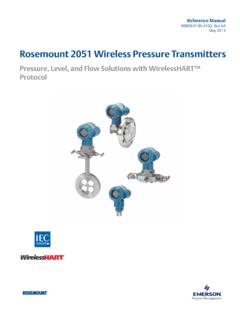
Transcription of Manual: Rosemount™ Smart Pressure Gauge - …
1 Reference Manual00809-0100-4145, Rev ABSeptember 2019 rosemount Smart Pressure GaugeNOTICEThe products described in this document are NOT designed for nuclear-qualified applications. Using non-nuclear qualifiedproducts in applications that require nuclear-qualified hardware or products may cause inaccurate readings. For information onRosemount nuclear-qualified products, contact your local Emerson Sales information on Emerson nuclear-qualified products, contact your local rosemount Sales or modifications to the equipment not expressly approved by rosemount Inc. could void the user s authority to operatethe the rosemount Smart Pressure Gauge in a manner other than what is specified by the manufacturer may impair theprotection provided by the considerationsThe device is shipped with the battery device contains one D size primary lithium-thionyl chloride battery.
2 Primary gram lithium batteries are regulated intransportation by the Department of Transportation, and are also covered by IATA (International Air Transport Association),ICAO (International Civil Aviation Organization), and ARD (European Ground Transportation of Dangerous Goods). It is theresponsibility of the shipper to ensure compliance with these or any other local requirements. Consult current regulations andrequirements before shipping. WARNINGE xplosions could result in death or serious of device in an explosive environment must be in accordance with appropriate local, national, and internationalstandards, codes, and device is installed in accordance with intrinsically safe or non-incendive field connecting a Field Communicator in an explosive atmosphere.
3 Make sure the instruments are installed in accordance withintrinsically safe or non-incendive field wiring that the operating environment of the device is consistent with the appropriate hazardous locations shock could cause death or serious must be taken during transportation of device to prevent electrostatic charge leaks may cause harm or result in the device to follow these installation guidelines could result in death or serious only qualified personnel perform the wrench only to the flats, not on battery is not replaceable in a hazardous location. CAUTIONKeep the vent path free of any obstruction, including but not limited to paint, dust, and lubrication by mounting the device so theprocess can drain or blocking the atmospheric reference port will cause the device to output erroneous Pressure Pressure devices are calibrated at the factory.
4 Trimming adjusts the position of the factory characterization curve. It ispossible to degrade performance of the device if any trim is done improperly or with inaccurate who handle products exposed to a hazardous substance can avoid injury if they are informed of and understand thehazard. The product being returned will require a copy of the required Safety Data Sheet (SDS) for each substance. The SDS mustbe included with the returned WARNINGP hysical accessUnauthorized personnel may potentially cause significant damage to and/or misconfiguration of end users equipment. This couldbe intentional or unintentional and needs to be protected security is an important part of any security program and fundamental to protecting your system.
5 Restrict physical accessby unauthorized personnel to protect end users assets. This is true for all systems used within the Using this Models Product 2 Hardware Safety Installation Impulse piping Process rosemount 16 Chapter Safety System Configuration Basic Gauge Configuration Advanced device parameter Notifications and Advanced 28 Chapter 4 Operation and Safety Pressure signal Replacing the Local device status and Service Local AReference Product Ordering information, specifications, and 41 Appendix BField Communicator menu ManualContents00809-0100-4145 September ManualSeptember this manualThe sections in this manual provide information on installing, operating, and maintainingthe rosemount Smart Pressure Gauge .
6 The sections are organized as follows:Hardware installation contains mechanical and electrical installation instructions provides instruction on commissioning and operating the on software functions, configuration parameters, and online variables are and maintenance contains operation and maintenance provides troubleshooting techniques for the most common data supplies proceedure on how to get the specifications, orderinginformation, and product Communicator menu trees provides full menu trees and abbreviated fast keysequences for commissioning coveredThis manual covers the rosemount Smart Pressure Gauge . Measures gage/absolute/compound/vacuum Pressure up to 10,000 psi ( bar) recycling/disposalRecycling of equipment and packaging should be taken into consideration and disposed ofin accordance with local and national ManualIntroduction00809-0100-4145 September ManualSeptember information in this section covers installation considerations.
7 A Quick Start Guide isshipped with every device to describe basic installation and startup drawings for the rosemount Smart Pressure Gauge can be found in theProduct Data messagesProcedures and instructions in this section may require special precautions to ensure thesafety of the personnel performing the operation. Information that raises potential safetyissues is indicated with a warning symbol ( ). Refer to the following safety messagesbefore performing an operation preceded by this symbol. WARNINGE xplosions could result in death or serious of device in an explosive environment must be in accordance with appropriatelocal, national, and international standards, codes, and device is installed in accordance with intrinsically safe or non-incendive shock could cause death or serious must be taken during transportation of device to prevent electrostatic charge leaks could result in death or serious the device to follow safe installation guidelines could result in death or serious qualified personnel should install the : power/device checkThe device is designed to be installation-ready.
8 To check device battery prior toinstallation, perform the following:Reference ManualHardware installation00809-0100-4145 September Perform Turn on Slide the ON/OFF switch to the OFF position until ready for Communicator connectionsThe device needs to be turned on in order for the Field Communicator to interface withthe rosemount Smart Pressure Gauge . The Field Communicator connection is located tothe right of the ON/OFF switch. To communicate with the device, connect the FieldCommunicator to connections labeled COMM . Field communication with this devicerequires a HART -based tool using the correct rosemount Smart Pressure Gauge devicedriver (DD).
9 Refer to Figure 2-1 for instructions on connecting the Field Communicator tothe 2-1: Connect to Device1 2 364 58709 ABCAF ield CommunicatorBHART modemCAMS Device performance depends upon proper installation of the device and impulsepiping. Mount the device close to the process and use minimal piping to achieve bestperformance. Also, consider the need for easy access, personnel safety, and a suitabledevice environment. Install the device to minimize vibration, shock, and installationReference ManualSeptember choosing an installation location and position, take into account the direction of thedevice for future access to the COMM connections and readability of the analog coverThe electronics cover is tightened so that polymer contacts polymer.
10 When removing theelectronics cover, ensure that there is no damage done to the O-ring. If damaged, replacebefore reattaching cover, ensuring polymer contacts polymer ( no O-ring visible). rosemount Smart Pressure Gauge is self-powered. The battery containsapproximately five grams of lithium. Under normal conditions, the battery materials areself-contained and are not reactive as the battery is maintained inside the enclosure of thedevice. Care should be taken to prevent thermal, electrical, or mechanical should be protected to prevent premature caution when handling the battery, it may be damaged if battery should be stored in a clean, dry area.