Example: air traffic controller
MSWord Troublesome Tables - University of Aberdeen
from the shortcut menu). • From the Table Properties dialog, you can set a specific size for the table or for individual column(s), row(s) or cell(s). • Use the Previous or Next buttons to see the size of column, row or cell next to the one your cursor is on. • Click OK to save any changes.
Tags:
Information
Domain:
Source:
Link to this page:
Documents from same domain

What is VDI? - The University of Aberdeen
www.abdn.ac.uk6 Access VDI using the internet browser on your computer If you are unable to download the VMware Horizon Client, you can also access VDI via your web browser.

Research Proposal Guidelines for PhD Studies in Social ...
www.abdn.ac.ukResearch Proposal Guidelines for PhD Studies in Social Science . University of Aberdeen . Those who wish to apply for PhD studies will need to include a research proposal of no more than 1200 words (not including references). Such research proposals need to convince the

TRAINING FOR COMPUTER WORKSTATION ASSESSORS
www.abdn.ac.ukTRAINING FOR COMPUTER WORKSTATION ASSESSORS . Course Notes . Contents . ... of Compliance with the Regulations 7 . 5 Assessment Checklist 8 . 6 Posture 9 . 7 Guidance on Assessments 10 . 8 Training for Users 11 . 9 Eye Tests 12 . ... Checklist for Computer Workstation Assessment .

UNIVERSITY OF ABERDEEN COMPLAINT HANDLING …
www.abdn.ac.ukUoA: Academic Quality Handbook . UNIVERSITY OF ABERDEEN . COMPLAINT HANDLING PROCEDURE . 1 POLICY . The University is committed to providing a high level of service to students, applicants, graduates,

A guide to referencing for education students
www.abdn.ac.ukthey learn the grammar rules which enable them to express the variety of negative functions" (Siraj-Blatchford and Clarke, 2000, p.55). You will notice in the above reference there are two authors. If there are more than two you will name them

An ancient university
www.abdn.ac.ukconcerns about your application we will get in touch with you directly to assist you with the application. Visit us We host Open Days, an Articulation Day (for college students only), an Offer Holder Day (for students who have received an offer of study from the University) and pre-bookable campus visits. For more information and to

Referencing for business students quick guide
www.abdn.ac.ukthe Criminal Appeals Reports, page 48 (first page of report). R v. Dunlop [2006] EWCA Crim 1354. NOTE: the date is in square brackets because there is no volume number, so the year is important in order to locate the case. EU publications European Commission (2003) Making globalisation work for everyone. Luxembourg: Office for Official
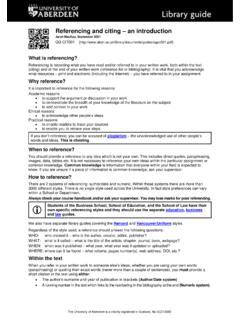
Referencing and citing an introduction
www.abdn.ac.uk• A running number in the text which links to the numbering in the bibliography at the end (Numeric system). 2 Using quotations Short quotations of a few words should be enclosed in ‘quotation marks’ within the body of the text.
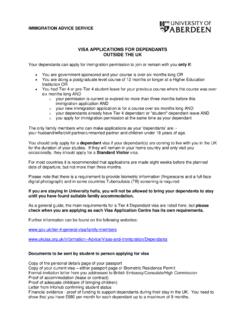
VISA APPLICATIONS FOR DEPENDANTS OUTSIDE THE UK
www.abdn.ac.ukDocuments to be sent by student to person applying for visa Copy of the personal details page of your passport Copy of your current visa – either passport page or Biometric Residence Permit Formal invitation letter from you addressed to British Embassy/Consulate/High Commission Proof of accommodation (lease or contract)

Expenses & Benefits Policy February 2019
www.abdn.ac.ukexpenses claimed in accordance with the above procedures and no details need be reported in employees' tax returns. Other expenses are covered either by: a) an exemption for paid or reimbursed expenses that cover items such as travel, subsistence, business entertainment, fees and subscriptions; or
Related documents

Matlab Cheat Sheet Built in functions/constants Tables ...
sites.nd.edutables are great for large datasets, because they use less memory and allow faster operations. *rowfun is great for tables, much faster than eg. looping ... * shortcut combination example: plot(x,y,’b--o’) Output commands format short Displays …

PTC Mathcad Prime Keyboard Shortcuts
community.ptc.comOperator/Command Description Keyboard Shortcut Area Inserts an area that you can collapse or expand to toggle the display of your work. Ctrl+Shift+A Chart Component Inserts a chart component. ... Matrices and Tables Operator/Command Description Keystroke Insert Left/Right Inserts a column to the left or to the right according to the cursor’s ...
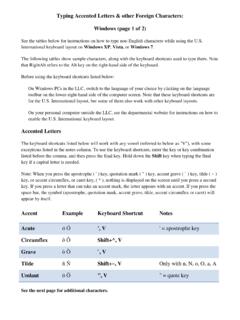
Typing Accented Letters & other Foreign Characters ...
www.muhlenberg.eduSee the tables below for instructions on how to type non-English characters while using the U.S. International keyboard layout on Windows XP, Vista, or Windows 7. The following tables show sample characters, along with the keyboard shortcuts used to type them. Note that RightAlt refers to the Alt key on the right-hand side of the keyboard.

ONE KEY SHORTCUTS [SEE PRINTABLE KEYBOARD …
damassets.autodesk.netto external database tables. DCE DIMCENTER / Creates the center mark or the centerlines of circles and arcs. DCO DIMCONTINUE / Creates a dimension that starts from an extension line of a previously created dimension. DCON DIMCONSTRAINT / Applies dimensional constraints to selected objects or points on objects. DDA DIMDISASSOCIATE / Removes
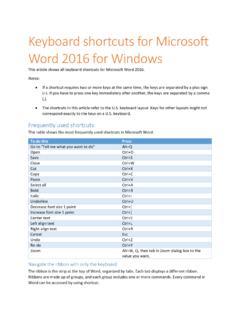
Keyboard shortcuts for Microsoft Word 2016 for Windows
www.ucdc.eduTo insert tables, pictures and shapes, headers, or text boxes, open Insert tab. Alt+N To work with page margins, page orientation, indentation, and spacing, open Layout tab. Alt+P To type a search term for Help content, open "Tell me" box on ribbon. Alt+Q, then enter the search term To use Spell Check, set proofing languages, or to
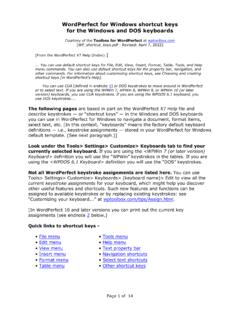
WordPerfect for Windows shortcut keys for the Windows …
wptoolbox.comMay 22, 2018 · You can use default shortcut keys for File, Edit, View, Insert, Format, Table, Tools, and Help menu commands. You can also use default shortcut keys for the property bar, navigation, and other commands. For information about customizing shortcut keys, see Choosing and creating shortcut keys [in WordPerfect’s Help].
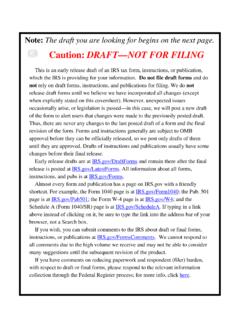
Note: The draft you are looking for begins on the next ...
www.irs.govshortcut. For example, the Form 1040 page is at IRS.gov/Form1040; the Pub. 501 page is at IRS.gov/Pub501; the Form W-4 page is at IRS.gov/W4; and the Schedule A (Form 1040/SR) page is at IRS.gov/ScheduleA. If typing in a link above instead of clicking on it, be sure to type the link into the address bar of your browser, not a Search box.

Note: The draft you are looking for begins on the next ...
www.irs.govshortcut. For example, the Form 1040 page is at IRS.gov/Form1040; the Pub. 501 page is at IRS.gov/Pub501; the Form W-4 page is at IRS.gov/W4; and the Schedule A (Form 1040/SR) page is at IRS.gov/ScheduleA. If typing in a link above instead of clicking on it, be sure to type the link into the address bar of your browser, not a Search box.