Example: stock market
Paylocity Employee Dashboard User Guide
4 MESSAGE CENTER View or delete messages. Click the Received link to view the message details. Check the box adjacent to the message and click Delete to delete the message. Click the link to view additional details. Click Print to print the message. Click Keep As Unread to keep the message marked as an unread message. Click Return to return to the previous screen.
Tags:
Information
Domain:
Source:
Link to this page:
Documents from same domain

Archdiocese of Indianapolis 3-10
www.archindy.orgMichael J. Witka Director of Parish Financial Services and Risk Management 1400 N. Meridian Street Indianapolis, IN 46202 (317) 236-1558 ARCHDIOCESE OF

Where Hope Grows. Anything is Possible. - archindy.org
www.archindy.orgWhere Hope Grows. Anything is Possible. As Christian stewards, we received God’s gifts gratefully, cultivate them responsibly, share them lovingly, and then return them with increase to the Lord.

Liability Issues for Officers and Directors
www.archindy.orgLiability Issues for Officers and Directors Personal Liabilities of Officers and Directors: Officers and directors of a corporation may be subject to personal liability for acts

Preventative Maintenance (PM) Manual
www.archindy.orgother Archdiocesan groups with the renovation, repair, operation and maintenance of their buildings, grounds and equipment. The OMS staff has consolidated its experience, gathered over the years, in producing this manual which is a simple yet comprehensive program of maintenance. If used on a routine basis, this Manual can be a great aid

THE SACRAMENT OF CONFIRMATION - archindy.org
www.archindy.orgThe National Directory for Catechesis lays out the model of all catechesis within our Church. That is, all catechesis is rooted in the baptismal catechumenate in which “candidates are given suitable pastoral formation and guidance, aimed at training them in the Christian life” (RCIA, 75).
Related documents
Horizon End User Guide - Gamma Telecom
www.gamma.co.ukThe Dashboard From the Horizon dashboard you have the ability to influence a number of user settings as well as review your own call usage and performance . Dashboard. Call Setup. Directories and Contacts. Remote Office
Works® User Guide
training.works.comA user is any employee in your organization who is assigned a Login Name and Password in Works. Although not required, a user can be assigned one or more commercial credit cards. A user who is assigned at least one card is referred to as an Accountholder. Each account in a card program must be assigned to at least one user who is the
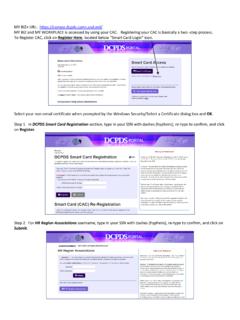
MY BIZ+ URL: https://compo.dcpds.cpms.osd.mil/ To ... - Hawaii
dod.hawaii.govJan 12, 2015 · inaccurate. To user access to ensure that access is granted to users that are authcrized access to the information. Routine Uses: To a Federal state, or local agency, as necessary art when the interet disclosure is for 8 purpose compatible with the purpose for which the information was colected, on personnel