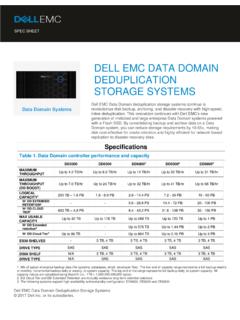
Transcription of PLANNING GUIDE z - Dell EMC
1 ZPLANNING GUIDEEMC Symmetrix VMAX Family Physical PLANNING GuideOctober, 2013 Rev 03 This document describes physical PLANNING for EMC Symmetrix VMAX 10K (SN xxx987xxxx), VMAX 20K, and VMAX 40K systems with Enginuity operating environment. Topics include: PLANNING overview .. 5 Safe system delivery .. 6 Radio Frequency Interference (RFI) requirements .. 8 Power and heat dissipation .. 9 System airflow requirements .. 13 Air volume, air quality and 16 Shock and vibration .. 18 Sound power and sound pressure 19 Environmental acclimation.
2 20 PLANNING host connections .. 21 Configuration checklists .. 24 Data center safety and remote support .. 28 Floor load bearing 29 System 30 System space requirements .. 32 Standard layout 35 Dispersed layout options .. 38 Separated storage bays, VMAX 20K and 40K 42 Dimensions and floor placement .. 49 Caster and leveler dimensions .. 55 Overhead cable routing .. 56 System and storage bay power 57 PLANNING the power interface .. 67 PLANNING dedicated dual power for each Symmetrix bay .. 68 Best practice power configuration guidelines.
3 72 Power extension cords, connectors, and wiring .. 74 VMAX 10K 3rd party racking option .. 83 Rack requirements .. 83 Component requirements for rack option .. 85 Power requirements for rack option .. 882 EMC Symmetrix VMAX Family Physical PLANNING GuideAs part of an effort to improve its product lines, EMC periodically releases revisions of its software and hardware. Therefore, some functions described in this document might not be supported by all versions of the software or hardware currently in use. The product release notes provide the most up-to-date information on product your EMC representative if a product does not function properly or does not function as described in this : This document was accurate at publication time.
4 New versions of this document might be released on EMC Online Support Check to ensure that you are using the latest version of this manual provides physical PLANNING information about EMC Symmetrix VMAX 10K (SN xxx987xxxx), VMAX 20K, and VMAX 40K systems running Enginuity operating environment. This document is intended for use by customers or EMC representatives who wish to plan the purchase or installation of a Symmetrix system. Note: The VMAX 10K (SN xxx987xxxx) is referred to in the rest of the GUIDE as VMAX documentation and changesThe following documentation portfolios contain documents related to the hardware platform and manuals needed to manage your Symmetrix software and storage system configuration.
5 Also listed are documents for external components which interact with your Symmetrix platform documentation EMC Symmetrix VMAX Family Documentation Set Contains the hardware platform product GUIDE , physical PLANNING GUIDE , TimeFinder product GUIDE , SRDF product GUIDE , front-end port layout diagrams, best practices GUIDE for AC power connections, unpacking GUIDE , power up and power down procedures, instructions for installing securing kits and silencer kits, and the Data at Rest Encryption deployment GUIDE for the Symmetrix VMAX Family (10K, 20K, and 40K).
6 EMC Symmetrix System Viewer for Desktop and iPad Illustrates the system hardware, incrementally scalable system configurations, and available host connectivity offered for Symmetrix to get helpEMC support, product, and licensing information can be obtained on the EMC Online Support site as described : To open a service request through the EMC Online Support site, you must have a valid support agreement. Contact your EMC sales representative for details about obtaining a valid support agreement or to answer any questions about your account.
7 EMC Symmetrix VMAX Family Physical PLANNING Guide3 Product informationFor documentation, release notes, software updates, or for information about EMC products, licensing, and service, go to EMC Online Support (registration required) at: suppor tEMC offers a variety of support options. Support by Product EMC offers consolidated, product-specific information on the Web at: The Support by Product web pages offer quick links to Documentation, White Papers, Advisories (such as frequently used Knowledgebase articles), and Downloads, as well as more dynamic content, such as presentations, discussion, relevant Customer Support Forum entries, and a link to EMC Live Chat.
8 EMC Live Chat Open a Chat or instant message session with an EMC Support Engineer. eLicensing supportTo activate your entitlements and obtain your Symmetrix license files, visit the Service Center on , as directed on your License Authorization Code (LAC) letter e-mailed to help with missing or incorrect entitlements after activation (that is, expected functionality remains unavailable because it is not licensed), contact your EMC Account Representative or Authorized help with any errors applying license files through Solutions Enabler, contact the EMC Customer Support you are missing a LAC letter, or require further instructions on activating your licenses through the Online Support site, contact EMC's worldwide Licensing team at or call: North America, Latin America, APJK, Australia, New Zealand: SVC4 EMC (800-782-4362) and follow the voice prompts.
9 EMEA: +353 (0) 21 4879862 and follow the voice commentsYour suggestions will help us continue to improve the accuracy, organization, and overall quality of the user publications. Send your opinions of this document Symmetrix VMAX Family Physical PLANNING GuideDocument change historyTable 1 on page 4 provides a description of document changes based on the operating environment release. The EMC Symmetrix VMAX Family Arrays with Enginuity Operating Environment Release Notes contain supplemental information about release features.
10 Table 1 Change historyRevisionDescription or changeEnginuity Operating Environment01 Initial release of combined platforms running Enginuity Operating Q2 2013 SR02 Addition of VMAX 10K File and 16 Gb/s Front End I/O module. Addition of orderable WYE cables to Power extension cords, connectors, and wiring on page Q2 2013 SR03 Fixed error on dispersion on page Q2 2013 SRPlanning overviewEMC Symmetrix VMAX Family Physical PLANNING Guide5 PLANNING overviewWhen PLANNING the installation site for your Symmetrix system, meet with your EMC Systems Engineer and EMC Customer Engineer to complete the installation PLANNING task sheet and the presite survey.