Example: confidence
Pro2-Series 3D Printer
model on-screen during printing. This image will only be shown when the file is sliced by ideaMaker and the .data file is saved in USB storage or uploaded to screen. Select the “Print” tab, and choose “USB Storage”. Select the file and check the printing parameters and settings. Press “Print” to start printing the test file. 5 4 USB ...
Tags:
Information
Domain:
Source:
Link to this page:
Related documents
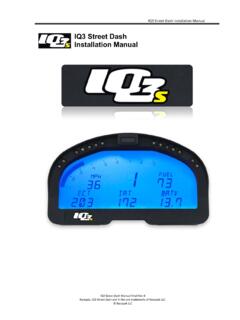
IQ3 Street Dash Installation Manual - Holley
documents.holley.comMounting template for printing and drilling. Verify printed dimensions on Racepak unit before drilling . IQ3 Street Dash Installation Manual 13 Installation The design of the IQ3 Street Dash kit greatly simplifies the installation process, as there is no

CT4000 Family ChargePoint® Networked Charging Station
www.chargepoint.commounting template for the bollard is stapled into the center fold of this document and a PDF version is available at ... Ensure the PDF version is accurate by printing it at 100% scale on 11” x 17” paper and then verifying at least one dimension.
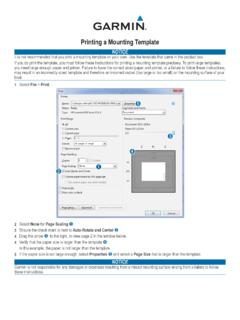
Printing a Mounting Template - Garmin
static.garmin.comPrinting a Mounting Template Notice It is not recommended that you print a mounting template on your own. Use the template that came in the product box.

USERS MANUAL MANUEL DE L’UTILISATEUR MANUAL DEL …
www.orbitonline.com• Use the mounting template (included) to mark the mounting screw location on the wall . See figure 1 • Install a No . 8 screw (included) into wall in the upper template location . Leave the screw head protruding 1/8” (3mm) from wall . Use expanding anchors (included) in plaster or masonry, if necessary, for a secure hold

UV-VIS Spectrophotometer UV-1800
www.ssi.shimadzu.comReport Generator (printing and creation of printing template) UVProbe Spectra and data can be freely combined and arranged. The thickness and color of spectral lines and the size of characters can be set freely. Labels can be attached to spectra. Registering layouts as templates allows reports to be printed with a single operation.
GO XSE Installation Manual - West Marine
newcontent.westmarine.comMounting location Choose the mounting locations carefully before you drill or cut. For overall width and height requirements, refer to "Dimensional drawings" on page 69. Do not mount any part where it can be used as a hand hold, where it might be submerged, or where it will interfere with the operation, launching, or retrieving of the boat.