Transcription of Programming a Weather Radio Receiver
1 Programming a Weather Radio Receiver1 Jonathan GusemanNational Weather ServiceMelbourne, FloridaNote: These instructions use a Weather Radio Receiver commonly used in East-Central Florida. While the general concepts will be valid for any Weather Radio , the specifics may vary. Please consult your user s manual and our website for more original version of this document was created by David Jacobs, Weather Radio SAME ReceiverA SAME (Specific Area Message Encoding) Weather Radio Receiver picks up broadcasts from the National Weather SAME feature allows you to program your Radio to automatically sound an alarm when a Weather watch or warning is issued for your Radio will not alert properly if programmed incorrectly!!!Programminga Weather Radio SAME ReceiverIn order for your SAME Radio to work correctly, you ll need to know:1. The channel (frequency) of the nearest/strongest Weather Radio broadcasting The special code number for your county or counties you want to be alerted Weather Radio SAME ReceiverSAME codes for Florida Counties: information on SAME can be found at: Melbourne TransmittersKIH26 -Daytona Beach Click here for a detailed coverage map Mhz(Channel 1) 1000 Watts Warnings broadcast for these counties: Lake,Brevard, Orange, Seminole, Putnam, Volusia, FlaglerKIH63 -Orlando Click here for a detailed coverage map Mhz (Channel 4) 1000 Watts Warnings broadcast for these counties: Lake, Orange, Osceola, Seminole, Polk, VolusiaNWS Melbourne TransmittersWXJ70 -Melbourne Click here for a detailed coverage map Mhz(Channel 7) 1000 Watts Warnings broadcast for these counties: Brevard, Indian River, Osceola, OrangeWWF69 Ft.
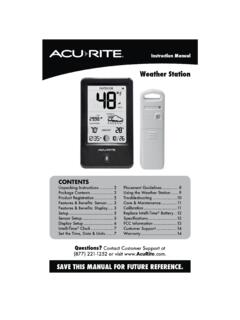
2 Pierce Click here for a detailed coverage map Mhz(Channel 2)300 Watts Warnings broadcast for these counties: Indian River, Martin, St. Lucie, OkeechobeeProgramming a Weather Radio SAME Receiver So, now we know which transmitter to program our Radio to. Now, we also need to know which 6 digit county code to program into our NOAA All-Hazards Radio . Note: 012 is the code for the state of Florida. The 3 digits following are for the specific county. * Products originate with NWS Tampa Bay, relayed by NWS Melbourne on KIH-63** Products originate with NWS Jacksonville, relayed by NWS Melbourne on KIH-26 Programming a Weather Radio SAME Receiver Now, let s program this information into a typical NOAA Weather Radio Receiver . Make sure your Radio is plugged in, turned on, and has fresh batteries. Note: These instructions use a Weather Radio Receiver commonly used in East-Central Florida. While the general concepts will be valid for any Weather Radio , the specifics may vary. Please consult your user s manual and our website for more a Weather Radio SAME ReceiverThe buttons we ll typically be using are shown below:The MENU and SELECT ButtonsThe UP, DOWN, LEFT, RIGHT ButtonsWe ll see the selections and results in the TEXT DISPLAY AREAP rogramming a Weather Radio SAME ReceiverFirst, let s set the frequency (channel).
3 Recall the frequency for your nearest Weather Radio Press the MENU Button, TIME is displayed in text area2. Press the UP arrow button until CHANNEL is displayedProgramming a Weather Radio SAME ReceiverSetting the frequency (channel).. Recall the frequency for your nearest Weather Radio Press the SELECT Button, a channel and frequency are shown. The channel number is on the Press the UP or DOWN arrow buttons until your desired channel is displayed. As you scroll to the correct channel, you should hear the Radio may hear more than one channel. Generally, the channel with the clearest reception will be the a Weather Radio SAME ReceiverSetting the County Code (FIPS code).. Recall the code for your Press the SELECT Button, and then the UP arrow button. SAME SET is shown in the TEXT Press SELECT again. SINGLE is shown in the TEXT DISPLAY (or change to Multiple by hitting the up/down arrows if you want to hear alerts for neighboring counties).
4 Press SELECT. You may enter more than one County Code, but only those which the Radio station a Weather Radio SAME ReceiverSetting the County Code (FIPS code).. Recall the code for your 6 digits will be displayed in the TEXT WINDOW (if Multiple was chosen then select SAME 01). These digits must be changed to your county first digit will be blinking. Using the UP and DOWN arrow buttons, you can raise or lower the digit to the correct value, which must be set to a zero for the state of digit displayed can be changed by first using the LEFT or RIGHT arrow buttons to select the digit, and then the UP and DOWN arrow buttons to change the value. Set the number to the desired county s FIPS code and press a Weather Radio SAME Receiver To program another county code into your Radio , hit the up/down arrows to select SAME 02. Follow the same process as with SAME 01. You may program more county codes into your Radio (up to about 25) to hear alerts for those counties if you a Weather Radio SAME ReceiverYou have now set up your NOAA Weather Radio Receiver to receivesevere Weather alerts, and routine Weather broadcasts for your you live in a different area, you will need to determine the channel number of the Weather Radio station nearest you and the code for your Weather Radio alertsare tested on Wednesday (unless the Weather is bad).
5 Check your Radio around 11 AM to 12 PM and 6 PM to 8 PM on Wednesdays to see if it has received the test (Advisory button should light and remain active for up to 2 hours after the test). Programming a Weather Radio SAME ReceiverIf you have questions about Programming your Weather Radio Receiver ,or questions about the broadcasts in general, please contact the NationalWeather Service Office in Melbourne at 321-255-0212If you prefer to use or These instructions use a Weather Radio Receiver commonly used in East-Central Florida. While the general concepts will be valid for any Weather Radio , the specifics may vary. Please consult your user s manual and our website for more information.