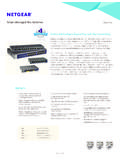
Transcription of ProSAFE® Gigabit Web Managed (Plus) Switches - …
1 350 East Plumeria DriveSan Jose, CA 95134 USAM arch 2017202-11700-02 ProSAFE Gigabit Web Managed ( plus ) SwitchesUser ManualGS105Ev2GS105 PEGS108Ev3GS108 PEv3GS116Ev2 JGS516 PEJGS524Ev2 JGS524PE 2 ProSAFE Gigabit Web Managed ( plus ) Switches SupportThank you for purchasing this NETGEAR product. You can visit to register your product, get help, access the latest downloads and user manuals, and join our community. We recommend that you use only official NETGEAR support the current EU Declaration of Conformity, visit regulatory compliance information, visit the regulatory compliance document before connecting the power NETGEAR, Inc.
2 , NETGEAR, and the NETGEAR Logo are trademarks of NETGEAR, Inc. Any non-NETGEAR trademarks are used for reference purposes HistoryPublication Part NumberPublish DateComments202-11700-02 March 2017 Made corrections to Specify a Port PVID for an 2016 First 1 Get StartedSupported Switches .. 7 Configure the Switch .. 7 Access the Switch Using a Web Browser .. 7 Access a Switch That Is Off-Network .. 8 Access a Switch That Is Connected to a Network .. 8 Access the Switch With the ProSAFE plus Configuration Utility.
3 9 Install the ProSAFE plus Utility .. 9 Access and Configure the Switch Using the ProSAFE plus Utility .. 9 Change the Password .. 10 Use Browser-Based Access to Change the Password .. 11 Use the ProSAFE plus Utility to Change the Password .. 11 Chapter 2 Manage Network SettingsSpecify IP Address Settings for the Switch .. 14 Use Browser-Based Access to Specify the Switch IP Address .. 14 Use the ProSAFE plus Utility to Specify the Switch IP Address .. 15 Manage Multicast Traffic With IGMP Snooping.
4 16 Use Browser-Based Access to Customize IGMP Snooping.. 16 Use the ProSAFE plus Utility to Customize IGMP Snooping .. 17 Use Browser-Based Access to Specify a VLAN for IGMP Snooping .. 19 Use the ProSAFE plus Utility to Specify a VLAN for IGMP Snooping .. 20 Set Up Static Link Aggregation Groups .. 21 Use Browser-Based Access to Specify LAG Membership andEnable LAGs .. 21 Use the ProSAFE plus Utility Specify LAG Membership andEnable LAGs .. 23 Chapter 3 Optimize Performance With Quality of ServiceEnable Quality of Service.
5 26 Use Browser-Based Access to Enable QoS .. 26 Use the ProSAFE plus Utility to Enable QoS .. 27 Configure Port-Based Quality of Service .. 27 Use Browser-Based Access to Configure Port-Based QoS .. 28 Use the ProSAFE plus Utility to Configure Port-Based QoS .. 29 Set Up Rate Limiting .. 30 Use Browser-Based Access to Set Up Rate Limiting .. 31 Use the ProSAFE plus Utility to Set Up Rate Limiting .. 32 Set Up Broadcast Filtering .. 33 4 ProSAFE Gigabit Web Managed ( plus ) Switches Use Browser-Based Access to Set Up Broadcast Filtering.
6 33 Use the ProSAFE plus Utility to Set Up Broadcast Filtering .. 34 Chapter 4 Use VLANS for Traffic SegmentationVLAN Overview .. 37 Create Basic Port-Based VLANs .. 37 Use Browser-Based Access to Create Basic Port-Based VLANs .. 37 Use the ProSAFE plus Utility to Create Basic Port-Based VLANs .. 38 Assign Ports to Multiple Port-Based VLANs .. 40 Use Browser-Based Access to Assign Ports to MultiplePort-Based VLANs .. 40 Use the ProSAFE plus Utility to Assign Ports to MultiplePort-Based VLANs.
7 41 Create VLANs in a Basic Configuration.. 43 Use Browser-Based Access to Create VLANsin a Basic Configuration .. 43 Use the ProSAFE plus Utility to Create VLANsin a Basic Configuration .. 44 Create VLANs in an Advanced Configuration .. 46 Use Browser-Based Access to Create VLANs inan Advanced Configuration .. 46 Use the ProSAFE plus Utility to Create VLANs inan Advanced Configuration .. 47 Add Tagged or Untagged Ports to an VLAN.. 49 Use Browser-Based Access to Add Tagged or Untagged Portsto an VLAN.
8 49 Use the ProSAFE plus Utility to Add Tagged or UntaggedPorts to an VLAN.. 50 Specify a Port PVID for an VLAN .. 51 Use Browser-Based Access to Assign a PVID to Ports .. 52 Use the ProSAFE plus Utility to Assign a PVID to Ports.. 53 Chapter 5 Manage and Monitor the SwitchManage Flow Control .. 55 Use Browser-Based Access to Manage Flow Control .. 55 Use the ProSAFE plus Utility to Manage Flow Control .. 56 Manage the Port Speed .. 57 Use Browser-Based Access to Specify the Port Speed or ShutDown a Port.
9 57 Use the ProSAFE plus Utility to Specify the Port Speed or ShutDown a Port.. 58 Enable Loop Detection .. 59 Use Browser-Based Access to Enable Loop Detection .. 59 Use the ProSAFE plus Utility to Enable Loop Detection .. 60 Manage Power Saving Options .. 61 Use Browser-Based Access to Enable Power Saving Mode .. 61 Use the ProSAFE plus Utility to Enable Power Saving Mode .. 62 5 ProSAFE Gigabit Web Managed ( plus ) SwitchesUpgrade the Firmware .. 63 Use Browser-Based Access to Upgrade the Firmware.
10 63 Use the ProSAFE plus Utility to Upgrade the Firmware.. 64 Reboot the Switch .. 65 Use Browser-Based Access to Reboot the Switch .. 65 Use the ProSAFE plus Utility to Reboot the Switch .. 66 Save the Switch Configuration .. 67 Use Browser-Based Access to Save the Switch Configuration .. 67 Use the ProSAFE plus Utility to Save the Switch Configuration.. 67 Restore a Saved Switch Configuration .. 68 Use Browser-Based Access to Restore a Saved Switch Configuration .. 68 Use the ProSAFE plus Utility to Restore a Saved Switch Configuration.