Example: dental hygienist
Quick start for Photos – Windows Help
Quick start Photos app Organize the collection and albums The checkboxes (or Select button) make it easy to share, move, copy, and delete photos.
Information
Domain:
Source:
Link to this page:
Documents from same domain
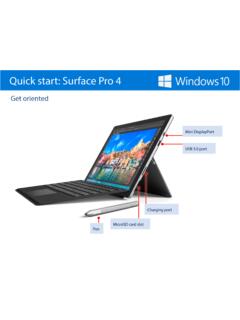
Quick start for Surface Pro 4 – Surface Help
compass-ssl.microsoft.comQuick start Surface Pro 4 Magnetic strip Attach the magnetized pen to the side of the screen for storage. Power button Volume button Kickstand Headphone jack

Use Microsoft Edge to Collaborate – Microsoft Edge Help
compass-ssl.microsoft.comUse Microsoft Edge to collaborate When you’re done editing, share the whole thing , save everything , or clip just a piece and paste it in an app or email. Made a mistake? Erase it. Erase just a part or everything at once Select the Eraser and start removing a single line at a time with your finger, stylus, or mouse.
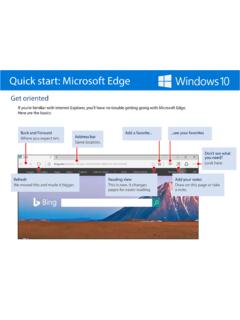
Quick start: Microsoft Edge
compass-ssl.microsoft.comQuick start: Microsoft Edge If you don’t always have internet access, add webpages that you want to read later to your Reading List and you’ll be able to get to them offline, too. 1. Add things to the list Open a webpage > select the Favorites button > Reading list > Add. 2. Open the list Hub button > Reading list .
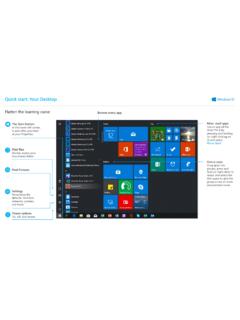
Quick start: Your Desktop
compass-ssl.microsoft.comTurn on your microphone and ask your question. Meet Cortana, your digital assistant. Cortana helps you find things on your device, manages your calendar, tracks packages, and can even tell you a joke on a rough Monday morning. The more you use Cortana, the more personalized your experience will be.
Related documents

AT&T Internet Security Suite - powered by McAfee
www.att.comChapter 2 Remove Incompatible Products 8 2. Remove Incompatible Products To install AT&T Internet Security Suite, you must allow McAfee to remove incompatible products from your PC. 1. Click continue to automatically remove incompatible products from your PC. 2. Wait while we remove incompatible products from your PC. 3. Click Restart.
Quick Start Guide
support.alcatelonetouch.comBefore you install or remove the SIM card, press the raised dot on the card slot cover to open it. Insert the SIM card until it locks in place. To remove it, press the SIM card until it unlocks. Installing and removing the microSD card Insert the external microSD card into the slot with the gold contact facing down until it's locked.
How to Disable Common Pop-Up Blockers - Virginia
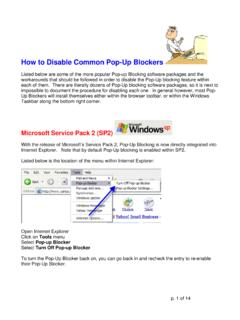
grants.dcjs.virginia.govSafari's pop-up blocker is integrated into the browser, much like the pop-up blocker for Internet Explorer. To disable the pop-up blocker: • Open the Safari menu and select the Preferences option. • In the window that displays, click on the Security option. • Remove the checkmark from the Block pop-up windows option. • Close the window.

CAD & BIM Standards Manual
popcdn.azureedge.net• Remove all references on the drawing to previous revisions made by addendum (except in the revision title block). This includes clouds and deltas in the body of the drawing. • Existing revision block information is to remain. This includes any addendum notations made during the solicitation process, including changes that had been issued ...

1. PREHEAT OVEN TO 425° BAKIN TIPS
papamurphys-api-production.s3-us-west-1.amazonaws.comIf pizza has been refrigerated, remove 60 minutes before baking to allow crust to rise. Always bake pizzas within 24 hours of purchase. CRISPIER CRUST! After about 10 minutes of baking your Original or Thin crust pizza, slide pizza off tray and directly onto the oven rack. Check every 1-2 minutes until crust is golden brown. POP BUBBLES!
NUMBER: PD/POP-3.5.1 DATE: PAGE: 1 of 22 POLICY AND ...
www.tdcj.texas.gov162) if the householder has current telephone service and agrees to remove and/or not install the optional telephone features noted above. Place the signed PSV-162, with an original signature, in the pre-release placement investigation folder. A copy of the PSV-162 shall be forwarded to the appropriate location to be imaged into the OIMS.