Transcription of Quick Start Guide - Corel
1 Quick Start GuideEvelien MontiCopyright 2020 Corel Corporation. All rights Essentials 8 Quick Start GuideArtwork on front cover by Evelien MontiThe contents of this user Guide and the associated Corel Painter software are the property of Corel Corporation and its respective licensors,and are protected by copyright. For more complete copyright information about Corel Painter, please refer to the About Corel Painter sectionin the Help menu of the specifications, pricing, packaging, technical support and information ( specifications ) refer to the retail English version only.
2 Thespecifications for all other versions (including other language versions) may is provided by Corel on an as is basis, without any other warranties or conditions, express or implied, including, but notlimited to, warranties of merchantable quality, satisfactory quality, merchantability or fitness for a particular purpose, or those arising by law,statute, usage of trade, course of dealing or otherwise. The entire risk as to the results of the information provided or its use is assumedby you. Corel shall have no liability to you or any other person or entity for any indirect, incidental, special, or consequential damageswhatsoever, including, but not limited to, loss of revenue or profit, lost or damaged data or other commercial or economic loss, even if Corelhas been advised of the possibility of such damages, or they are foreseeable.
3 Corel is also not liable for any claims made by any third 's maximum aggregate liability to you shall not exceed the costs paid by you to purchase the materials. Some states/countries do notallow exclusions or limitations of liability for consequential or incidental damages, so the above limitations may not apply to , the Corel balloon logo, the Corel logo and balloon logo combination, Painter, CorelDRAW, Natural-Media, PaintShop, RealBristle,VideoStudio and WordPerfect are trademarks or registered trademarks of Corel Corporation and/or its subsidiaries in Canada, the , and/or other countries.
4 Other product, font, and company names and logos may be trademarks or registered trademarks of their respectivecompanies. Patents: artwork is provided by third parties not affiliated with Corel and used by | 1 ContentsCorel Painter Essentials Corel Painter Essentials 8 with a computer, tablet, or 2-in-1 5 Photo art: 5 Photo art: Painting by 7 Photo art: and painting from 11 Acquiring brush the 20 Exploring panels and 22 The Corel Painter family of 232 | Quick Start GuideCorel Painter Essentials 8 | 3 Corel Painter Essentials 8 Corel Painter Essentials 8 is an intuitive, lightweight, agile software that enables you to create paintings from photos, or draw andpaint from scratch.
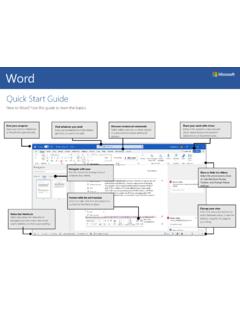
5 A variety of painting styles let you produce compelling preset-driven photo art with a couple of clicks. Or you can use theavailable brushes to create your own paintings and clean look and feel of the Corel Painter Essentials 8 workspace has been designed to give you easy access to the most frequently usedtools, effects, commands, and features in a clutter-free created with Corel Painter Essentials4 | Quick Start GuideWorkspace overviewThe workspace is organized by using a series of menus, selectors, panels, and interactive numbers correspond to the numbers in the following table.
6 Which describes the main components of the application window. PartDescription1. ToolboxAccess tools for creating and modifying images2. Brush selector barChoose brushes3. Menu barAccess commands and options4. Property barAccess settings that relate to the active tool5. Photo Painting panelPaint on a photo automatically or by hand6. Mixer panelBlend colors7. Color Set panelView the colors in the current color set8. Harmonies panelCreate color harmonies by using harmony rules9. Layers panelManage layers10.
7 Color wheelChoose a color to paint with11. Current colorView or change the current color12. Paper selectorChoose a paper textureCorel Painter Essentials 8 | 5 Using Corel Painter Essentials 8 with a computer, tablet, or 2-in-1 deviceThe application features a dual workspace that automatically adapts to your device configuration from laptop to tablet mode on a 2-in-1device, and optimizes the interface for tablet use with larger icons and buttons. You can select the default layout which is used when theapplication switches automatically between modes by clicking Window Layouts Quick Switch, and choosing the tablet or laptopoptions you want.
8 To quickly toggle between the default layouts, choose Window Layouts Quick Switch Toggle Layout. You can alsomanually switch between the two modes at any time by clicking Window Layouts, and choosing Drawing and Painting, Photo-Painting,Tablet (Right-Handed), or Tablet (Left-Handed). Corel Painter Essentials 8 supports Wacom-compatible tablets and devices as well as devices that support the Real-Time Stylus (RTS) featureof the Windows operating system. Both groups have multi-touch devices are supported on both Mac OS and Windows.
9 RTS-compatible devices include tablet PCs and graphics tabletsand are supported only on default, Corel Painter uses tablet options that are suitable for Wacom-compatible devices. To take full advantage of your RTS-compatiblegraphics tablet or other device with Corel Painter, you must configure it first. Otherwise, you cannot use stylus information such as pressureand tilt to adjust and control settings (Windows only)If you received Corel Painter Essentials 8 pre-installed on your computer, pre-configured pen tablet support lets you engage seamlessly withthe application when switching from mouse to stylus or vice you downloaded the product, and if you are using a stylus, you may need to change the tablet settings for the stylus to work properly.
10 Thetablet preferences let you choose a suitable option for the tablet and other devices that you use with the application on configure your device (Windows)1 Make sure your device is connected and has the latest driver software Edit Preferences on your stylus input device, enable one of the following options in the Tablet Options area: Wacom-compatible device (Wintab) allows you to use compatible Wacom devices RTS-compatible device (Real-Time Stylus) allows you to use a tablet or device that has the RTS featurePhoto art: Auto-paintingA great way to become acquainted with Corel Painter Essentials 8 is to create photo art by painting on a photo.