Example: confidence
Quick Start Guide - Honeywell Store
1.7 Attach thermostat to wallplate Align the thermostat with wallplate and snap into place. Thermostat Wallplate LEVEL HERE M34498 1.8 Switch heating/cooling system ON Important! 1.8a Verify that the C wire is connected at the thermostat and at the heating/cooling system. 1.8b Make sure the heating/ cooling system door is firmly secured.
Tags:
Information
Domain:
Source:
Link to this page:
Documents from same domain
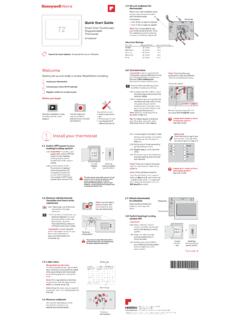
Quick Start Guide 72
www.honeywellstore.comThis thermostat works with common 24 volt systems such as forced air, hydronic, heat pump, oil, gas, and electric. It will not work with millivolt systems, such as a gas fireplace, or with 120/240 volt systems such as baseboard electric heat. MERCURY NOTICE: Do not place your old thermostat in the trash if it contains mercury in a sealed tube.
33-00421EF-01 - T9 THERMOSTAT - Honeywell Store
www.honeywellstore.comThis guide will help you determine if you have a C-Wire or will need to use the included C-Wire Adapter (Step 10). ... If this product is replacing a control that contains mercury in a sealed tube, do not place the old control ... With up to a 200-foot* range, 20 sensors with temperature, humidity, and occupancy detection can connect to your ...
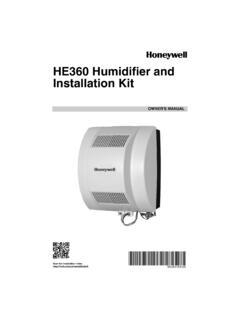
69-2631ES 03 - HE360 Humidifier and Installation Kit
www.honeywellstore.com• Select a location for the humidistat on the return plenum or on the wall in the living space. — Mounting on the return plenum is the easiest installation for the control wiring circuit. For return duct mounting, the humidistat should be mounted upstream from the

Portable Air Conditioner User Manual - Honeywell Store
www.honeywellstore.comThe air conditioner includes a window venting kit. No permanent installation is needed. The unit is easy to move from room to room and offers a truly ... DO NOT operate the unit with a damaged plug or loose wall outlet. If the power cord is damaged, it must be replaced by the manufacturer or an authorized service agent.
Honeywell Temperature & Humidity Sensor with …
www.honeywellstore.com3 3 INTRODUCTION Thank you for selecting the Honeywell Temperature and Humidity Sensor with Probe. This device registers, display and transmits the

Portable Air Conditioner OWNER’S MANUAL
www.honeywellstore.com3 USER TIPS To ensure optimal efficiency of the product, keep doors and windows closed when it is used as an air conditioner or dehumidifier. If the product is being used with the fan function only, an open window could improve
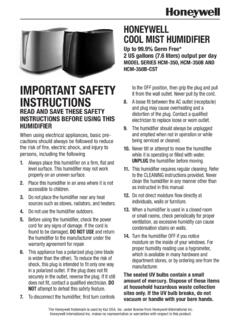
IMPORTANT SAFETY INSTRUCTIONS - Honeywell Store
www.honeywellstore.comWATER TANK AND WATER TRAY ARE TOP RACK DISHWASHER SAFE. Please note we recommend washing in the TOP RACK a residential dishwashers operating at temperatures below 70°C/158°F. It is recommended that you run the dishwasher on the light duty or normal cycle. Do not wash humidifier parts with soiled articles/dishes. DO NOT place tank cap in ...

Honeywell Wind Turbine System - Fans
www.honeywellstore.comThe Honeywell Wind Turbine is a gearless wind turbine that measures just 6 feet (1.8 m) in diameter, weighs 185 lbs (84kgs) and produces up to 1500 kWh per year depending on height and location. The Honeywell Wind Turbine’s BTPS perimeter power system and unique design of multi-stage blades allows the system to react
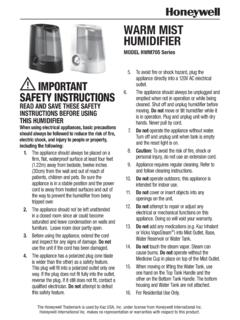
Honeywell HWM705 Series Humidifiers Manual
www.honeywellstore.comHWM705 SERIES ACCESSORIES 1. Remove Water Tank by grasping the Top Tank Handle and pulling up. Remove Tank Cap located on bottom of Water Tank by turning counter clockwise. 2. Fill Water Tank with cool water. Do not fill with warm or hot water. 3. Replace Tank Cap by turning clockwise to lock back in place. Do not over tighten.

7-day Solar Programmable Wall Switch - Honeywell Store
www.honeywellstore.comQuick Start-up 3. Set the time and date before using the timer for the first time. ... (GPS) device. The accuracy of the sunset and sunrise times depends on the accuracy of the coordinates you enter for your city. NOTE: Enter a negative value for a south latitude or a west longitude.
Related documents

SENSI SMART THERMOSTAT Installation guide
sensi.emerson.comSensi Smart Thermostat | INSTALLATION GUIDE 4 Installation Once you have downloaded the Sensi app, and have created an account, you are ready to install the thermostat to your wall and connect it to Wi-Fi. If no thermostats are registered yet, tap the “+” sign to add a thermostat. Then, choose which thermostat you purchased.

Learning Thermostat Installation Guide - Google Nest
nest.com3. Connect to the thermostat wires Skip to the next step if you’re installing the Nest Thermostat on the stand and are using the USB cable for power. Take two wires from the wire bundle that goes to the current thermostat and attach them to the T1 and T2 terminals on the Heat Link. HEATING Call-for-heat (normally open) Common

Quick Install Guide - Honeywell Thermostat Manual Pdf
www.honeywellmanual.comThermostat Quick Install Guide. 2 3 Get the most from Lyric T5 Wi-Fi Thermostat ... Disconnect power before beginning installation. REQUIRED: 24 VAC POWER (“C” WIRE) 6 7 Removing your old thermostat 2 Check that your system is off Change the temperature on your old thermostat. If you don’t hear the system

Troubleshooting Guide - downloads.hearthnhome.com
downloads.hearthnhome.comThis troubleshooting guide provides an overview of the IntelliFire Plus system, reviews ... manufacturer’s installation instructions, and use the proper parts and materials when ... when in thermostat mode, transmission of information happens every 60 …

Sensi Wi-Fi Smart Thermostat Manual Operation Guide
sensi.emerson.comSensi Smart Thermostat | MANUAL OPERATION GUIDE 9 See below for definitions of the wiring terminals on the sub-base of the thermostat. Terminal outputs and wiring diagrams * If the old thermostat has separate RC and RH wires coming out of the wall, clip the RC/ RH jumper on the back of the thermostat above the battery compartment.
Infinity Evolution Troubleshooting Guide Rev2
gpsinformation.infoThermostat Setup, Cycles per Hour screen Software Revs 3,5,6,8,10, 12 Infinity /Evolution Troubleshooting (Rev. 2) 10-12-2006

Manual for Professional Installers - tado
www.tado.comThere you will find specific installation instructions. This manual is meant exclusively for professional installers. It includes generic instructions to install the Wireless Receiver (Programmer) and the Wireless Temperature Sensor. For the Starter Kit - Wireless Smart Thermostat V3+ (Incl. Programmer with Hot Water Control) Manual version 3.2