Transcription of Radio Technology Somfy® Pocket Programming Guide
1 Radio Technology somfy Pocket Programming GuideHOW DOES RTS WORK? ..1 IDENTIFY RTS CONTROL OPTIONS ..2 RTS MOTOR RANGEUNDERSTANDING CONTROL OPTIONSPRODUCT APPLICATION & MOTORCOMPATIBILITY CHART ..30-31 TRANSMITTERST elis Hand-Held Remote ..4 Telis Soliris Hand-Held Remote ..5 Telis Modulis Hand-Held Remote ..6 Telis 16 Channel Hand-Held Remote ..7 Telis 1 Chronis RTS Hand-Held Remote ..8 Smoove 1 RTS Wall switch ..9 DecoFlex WireFreeTM Wall switch ..10 DecoFlex Table Top Accessory ..11 RECEIVERSO utdoor Lighting Receiver ..12 Outdoor Universal Receiver ..13 Dimmable LED RTS Light Kit ..14 INTERFACESU niversal RTS Interface (URTSI) ..15myLink ..16 REPEATERRTS Repeater ..17 SENSORSS unis Indoor WireFree Sensor ..18 ThermoSunis Indoor WireFree Sensor ..18 Sunis Outdoor WireFree Sun Sensor ..19 Eolis 3D WireFree Wind Sensor ..20 Ondeis WireFree RTS Rain & Sun Sensor ..21CL32 Cord Lift WireFree.
2 32 Tilt 50 WireFree ..32R28 Roll Up WireFree ..32 Sonnesse WireFree (Li-ion) ..32ST30 Sonesse 30 ..33ST40 Sonesse 40 ..33 Individual Control ..24-25 Group Control ..26-27 Individual & Group Control ..28-29 TABLE OF CONTENTSRTS MOTOR RANGEQUICK Programming GUIDESTROUBLESHOOTING ..120 Altus 40 ..33ST50 Sonesse 50 ..34 Altus 50 ..34LT50 RTS RTS CMO ..35 Oximo RTS ..35 Altus 60 ..35 Maestria ..35 Glydea 35 ..36 Glydea 60 ..36 IrismoTM 35 ..36 IrismoTM 45 ..36 CL32 Cord Lift WireFree ..38-43R28 Roll Up WireFree ..38-43ST30 Sonesse 30 ..38-43ST40 Sonesse 40 ..38-43 Altus 40 ..38-43ST50 Sonesse 50 ..38-43 Altus 50 ..38-43 Altus 60 ..38-43 Tilt 50 WireFree ..44-53 Sonnesse WireFree (Li-ion) ..54-59LT RTS CMO ..60-63 Maestria ..64-69 Sunea RTS CMO ..70-73 Oximo RTS ..74-76 Glydea ..77-80 IrismoTM 35 ..77-80 IrismoTM 45 ..77-80 Outdoor Lighting Receiver RTS ..81 Outdoor Universal Receiver RTS.
3 82 Dimmable LED RTS Light Kit ..83-86 RTS Repeater ..87 Universal RTS Interface (URTSI) ..87myLink ..88-92 Sunis Indoor WireFree Sensor ..93-96 ThermoSunis Indoor WireFree Sensor ..97-102 Sunis Outdoor WireFree Sun Sensor ..103-104 Eolis 3D WireFree Wind Sensor ..105-106 Ondeis WireFree RTS Rain & Sun Sensor ..107-111 Telis 16 RTS ..112-113 Telis 1 Chronis RTS ..114-119 somfy promotes building happiness by creating movement in all of the openings of a home or commercial structure. Offer your customers a better quality of life by surrounding them with the convenience of a reliable, quiet yet strong solution for their window treatments. somfy Building Happiness1 How Does It Work?Simply press a button on a remote control or wall switch and window coverings move with ease. There is no need to point or aim the transmitter at the covering because Radio Technology somfy (RTS) is omni-directional. And just like a garage door opener, the Radio waves travel through walls .
4 Available with hand-held remotes, wireless wall switches, table top controls, timers and a convenient app. No need to aim the control at the motorized window covering, the Radio signal travels through walls similar to a garage door opener Offers a range of up to 65 ft. for easy operation No extra wires are needed Provides the ability to control all motorized window coverings individually and/or as a group with one control Flexibility to change user preferences with simplified Programming Available in single and multi-channel versions Over 10 million installations worldwide Secure operation with a rolling code reducing interference with other Radio products Offers simplified integration with home automation systems2 Identify RTS Control OptionsTRANSMITTERSHand-Held RemotesUsers can control motorized window coverings by pressing a button or rolling a scroll wheel on a variety of hand-held RTS Wall SwitchesUsers can easily control their motorized window coverings when entering or exiting a room with DecoFlex WireFree RTS Wall Top RemotesUsers can control their motorized window coverings with the versatile DecoFlex WireFree RTS Table Top Accessory can adjust
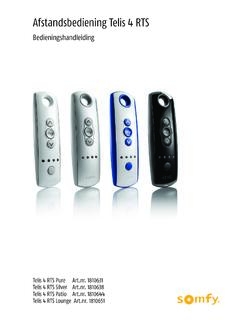
5 Window coverings powered by standard motors, as well as operate incandescent and halogen lights and other outdoor devices by using a particular can convert Infrared, RS232, RS485 and WiFi protocol into RTS, allowing for 3rd party control of motorized window can extend the range of motorized window covering can set sensors to automatically adjust motorized window coverings in accordance to the amount of sunlight received, temperature recorded, as well as the speed and direction of Options4 Telis RTS Hand-Held RemoteFEATUREST elis 4 RTS PureHand-Held Remote1810633 Telis 1 RTS also availableUP ButtonThe my button acts as a stop button when the window covering is in motion. When the window covering is stationary, the my button brings it to the programmed favorite ButtonChannel LED - All 4 lights will illuminate when fifth channel is Selection ButtonSilver Lounge PatioChannel 1 Channel 2 Channel 3 Channel 4 Channel 5 Programming Button (recessed)Back view of RemoteAlso available in other finishes:5 Telis Soliris RTS Hand-Held RemoteFEATUREST elis Soliris RTS PureHand-Held RemoteTelis 4 Soliris RTS also availableProgramming Button (recessed)Back view of RemotePatio option also available:UP ButtonThe my button acts as a stop button when the window covering is in motion.
6 When the window covering is stationary, the my button brings it to the programmed favorite ButtonWhen left LED is lit the window covering will only react to wind control. When right LED is lit the window covering will react to both sun and wind control. Channel Selection Button6 Telis RTS Modulis Hand-Held RemoteFEATUREST elis 4 Modulis RTS 5 Channel PureHand-Held Remote1810765 Open/Close buttonsScroll wheel for incremental tilt control of horizontal blinds and sheer horizontal products my button for a favorite blind positionLED identifies active channelChannel Selection ButtonProgramming Button (recessed)Back view of RemoteChannel 1 Channel 2 Channel 3 Channel 4 Channel 57 Telis 16 Channel RTS Hand-Held RemoteFEATUREST elis 16 RTS Pure 16 Channel Hand-Held Remote1811081 Signal IndicatorOn-Screen LCD DisplayProduct Name(up to 8 characters: 7 Letters + 1 Number)Selection ButtonFavorite Position my buttonThe my button acts as a stop button when the window covering is in motion.
7 When the window covering is stationary, the my button brings it to the programmed favorite Number 16 channels can be used to control 16 individual motorized applications or 16 groups of motorized IconChannel Navigation ButtonsUP ButtonDOWN ButtonAlso available in Silver finishBack view of RemoteProgramming Button (recessed)NOTE: The Telis 16 channel remote features an LCD screen that numerically displays what channel is 1 Chronis RTS Hand-Held RemoteFEATUREST elis 1 Chronis RTS Pure Hand-Held Remote1805237 Signal Indicator On-Screen LCD DisplayCurrent TimeLow Battery IndicatorTime SlotsSelection ButtonFavorite position my buttonThe my button acts as a stop button when the window covering is in motion. When the window covering is stationary, the my button brings it to the programmed favorite ModeOnly displayed when function is schedued time to simulate a lived in Days2 possible schedules:Daily schedule - same cycle and weekend schedule - 2 UP & Down times (1 for weekdays & 1 for weekends)Channel Navigation ButtonsUP ButtonDOWN ButtonAlso available in Silver finish 1805238 Back view of RemoteProgramming Button (recessed) 9 Smoove 1 RTS Wall SwitchFEATURESLED for visual feedbackUP ButtonFavorite position"my" buttonDOWN ButtonMounting BracketBatteryProgramming ButtonBack view10 DecoFlex WireFree RTS Wall SwitchFEATURESP rogramming Button(recessed)5 Channel Button DecoFlex WireFree RTS Wall switch shown in White FinishCustom engraved buttons available in Ivory and Black finish11 DecoFlex WireFree RTS Table Top AccessoryFEATURESE asily personalize your control with custom engraved button for each channel.
8 Available in 1, 2, 3, 4 and 5channel Buttons can be custom engraved for easy organization. STOP button stops the window covering when it s in motion. When the window covering is stationary, the STOP button brings it to the programmed favorite Button(recessed)UP AND DOWN Command ButtonsAvailable in White, Silver and Black finish Ergonomically designed for comfortable hand-held use Features rubber non-slip feet Easily personalized with custom engraved buttonsDecoFlex WireFree RTS Table Top AccessoryControl shown in Silver FinishSide ViewBlack1811051 White 1811185 Silver181097212 For Programming instructions please go to page 67. Control patio or deck lights with the same remote used for the awning. Controls incandescent, halogen light or any outdoor device up to 500W. Fully compatible with the Telis RTS range of transmitters and the DecoFlex Wirefree RTS wall cover with watertight strain-relief fittings for wires500 WATTS MaxLighting OutputNEUTHOTHOTHOTNEUTGROUNDPROGRAMMING BUTTONPROGRAMMING LEDSEQUENTIALCONTROLBUTTONLAMPO utdoor Lighting Receiver RTSFEATURES13 For Programming instructions please go to page 68.
9 Provides RTS capability to Sofy s standard motors. Can be used as a stand-alone RTS control or with RTS sensors. Two user-defined intermediate positions can be cover with watertight strain-relief fittings for wiresMOTORRNEUTRALGROUNDUPDOWNMTR COMNEUTHOTHOTHOTNEUTGROUNDPROGRAMMING BUTTONPROGRAMMING LEDSEQUENTIALCONTROLBUTTONO utdoor Universal RTS ReceiverFEATURES14 For Programming instructions please go to page 69. Completely plug and play, no electrician required 12 levels of brightness "my" position Up to 60W of 12V DC LED lighting (daisy chain of 6 LED strips Compatible with full range of RTS hand-held remotes, wall switches and somfy myLink app Ideal for new and existing installationsDimmable LED RTS Light KitFEATURESW eather capPower PlugMotor PlugFemale ConnectorMale ConnectorInterconnect CableLED BarsLED OutputWeather cap15 Allows user to convert infrared, RS232 and RS485 protocol into Radio Technology somfy (RTS) to allow for third party control.)
10 Offers 16 channels. Compatible with full range of RTS motors. With its compact and sleek design, the URTSI can be housed in a discreet Button9 Volt DC(power supplyincluded)RS232or RS485 InputIR Sensor PortAntennaRTS Transmission LED Channel SelectorUniversal RTS Interface (URTSI)FEATURES16 LED Indicator LightSomfy myLinkTMFEATURESThe somfy myLinkTM offers convenient control of any Radio Technology somfy (RTS) motorized application with a smartphone or tablet. It consists of a simple plug-in device and free app that transforms the experience that users have with there motorized Status Indicator -White O: mobile device can connect to the myLink(s) and commands are being sent over the local wifi O with Sight: mobile device can connect to the myLink(s) and commands are being sent over the O with !: the mobile device cannot connect to a Indicator States -1. Solid Red: setup mode (out of the box)a. Re-engage by pressing Programming button on the side2.