Example: barber
Remote Site Troubleshooting - SolarEdge
Whole string not working? Check if the string was designed according to the SolarEdge design rules Re-design Re-pair Check on-site all series connections of the string: Cable, connectors, combiner boxes, DC-disconnects, etc. Contact SolarEdge for support 15
Tags:
Information
Domain:
Source:
Link to this page:
Documents from same domain

3-fase omvormers voor commerciële systemen - …
www.solaredge.com3-fase omvormers voor commerciële systemen SE12.5K - SE27.6K OMVORMERS Speciaal ontworpen om te werken met power optimizers Superieur rendement (98,3%) Klein, de lichtste in zijn soort en eenvoudig te installeren

SolarEdge drahtlose Kommunikation ZigBee-Modul zur ...
www.solaredge.comUS s DUSHLD s /dL s H s :P E s H s USL s EDLD s SL www.solaredge.de HAUSAUTOMATION Drahtlose Lösung zur Hausautomation ZigBee-Modul zur Unterstützung der Hausautomation

Single Phase Inverter with HD-Wave Technology
www.solaredge.comModel Number SE3000H-US SE3800H-US SE5000H-US SE6000H-US SE7600H-US SE10000H-US SE11400H-US ADDITIONAL FEATURES Supported Communication Interfaces RS485, Ethernet, ZigBee (optional), Cellular (optional)
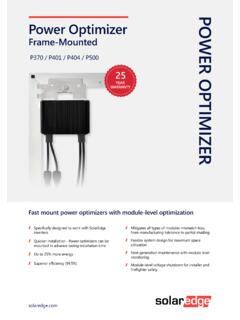
Power Optimizer - SolarEdge
www.solaredge.comsolaredge.com POWER OPTIMIZER Power Optimizer Frame-Mounted P370 / P401 / P404 / P500 Fast mount power optimizers with module-level optimization Specifcally designed to …
Three Phase System Installation Guide - SolarEdge
www.solaredge.comAddition of caution - installation in saline environment Clearance for three phase inverters installed side-by-side, single row of inverters outdoors: 5 cm / 2” PVRSS is enabled by default. Enabling/ disabling PVRSS feature can be done from the inverter LCD menus. Addition of reference to troubleshooting undetected devices application note

Installation Guide Communicaton Options
www.solaredge.comCommunication è RS485-X Conf è Device Type è SolarEdge Communication è RS485-X Conf è Protocol è Master Communication è RS485-X Conf è Slave Detect The master should report the correct number of slaves. If it does not, verify the connections and terminations. 3. For the meter, select the following:

Versie 2.1-NL 8/2017
www.solaredge.comlaptop of smartphone/tablet met wifi verbinding. Als de wifi instellingen al ingesteld zijn, dan kunt u terugkeren naar de standaardinstellingen en vervolgens een nieuwe wifi verbinding tot stand brengen. Indien u een nieuwe router heeft of als uw netwerknaam is veranderd, dan dient u de omvormer opnieuw aan te melden bij het wifi netwerk.

Technical Note – SunSpec Logging in SolarEdge Inverters
www.solaredge.comMODBUS over TCP Support MODBUS/TCP uses the Ethernet media in physical layers to carry the MODBUS message handling structure and can support a large number of devices in one network; it is easier to integrate into the Local Area Network (LAN) of a company, so it is the choice of more and more customers.

Monitoring Platform User’s Guide - SolarEdge
www.solaredge.comMonitoring Platform User’s Guide for System Owners Emission Compliance This equipment has been tested and found to comply with the limits applied by the local regulations. These limits are designed to provide reasonable protection against harmful interference in a residential installation. This equipment

Three Phase Inverters with Synergy Technology
www.solaredge.comThree Phase Inverters with Synergy Technology For the 277/480V Grid SE66.6K / SE100K . Three Phase Inverter with Synergy Technology ... Inverter with glands and DC switch P/N: SExxK-xx0P0BNG4, inverter with glands and without DC switch P/N: SExxKxx 0P0BNA4, inverter with MC4 and with DC switch P/N: SExxK-xx0P0BNU4, inverter with MC4 and without ...
Related documents

PSE COMPOUND BOW OWNER’S INFORMATION
www.psearchery.comAll components, including string, cables, axles, e-clips, limbs and riser should be carefully inspected for damage or wear. STRINGS AND CABLES Apply a light coat of high quality bowstring wax to your string and cable each time you shoot your bow. It is especially important NOT to wax the area of the string that wraps around the idler wheel.

COMPOUND BOW USER’S GUIDE - PSE Archery
www.psearchery.comAll components, including string, cables, axles, e-clips, limbs and riser should be carefully inspected for damage or wear. STRINGS AND CABLES Apply a light coat of high quality bowstring wax to your string and cable each time you shoot your bow. It is especially important NOT to wax the area of the string that wraps around the idler wheel.

POINT I/O ASCII Modules - Rockwell Automation
literature.rockwellautomation.com1 Publication 1734-UM009B-EN-P - July 2003 Preface Purpose of This Manual This manual describes how to install, configure, and troubleshoot your POINT I/O 1734-232ASC module (for the RS-232 network) or 1734-485ASC module (for the RS-485 or RS-422 network).