Example: air traffic controller
Remote with Voice Control - Xfinity
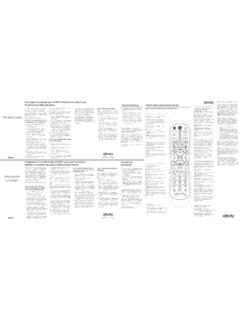
remote. The Status LED will blink green four times as the remote powers up (about 5 seconds). Turn on your TV. Turn on your set-top box. A B C Back Pair Remote for “Aim Anywhere” Control 1 Meet Your Remote 2 Turn On Your Remote 3 Control your set-top box without having to point your remote at the device, even when it is located inside a ...
Tags:
Information
Domain:
Source:
Link to this page:
Documents from same domain
XR2v3-R XR5v2-R
www.xfinity.comremote until the status LED steps above using the next code listed for changes from red to green. 4. Enter the first code listed for the TV manu-facturer. The status LED should flash green twice when the code is entered. 5. Press the TV Power button on the remote. If the TV turns off, you have successfully programmed your remote. Turn the TV back

Comcast DVR Remote Manual - Xfinity
www.xfinity.comTurn on a device (e.g., VCR or DVD Player) and, if applicable, insert media, (e.g., video cassette or disc). NOTE: Please read steps 2 to 6 complete-ly before proceeding. Highlight or write down the codes and device you wish to program before moving on to step 2. 2. On the remote control, press a device key once (i.e., AUX or TV). NOTE: Use the AUX
It’s simple to program your remote. Troubleshooting Here’s ...
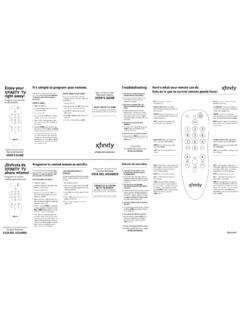
www.xfinity.com2. En tu control remoto, sostén el botón SET opción de audio disponible, esto puede hasta que la luz roja parpadeé dos veces; sonido, oprime el botón entonces suéltalo. 3. Teclea 9-9-1 y la luz roja parpadeará dos veces. 4. Oprime CH+ varias veces hasta que se apague el televisor. 5. Una vez que se apague el televisor, oprime SET. Q.
Xfi nity Home Quick Start Guide
www.xfinity.comXfi nity Home Quick Start Guide 3 4 Five ways to manage your system at home and on the go 6 Arm and disarm your system 8 How your alarm works 8 Important Keypad Codes and Passcodes 10 Updating your emergency contacts 10 Customize your system by setting rules 11 How to prevent false alarms 12 Get to know your equipment 14 FAQs Get the most from your services ...
Related documents

PowerView Remote Control Guide - Hunter Douglas
cdn2.hunterdouglas.com4 5 POWERVIEW ® SURFACE REMOTE The sleek PowerView® Surface is wall-mounted so you know your remote is always right where you left it. KEY COMPONENTS KEY COMPONENTS POWERVIEW ® PEBBLE® REMOTE Ergonomically designed, the PowerView ® Pebble hand-held remote is available in ten on-trend colors
INSTALLATION REMOTE ENGINE START SYSTEM …
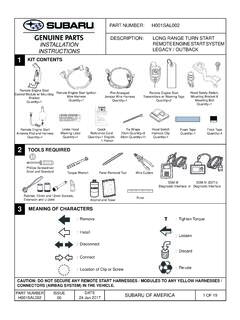
techinfo.subaru.comJan 24, 2017 · • The remote start system has operated for twenty (20) minutes between ignition key cycles The horn will honk three (3) times and the parking lights will fl ash three (3) times ... dashboard mounted fusebox. (FIGURE L) The antenna harness will be plugged into the remote engine start control module during Section 8.
AIR CONDITIONER OPERATING MANUAL Wall Mounted Type …
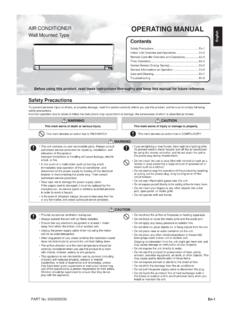
www.fujitsu-general.comAIR CONDITIONER Wall Mounted Type OPERATING MANUAL CAUTION • To prevent malfunction or damage of the remote controller: - Place remote controller at where will not be exposed to direct sunlight or excessive heat. - Remove batteries if the product is not going to be used for an extended period. - Exhausted batteries must be removed immediately ...
Comcast XFINITY XR11 Voice Remote User Manual
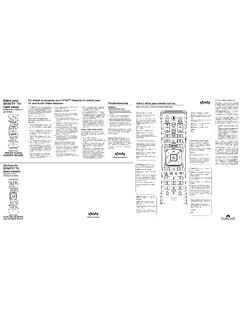
www.protechtrader.comAntenna shall be mounted in such a manner to minimize the potential for human contact during normal operation. The antenna should not be contacted during op-eration to avoid the possibility of exceed-ing the FCC radio frequency exposure limit. ... your remote. ...
Dell Precision Tower 7000 Series (7810)
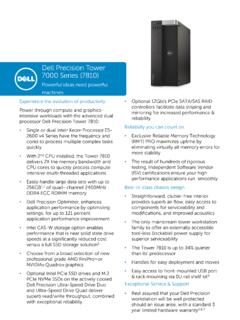
i.dell.com• Easy access to front-mounted USB port & rack mounting via 0U rail shelf kit4 Exceptional Service & Support • Rest assured that your Dell Precision ... 3-Year Limited Hardware Warranty and 3-year NBD On-Site Service after Remote Diagnosis Optional: Dell ProSupport is designed to rapidly respond to your business’s needs, help protect your ...
SMARTER MEETINGS AUTOMATICALLY. - Logitech
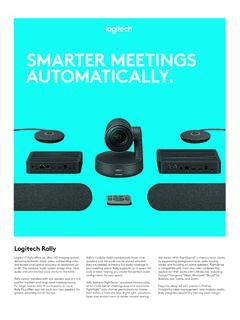
www.logitech.comorientation and camera controls when mounted upside down 3.2 ft (1m) ... Remote Control USB C to C cable USB A to B cable CAT6A 2 x HDMI A to A cable Documentation SYSTEM REQUIREMENTS INSIDE THE BOX 1RightSight is enabled by a software download with initial support for Windows ...

Mobile Link™ Wi-Fi Remote Monitoring
www.generac.comThe Wi-Fi module is mounted on the back of the generator and communicates with the generator’s controller through a wiring harness. Generator status and operating information is periodically transmitted over the generator owner’s private Wi-Fi network. This enables the generator owner to monitor generator status from anywhere he or she

REMOTE SENSING AND GIS (A70140) - Welcome to IARE
www.iare.ac.inIn space-borne remote sensing, sensors mounted on space shuttles or satellites orbiting the Earth are used. There are several remote sensing satellites (Geostationary and Polar orbiting) providing imagery for research and operational applications. …
XR2v3-R XR5v2-R
www.xfinity.comremote until the status LED steps above using the next code listed for changes from red to green. 4. Enter the first code listed for the TV manu-facturer. The status LED should flash green twice when the code is entered. 5. Press the TV Power button on the remote. If the TV turns off, you have successfully programmed your remote. Turn the TV back