Transcription of RoadTrip - Winegard
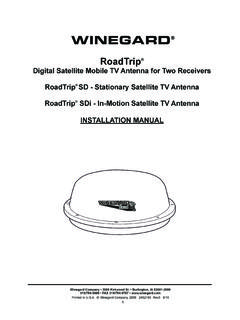
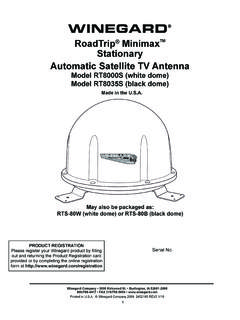
1 1 WINEGARDW inegard Company 3000 Kirkwood St. Burlington, IA 52601-2000319/754-0600 FAX 319/754-0787 in Winegard Company 2008 2452164 Rev. 9/08 RoadTrip Digital Satellite Mobile TV Antenna for Two ReceiversRoadTrip SD - Stationary Satellite TV AntennaRoadTrip SDi - In-Motion Satellite TV AntennaOPERATION MANUALMade in the Patent Nos. 6023247, 6188300 PRODUCT REGISTRATIONP lease register your Winegard product by filling out and returning the Product Registration card provided or by completing the online registration form at is an official trademark of DIRECTV, a unit of GM Hughes Electronics Network is an official trademark of EchoStar Communications BROADCAST SYSTEM SATELLITE(S)IntroductionCongratulations!
2 You have purchased one of Win-egard s latest developments in the mobile satellite reception product line the RoadTrip antenna. This antenna, used with your digital satellite receiver, will deliver exceptional reception. How Does Digital Satellite TV Work?Satellite programming originates from an uplink facility on Earth the facility receives many signals from different sources, combines the signals digitally and transmits them to the satellites. The satellites (22,300 miles above Earth) receive the uplink signal, amplify it and then transmit it back to earth in the Ku frequency band. This signal is concentrated and re-flected to the LNBF* located at the focal point of the dish.
3 The LNBF amplifies and converts the signal to the 950 to 1450 MHz range. The sig-nal is then passed through a coaxial cable to the receiver where individual chan-nel selection and processing take Programming information call: Introduction How Does Digital Satellite TV Work?PROGRAMMING UPLINKCONTROL CENTERSHIGH POWER KU-BAND DOWNLINK SIGNALWINEGARD DIGITAL SATELLITE SYSTEM ANTENNAPRIMARY RECEIVERUPLINK SIGNALTELEVISION SET* Low Noise Block Converter FeedDISH NETWORK - 1-800-333-DISH (1-800-333-3474)DIRECTV - 1-800-DIRECTV (1-800-347-3288)Your new Winegard RV Digital Satellite System is an easy-to-use satellite TV reception system. Because it mounts on the top of your recreational vehicle, it goes where you go and provides quality reception of digital satellite signals.
4 Check with your program provider for exact coverage antenna features: Two receiver compatibility Easy one-button operation Ability to toggle between satellites while Stationary or In-motion using remote control, if subscribing to multi-satellite programming Winegard 2 yr. parts, 1 yr. labor warranty Integrated DVB Technology GPS Technology (SDi In-Motion Model only)About this manual We hope this manual will provide clear instructions to install and operate your Winegard mobile satellite system. Two symbols have been used Indicates caution should be taken!Indicates suggestions to make processes easier for you.!SECONDARY RECEIVER3 RoadTrip SD (Stationary model) Notice!
5 This model is PRESET for DIRECTV receivers. Quick Reference GuideYour Winegard RoadTrip satellite TV antenna has been designed to be the most user-friendly mobile satellite antenna on the market today. Upon installation of the antenna, or after changing satellite service provider, simply set the switches inside of the dome to the settings shown below. These switches enable the dish to locate the proper satellite for your service provider, and for the RoadTrip SDi In-Motion system, to be set for the proper installation option. Simply set the switch, and forget it! Your Winegard RoadTrip satellite antenna will locate the proper satellite with just the flip of a SDi (In-motion model) Notice!
6 This model is PRESET for DIRECTV receivers Mounting Option A. If you use Mounting Option B or if you have a DISH Network receiver, you must change the numbered switches. (See figures below). YOU MUST CHANGE SWITCH SETTINGS FOR DISH NETWORK. SIMPLY MOVE #4 & #7 TO DOWN POSITION (#8 SHOULD REMAIN DOWN ALSO).DIRECTV DISH NETWORK FACTORY PRESET DIRECTV SWITCH SETTINGS 1 2 3 4 5 6 7 8 0 = UP1 = DOWNKEY MOUNTING OPTION AMOUNTING OPTION BCABLE EXIT FRONT MV-3500 BACK OF VEHICLEFRONT OF VEHICLEROAdTRIpALIGN FEET EXACTLY SQUARE ON CENTER LINE CABLE EXIT REAR ALIGN FEET EXACTLY SQUARE ON CENTER LINE MV-3500 BACK OF VEHICLEFRONT OF VEHICLEROAdTRIp DIRECTV - MOUNT OPTION A FACTORY PRESET CHANGE SETTINGS FOR DISH NETWORK, MOUNT OPTION A: SIMPLY MOVE #4 & #7 TO DOWN POSITION (#8 SHOULD REMAIN DOWN).
7 CHANGE SETTINGS FOR DIRECTV MOUNT OPTION B: SIMPLY MOVE #1 TO DOWN POSI-TION (#8 SHOULD REMAIN DOWN ALSO).1 2 3 4 5 6 7 8 CHNAGE SETTINGS FOR DISH NETWORK, MOUNT OPTION B: SIMPLY MOVE #1, #4 & #7 TO DOWN POSITION (#8 SHOULD REMAIN DOWN ALSO).1 2 3 4 5 6 7 81 2 3 4 5 6 7 8 DISH NETWORK - MOUNT OPTION B DIRECTV - MOUNT OPTION BDISH NETWORK - MOUNT OPTION A 1 2 3 4 5 6 7 8 4 Operating your RoadTrip SD (stationary) antenna 1. Turn on receiver and television set. The RoadTrip antenna must be connected to a receiver that is plugged into 120 Verify that you are getting the receiver s menu screens on the television.
8 These screens are avail-able with or without the dish finding the Turn the power switch on for the RoadTrip antenna. The dish will detect if it is already on a satellite signal. If it detects a signal, the dish will move to check it s alternate satellite and then move back to the original satellite signal that is If no signal was detected, the dish will begin its search to locate the primary satellite. Once the dish locates a signal, it will pause long enough to identify which satellite it has located. This may or may not be visible on your receiver s point dish After the unit has verified that it has the correct satellite, it will move to check the alternate satellite and move back to the primary satellite to complete the search If you do not have signal, see Troubleshooting, : Because the RoadTrip antenna uses infor-mation from the last location that it was on a signal, satellite acquisition may take longer if the dish is inactive over long distance must be set to the two satellite, oval dish setting.
9 Refer to your receiver Network receivers must have the check switch set to SW64 . See page From Signal Interruption: While traveling, the signal will be inter-rupted when the line of sight to the satellite is blocked. Signal is acquired again after line of sight is restored. If signal is interrupted for more than 15 seconds, the system automatically enters the search routine. The length of time for the TV picture to recover depends on the receiver model you are must drive in a straight line at 10 mph or more when starting to operate in your RoadTrip SDi Antenna (in-motion) antenna1. Turn on receiver and television set. The Road-Trip antenna must be connected to a receiver that is plugged into 120 Verify that you are getting the receiver s menu screens on the television.
10 These screens are available with or without the dish finding the signal. See page 6 for details of receiver set Turn the power switch on for the RoadTrip antenna. The dish should start moving, making one or two revolutions before it stops to acquire GPS. This can take a few moments or up to 10-15 minutes. Normal operation will be less than a Once the unit has acquired GPS, the dish will begin its search. The dish will pause on the sig-nal long enough to determine which satellite it has found. If it moves off the signal, it is in an effort to verify the signal and it should return to the signal After the unit has verified that it has the correct satellite, it will continue to track the If the vehicle does not move for six minutes, the unit will toggle to it s alternate satellite then toggle back to the primary satellite and go to sleep.