Transcription of RT-AC66U - Asus
1 RT-AC66U Dual Band 3x3 Gigabit Router User Guide Copyright 2013 ASUSTeK Computer Inc. All Rights part of this manual, including the products and software described in it, may be reproduced, transmitted, transcribed, stored in a retrieval system, or translated into any language in any form or by any means, except documentation kept by the purchaser for backup purposes, without the express written permission of ASUSTeK Computer Inc. ( ASUS ).Product warranty or service will not be extended if: (1) the product is repaired, modified or altered, unless such repair, modification of alteration is authorized in writing by ASUS; or (2) the serial number of the product is defaced or PROVIDES THIS MANUAL AS IS WITHOUT WARRANTY OF ANY KIND, EITHER EXPRESS OR IMPLIED, INCLUDING BUT NOT LIMITED TO THE IMPLIED WARRANTIES OR CONDITIONS OF MERCHANTABILITY OR FITNESS FOR A PARTICULAR PURPOSE.
2 IN NO EVENT SHALL ASUS, ITS DIRECTORS, OFFICERS, EMPLOYEES OR AGENTS BE LIABLE FOR ANY INDIRECT, SPECIAL, INCIDENTAL, OR CONSEQUENTIAL DAMAGES (INCLUDING DAMAGES FOR LOSS OF PROFITS, LOSS OF BUSINESS, LOSS OF USE OR data , INTERRUPTION OF BUSINESS AND THE LIKE), EVEN IF ASUS HAS BEEN ADVISED OF THE POSSIBILITY OF SUCH DAMAGES ARISING FROM ANY DEFECT OR ERROR IN THIS MANUAL OR AND INFORMATION CONTAINED IN THIS MANUAL ARE FURNISHED FOR INFORMATIONAL USE ONLY, AND ARE SUBJECT TO CHANGE AT ANY TIME WITHOUT NOTICE, AND SHOULD NOT BE CONSTRUED AS A COMMITMENT BY ASUS.
3 ASUS ASSUMES NO RESPONSIBILITY OR LIABILITY FOR ANY ERRORS OR INACCURACIES THAT MAY APPEAR IN THIS MANUAL, INCLUDING THE PRODUCTS AND SOFTWARE DESCRIBED IN and corporate names appearing in this manual may or may not be registered trademarks or copyrights of their respective companies, and are used only for identification or explanation and to the owners benefit, without intent to infringe. E7891 Second EditionJanuary 2013 Table of contents1 Getting to know your wireless Welcome! .. Package contents.
4 Your wireless router .. Positioning your router ..9 Mounting to the stand .. Setup Requirements .. Router Setup .. Wired connection .. Wireless connection ..132 Getting Logging into the Web GUI .. Quick Internet Setup (QIS) with Auto-detection .. Connecting to your wireless network ..203 Configuring the General Using the Network Map .. Setting up the wireless security settings .. Managing your network clients .. Monitoring your USB device .. Creating a Guest Network .. Using the Traffic Manager.
5 Managing QoS (Quality of Service) Monitoring Traffic .. Setting up Parental Control .. Using the USB Application .. Using AiDisk .. Using Servers Center ..39 Table of 3G/4G .. Using AiCloud .. Cloud Disk .. Smart Access .. Smart Sync ..504 Configuring the Advanced Wireless .. General .. WPS .. Bridge .. Wireless MAC Filter .. RADIUS Setting .. Professional .. LAN .. LAN IP .. DHCP Server .. Route .. IPTV .. WAN .. Internet Connection .. Port Trigger .. Virtual Server/Port Forwarding.
6 DDNS .. NAT Passthrough .. IPv6 .. VPN Server .. Firewall .. General .. URL Filter ..80 Table of Keyword filter .. Network Services Filter .. Administration .. Operation Mode .. System .. Firmware Upgrade .. Restore/Save/Upload Setting .. System Log ..865 Device Discovery .. Firmware Restoration .. Setting up your printer server .. ASUS EZ Printer Sharing .. Using LPR to Share Printer ..93 Download Master .. Configuring Bit Torrent download settings .. NZB settings.
7 1006 Basic Troubleshooting .. Frequently Asked Questions (FAQs) ..104 AppendicesNotices ..114 ASUS Contact information ..128 Networks Global Hotline 1 Getting to know your wireless routerNOTES: If any of the items are damaged or missing, contact ASUS for technical inquiries and support, Refer to the ASUS Support Hotline list at the back of this user manual. Keep the original packaging material in case you would need future warranty services such as repair or replacement. RT-AC66U Wireless Router Network cable (RJ-45) Power adapter Quick Start Guide Support CD (Manual, utility software) Warranty card Welcome!
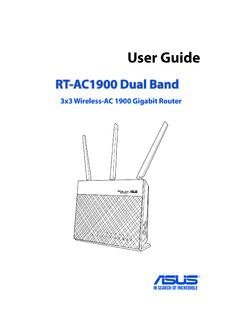
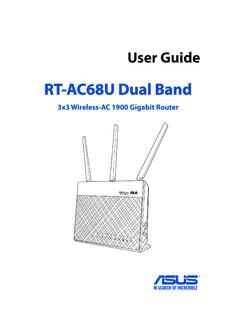
8 Thank you for purchasing an ASUS RT-AC66U Wireless Router!The ultra-thin and stylish RT-AC66U features a and 5 GHz dual bands for an unmatched concurrent wireless HD streaming; SMB server, UPnP AV server, and FTP server for 24/7 file sharing; a capability to handle 300,000 sessions; and the ASUS Green Network Technology, which provides up to 70% power-saving Package contents Your wireless routerPower LED Off: No power. On: Device is ready. Flashing slow: Rescue mode Flashing quick: WPS is LED Off: No power or no physical connection.
9 On: Has physical connection to a local area network (LAN). Flashing: Transmitting or receiving data via wireless LED Off: No power or no physical connection. On: Has physical connection to a wide area network (WAN). Flashing: Transmitting or receiving data via wireless LED / 5 GHz LED Off: No or 5 GHz signal. On: Wireless system is ready. Flashing: Transmitting or receiving data via wireless connection. NOTES: Use only the adapter that came with your package. Using other adapters may damage the device.
10 Specifications: DC Power adapterDC Output: +19V with max current;Operating Temperature0~40oCStorage0~70oCOperating Humidity50~90%Storage20~90% USB LED Off: No power or no physical connection. On: Has physical connection to USB (DC-IN) portInsert the bundled AC adapter into this port and connect your router to a power source. Power buttonPress this button to power on or off the portsInsert USB devices such as USB hard disks or USB flash drives into these your iPad s USB cable into one of these ports to charge your iPad.