Transcription of starter guide - AT&T
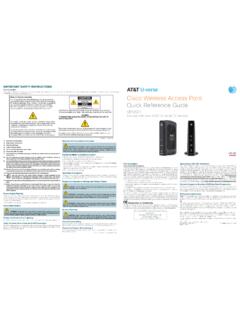
1 Get answers 24/7 call guidewith quick resolution tipsEasy steps for getting the most from your AT&T U-verse TV, High Speed Internet, and Voice services. pg_2_UVEP577_Starter_Guide_ENG_S3starter guide Your important AT&T U-verse information ..3 For quick reference, record your important AT&T U-verse information hereAT&T U-verse TV ..4 How to use the AT&T U-verse remote control Direct the show with your Total Home DVR AT&T U-verse on your computer AT&T U-verse on your smartphone AT&T U-verse app for iPad Find shows fast with Channel Shortcuts How to use Parental Controls Optimize your TV experience On Demand Pay Per View Interactive features for TV, Internet and Voice AT&T U-verse TV Apps Explore, Entertain, and Interact with U-verse Enabled Apps Quick tips about your AT&T U-verse TV serviceAT&T U-verse High Speed Internet.
2 21 Get more with Set up email on your home computer Access the entire national AT&T Wi-Fi Hot Spot network PC Health Check Assure reliable security for your Wi-Fi home network Connect more computers to your Wi-Fi home networkAT&T U-verse Voice ..27 Important information How to manage or change Voicemail Settings How to manage or change Voice Features Create sub-account voice mailboxes onlinequick resolution guideAT&T Troubleshoot & Resolve tool ..35AT&T U-verse TV ..36 Resolve problems with your services Change your TV s screen resolution Program your remote to control up to four devices Change your TV s input selection to match its video source Three ways to connect your receiver to your TV Watch Help On DemandSupport questions/additional resources.
3 42 U-verse TV Support: U-verse High Speed Internet Support: U-verse Voice Support: of contentsFor your own security, if you need to record account passwords, write them down separately and keep them in a safe or add services anytime. Tune to channel 9910 AT&T Account ManagerClick your important AT&T U-verse information here for easy all your key information in one place, it s a snap to manage your account and get support when you need it. Wireless (resiDeNTiAl) gATeWAy iNformATioNManufacturerWi-Fi Network Name (SSID)Wi-Fi Password (required for home Wi-Fi access)Your AT&T U-verse primary member ID allows you to manage your account online. You can view and pay your bill, enroll in paperless billing, sign up for AT&T AutoPay, upgrade your account, get updates regarding your AT&T U-verse service, and so much received a separate letter confirming the 4-digit passcode you designated when placing your order.
4 Please store it in a secure place for future use. , AT&T UIDLove your U-verse?Tell a friend, and you ll BOTH get up to $75 in gift cards when your friend orders AT&T U-verse TV, Internet, and phone. Learn more at re always here to help:Visit or call and say, AT&T U-verse technical support. Please have your four-digit passcode available when : Password is the same as your AT&T email password. For your security, record account passwords separately and keep them in a safe i NformATioNCustomer name on accountAccount numberAT&T U-verse primary member ID (online account access ID)VM PIN # and authentication codeAT&T U-verse password hintRouter passwordTech s ID for promo code (P2R)Your award-winning AT&T U-verse service was installed byPERF / fPo2pg_5_UVEP577_Starter_Guide_ENG_S3pg_ 4_UVEP577_Starter_Guide_ENG_S3TV user guide5 How to use the AT&T U-verse remote controlYour remote can control up to four devicesAt the time of installation, your remote was set up to control your AT&T HD-ready receiver.
5 The remote is also capable of controlling up to three other devices, such as the TV, DVD player, or home theater system. You can access step-by-step instructions on how to program your TV or other devices by pressing meNU on your remote control and scrolling to Help and selecting remote Control setup. Upgrade to our rechargeable easy find remote Control or our Point Anywhere rf remote Control for even more convenience and cool features. learn more at Visit to learn to learn user guide How to use the AT&T U-verse remote control Direct the show with your Total Home DVR AT&T U-verse on your computer AT&T U-verse on your smartphone AT&T U-verse app for iPad Find shows fast with Channel Shortcuts How to use Parental Controls Optimize your TV experience On Demand Pay Per View Interactive features for TV, Internet, and Voice AT&T U-verse TV Apps Explore, Entertain.
6 And Interact with U-verse Enabled Apps Quick tips about your AT&T U-verse TV serviceControl devices with mode buttonsRecord TV with one clickReplay the last few seconds of a programGo to the On Demand libraryReturn to previous menu screenPiP browsingGo to main menu screenExit from a menu screen or return to live TVMute the sound on your TVEdit text on the search screenFast-forward in set incrementsGo to recorded TV programs listExplore, entertain, and interact with U-verse AppsNavigate channels, menus, and screensGo to Program info screenGo to guide screenChange channelReturn to previously viewed live TV channelAccess the options menuAT&T U - v e r s e4 One DVR, one experience, any receiverRecord up to four shows at once and record and play back shows in any room from a single DVR.
7 * Your AT&T U-verse HD-ready receiver with Total Home DVR 1 lets you:> Record up to four shows at once on a single DVR and record and play back your shows from any room in your home> Schedule, update, or delete your recordings from any room in your home> Pause your recorded show in one room and pick it up where you left off in another> Pause and rewind live TV or recorded shows from any receiver> Set Parental Controls for U-verse Movies, Pay Per View, and live or recorded showsPause, fast-forward, and rewind live TV from any receiverYour Total Home DVR stores up to 60 minutes of the live TV channel you re watching, on up to four of your receiver-connected TVs at the same time!
8 (When you change channels, your DVR will begin storing the new program instead.) You can rewind live TV by pressing reW. You can also freeze live TV for up to 60 minutes by pressing PAUse (press PlAy to restart).record the program you re watching from any receiver Press reCorD on your remote control to begin recording the program you re watching. The Record light on your receiver remains lit until recording stops automatically at the program s scheduled end time. You can also press sToP to end recording at any time; press oK to program or series recordings from the guide from any receiverPress guide , then use UP/DoWN ArroWs to scroll to the program you want to record. Press reCorD once to record a single show (one red dot appears); press reCorD twice to record the whole series (three red dots appear); press reCorD three times to cancel for a show or series you want to record from any receiverPress meNU, select live, and use the DoWN A rroW to select search.
9 Press oK. Choose options to narrow your search, or type the show title (use ArroWs to highlight a letter, then press oK to select it). Highlight the show you want when it appears, and press iNfo to record a single episode or the whole your recordings from any receiverPress reCorDeD TV and select Browse recordings to see a list of your recordings. Highlight a show and press oK to see a Program info screen, then select Play to watch the program. pg_7_UVEP577_Starter_Guide_ENG_S3pg_6_UV EP577_Starter_Guide_ENG_S37TV user guideNoTe: BlUe CAPiTAl leTT ers refer to buttons on the remote control.*DVR not included with U100 or U-basic packages. Models may vary. 1 Total Home DVR functionality is available on up to 8 TVs, and requires a receiver for each additional TV at $8/mo.
10 Pricing subject to change. 2AT&T U-verse TV and High Speed Internet account required for DVR-related functions. 3 Requires qualifying device, U-family or higher TV plan and Wi-Fi or data connection. Content may vary by device, TV plan, and viewing location. Quality of picture varies by device and data connection. Data charges may , the Apple logo and iPad are trademarks of the Apple Inc., registered in the and other countries. App Store is a service mark of Apple to learn to learn you can watch hit TV shows in more placesTake the AT&T U-verse experience with you on your computer, smartphone, or tablet with an extensive library of On Demand programs. AT&T U-verse on your computer >Watch Live Disney, ESPN, CNN, and more at home or on the go with online >Watch over 300,000 TV shows, movies, sports, music, and more on your computer at no extra charge >View your TV listings and manage your DVR online2 To get started:1 Visit Log on with your AT&T primary member ID (email address) and password AT&T U-verse on your smartphone or tabletEnhance your entertainment experience with the free U-verse app for your tablet and smartphone.