Transcription of System Center Configuration Manager: Concepts …
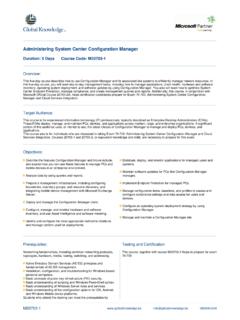
1 System Center Configuration manager : Concepts and Administration AdvancedWorkshopPLUSO verviewThis three-day System Center Configuration manager : Concepts and Administration Advanced WorkshopPLUS provides students with an in-depth technical knowledge of the advanced features of Microsoft System Center Configuration manager through hands-on labs and instructor-led training sessions. This WorkshopPLUS focuses on the following aspects of Configuration manager : Deployment and Architecture Compliance Settings Application Deployment Site and Client Monitoring Troubleshooting Site RecoveryKey Features and BenefitsEach module contains scenarios that provide students with expertise, tools, and hands-on experience to help implement and troubleshoot the advanced features of Configuration Highlights After completing this course, you will be able to.
2 Deploy Configuration manager Configure secure client-server communication by implementing Public Key Infrastructure (PKI) certificates Assess compliance settings and remediate computers that are noncompliant Deploy applications and troubleshoot application installation failures Monitor Configuration manager sites and client health Troubleshoot server and client issues Back up and restore a Configuration manager siteTarget Audience:To ensure the high-quality knowledge transfer to attendees of this three-day WorkshopPLUS, the class size is limited to students who meet the following criteria: Intermediate to advanced knowledge of Windows operating systems. Intermediate to advanced knowledge of Microsoft System Center Configuration manager or successful completion of Microsoft Premier WorkshopPLUS: System Center Configuration manager Concepts and Administration Introduction.
3 At least one year of experience in working with System Center Configuration :This WorkshopPLUS does not provide an overview of all the Configuration manager features. For an overview of all the features, we recommended you attend Microsoft Premier WorkshopPLUS: System Center Configuration manager Concepts and Administration Microsoft Corporation. All rights reserved. This data sheet is for informational purposes only. MICROSOFT MAKES NO WARRANTIES, EXPRESS OR IMPLIED, IN THIS SUMMARYThis workshop runs for three full days. Students should anticipate consistent start and end times for each day. Early departure on any day is not 1: System Center Configuration manager : Deployment and Architecture: This module covers deployment and architecture of Configuration manager and the implementation of secure client-server communications using public key infrastructure (PKI).
4 Module 2: System Center Configuration manager : Compliance Settings: This module describes how to use Configuration manager to assess compliance of settings and configurations. It also discusses how to monitor for drift, and remediate non-compliant 3: System Center Configuration manager : Application Deployment: This module discusses the application model and how an administrator can deploy software transitioning to a state-based user-targeted approach. It also discusses self-service through the new Software 4: System Center Configuration manager : Site and Client Monitoring: This module discusses how to monitor the health of Configuration manager servers and 5: System Center Configuration manager : Troubleshooting and Site Recovery: This module explains how to troubleshoot Configuration manager server and client issues.
5 It also covers how to back up and restore a site server in a recovery Requirements:Participants will need a computer running at least Windows 7, with 50 GB free drive space, a USB port, a 10 Mbps or faster network adapter, at least an evaluation copy of Office 2010 Professional or later, and a PDF reader. Participants also need a Microsoft/Windows Live ID to connect to the virtual environment. The classroom must be networked, with access to the Internet and at least total Internet bandwidth of 2 megabits per second. TCP port 443 must be open. We highly recommend a wired network in the Requirements:Contact your TAM if the necessary hardware needs to be provided. If you are attending an in-person open enrollment workshop, the hardware will be provided for