Transcription of TM - findmespot.com
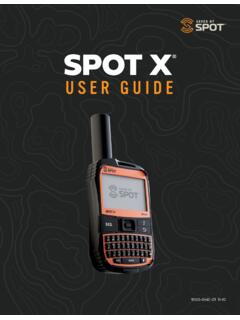
1 1 SPOT GEN4 TMUSER GUIDEFPO9150-0109-01 R-61 HOW SPOT WORKSSPOT MAPPING1. GPS satellites provide SPOT Gen4 determines your GPS location and sends your location and pre-programmed message to communication Communication satellites relay your message to specific satellite antennas around the world. 4. Satellite antennas and a global network route your location and message to the appropriate Your location and messages are delivered according to your instructions via email, text message, or emergency notification to the emergency response SPOT sends a text or email message to one of your contacts or to the emergency response center, it includes your GPS coordinates and a web link (email only) to view your location using SPOT SATELLITE SYSTEM1 globalstar SATELLITE3 MESSAGING SERVICES5 SPOT GEN42 ANTENNAS42 SECTION 1: WELCOMESPOT Gen4 gives you a critical, life-saving line of communication when you travel beyond the boundaries of reliable cellular service.
2 SPOT Gen4 lets family, friends, and colleagues know you are OK, or if the unexpected should happen, sends your GPS location to emergency responders all with the push of a button. Add this rugged, pocket-sized device to your essential gear and stay connected wherever you play or work. SPOT Gen4 needs a clear view of the sky to obtain a GPS signal to provide the most accurate location information. SPOT Gen4 is not as reliable at the bottom of a deep canyon, in a cave, or in very dense woods. Orienting SPOT Gen4 so that the SPOT logo is facing up toward the sky will improve performance as the antenna is located directly under the logo. In order to ensure best performance, keep the SPOT Gen4 at least 12-18 inches away from any navigation equipment or GPS antennas. To begin using SPOT Gen4, we recommend you spend a few minutes reading through this User Guide, then visit to select a service plan and activate your SPOT ARE A FEW IMPORTANT THINGS TO REMEMBER ABOUT YOUR SPOT GEN4 Before every adventure, test the Buttons/LED on your device while it s turned off.
3 Once the test has been completed, go outside where the SPOT Gen4 has a clear view of the sky in all directions and send a Check In message. FOLLOW THE STEPS BELOW TO TEST THE BUTTONS/LED:Device check: Insert fresh batteries* and then perform the LED/Button : STEPS HAVE TO BE PERFORMED WITHIN A FEW SECONDS OF EACH OTHER, OR THE TEST WILL TIMEOUT. YOU CAN START OVER IF THE TEST IS NOT your SPOT Gen4 off, press & hold the Track button followed by the Power button. Hold for approximately 3 seconds. The HELP and LEDs should turn the and Help buttons at the same time. All LEDs should turn the Custom Message and Check In buttons at the same time. All LEDs should turn 2: GETTING STARTEDYour SPOT Gen4 requires an active SPOT subscription to communicate. To do this, simply activate your device using the instructions outlined YOUR SPOT GEN4 WHAT YOU NEED Your SPOT Gen4 One of these power sources: 4 AAA Energizer Ultimate Lithium 8x batteries (L92); included 4 AAA Energizer NiMH rechargeable batteries (NH12) User GuideINSTALL THE INCLUDED BATTERIES1.
4 A coin or pocket knife can be used to loosen the screws to open the battery Write down the ESN and Authorization Code for use during service Install 4 AAA Energizer Ultimate Lithium 8x batteries or NiMH rechargeable Replace cover and tighten screws fully to maintain SPOT Gen4 s waterproof Keep your batteries installed. CAUTION: Risk of explosion if battery is replaced by an incorrect type. Dispose of used batteries according to the TEST LED CHARTBUTTONS PRESSEDHELP LED LEDPOWER LEDGPS LED SEND LEDCUSTOM MESSAGE LEDTRACK LEDCHECK IN LEDTRACK + POWERGREENGREENN/AN/AN/AN/AN/ + HELPREDREDREDREDREDREDREDREDCUSTOM MESSAGE + OKGREENGREENGREENGREENGREENGREENGREENGRE EN4AT YOU NEED Personal contact information Emergency contact information Valid email address Credit card information SPOT electronic serial number (ESN) and authorization codeACCOUNT SETUP1. Go to Existing SPOT customers should login to their current SPOT My Account to add their new device.
5 New customers will need to select: New Account Follow the instructions given within the activation portal; do not skip forms or Choose the services you wish to add to your SPOT Gen4 and confirm your order to finish the activation NUMBER (ESN) AND AUTHORIZATION CODET hese codes are located inside the battery compartment of your SPOT Gen4. You will need these codes when setting up your account on NUMBER (ESN)AUTHORIZATION CODE5 SECTION 3: the push of the button, SPOT s 24/7 global search & rescue service provides your GPS location coordinates to local authorities for the quickest response to your your adventures at an interval as low as minutes while motion-activated tracking conserves battery life. With the new SPOT Mapping you can view and share your SPOT locations for a minimum of three INQuick and easily let contacts know you re OK. HELP/SPOT (SAVE OUR VEHICLE)Alert specific contacts that you need help in non-life-threatening situations.
6 Or use SPOT for professional roadside assistance services.. (Example: Flat tire, need a lift.)CUSTOM MESSAGEStay in touch while off the grid by using a custom the power button to turn SPOT Gen4 on; LEDs will illuminate. Press and hold the power button until it blinks rapidly to turn SPOT Gen4 LEDI ndicates whether or not SPOT Gen4 is able to see the GPS satellites & obtain your GPS SENDING LEDI ndicates whether or not your most recent message was transmitted. USB PORTUsed for firmware and settings SENDING LEDCHECK LEDTRACKPOWER LEDCUSTOM MESSAGEUSB PORT6 SECTION 4: USING SPOT GEN4 POWERYou can power your SPOT Gen4 using the included 4 AAA Energizer Ultimate Lithium 8x batteries or using 4 AAA Energizer NiMH rechargeable batteries. NOTE: The Gen4 cannot charge rechargeable batteries. The USB is only for firmware and setting turn SPOT Gen4 on: Simply locate the Power button on the upper left corner of the device, press and hold the button; the LEDs will illuminate green.
7 To turn SPOT Gen4 off: Press and hold the Power button until the Power LED blinks conserve power: Your SPOT Gen4 will automatically turn off after one hour of TESTSPOT Gen4 performs a self-test when you initially turn on your device. During self-test, all LEDs will blink green in a rotating manner to indicate self-test is in progress. If all visible LEDs flash red, the SPOT self-test has found a failure, please call Customer the Power and GPS LEDs blink red in unison, SPOT Gen4 has a GPS failure, but may still be able to transmit an or Help/SPOT message without your GPS SYSTEM TESTP erform an initial system test to evaluate your messaging system, from the operational condition of the SPOT Gen4 to the readiness of those you ve chosen to receive your messages. 1. Once you have set-up the message contacts for SPOT Gen4 in your SPOT My Account, go outside where SPOT Gen4 has a clear view of the sky in all directions.
8 2. Turn SPOT Gen4 on - press and hold the Power button; LEDs will Press and hold the Check In button until the function LED blinks green. 4. Leave SPOT Gen4 outdoors. The GPS LED will blink green as SPOT Gen4 acquires a GPS fix. Once SPOT Gen4 acquires your GPS location, the Message Sending LED and GPS LED will blink green in unison for 15 seconds to notify you that your message is being transmitted with your GPS location. The Message Sending LED will continue to blink green until the message cycle is Verify that the message was received by your Check In contact list. You can also view your sent messages in your account at SPOT TIP: Add your email or phone number as a contact for system testing so you can hit the trail Gen4 s function should only be used for critical, life-threatening situations. Pressing the button sends an alert directly to search and rescue services. The emergency response center notifies the appropriate emergency responders of your based on GPS location and personal information.
9 Depending on your GPS location, responders may include local police, highway patrol, the Coast Guard, your country s embassy or consulate, other emergency response centers, or search and rescue teams. Sending false messages may subject you to liability for additional THE FUNCTIONTo send an alert, open the protective flap then press and hold the button until the function LED blinks green. The GPS LED will blink green when SPOT Gen4 sees the GPS satellites and while obtaining your GPS location. Once your GPS location is obtained, SPOT sends your message with GPS location. The GPS LED and Message Sending LED will both blink green. The Message Sending LED continues to blink green until the next scheduled message to notify you that your most recent message was transmitted. If no GPS signal is found, the GPS LED will blink red. If possible, you should move to a location with a clearer view of the sky.
10 The first message will be sent within one minute after activation with or without your GPS location. For all subsequent messages, SPOT will keep looking for your GPS location for up to 4 minutes. The message will send every 5 minutes (with or without GPS) until cancelled or the power source runs out. TO CANCEL and hold the button until the LED blinks red. Let SPOT Gen4 work until the button stops blinking red to finish sending the cancellation message. The Message Sending LED will blink green indicating it has sent the cancel message. Turning off your SPOT Gen4 while in mode DOES NOT send an cancel SPOT PRIORITIZES messages are the top priority for SPOT. When you send an message, your SPOT Gen4 stops sending all other messages to allow for uninterrupted transmission of the TIP: Let your emergency contacts know when you are planning a trip. When the emergency response center receives an message, they will first call your contacts asking for pertinent details like your itinerary, planned route, or other identifiers.