Example: tourism industry
TOUGHBOOK 55 - Panasonic
n 4-Bay Battery Charger FZ-VCB551M n LIND Car Charger 120W CF-LNDDC120 n LIND Solar Charge System PASC1580-4464 n ToughMate ComUniversal Carrying Case TBCCOMUNV-P n oughMatT e Backpack TBCBPK-P n Memory Cards (RAM) – 8GB DDR4 FZ-BAZ1908 – 16GB DDR4 FZ-BAZ1916 n Desktop Dock CF-VEB541AU
Tags:
Information
Domain:
Source:
Link to this page:
Documents from same domain

TOUGHBOOK 54 - Panasonic
na.panasonic.comWIRELESS n Opt. 4G LTE multi carrier mobile broadband w/ satellite GPS (LTE-Advanced on 7th Gen CPU models) n Certified with Verizon, AT&T, Sprint and P.18014 n Optional dedicated GPS (u-blox NEO-M8N)3,6 n 3Optional dual high-gain antenna pass-through n Intel® Dual Band Wireless-AC 8260 Wi-Fi 802.11a/b/g/n/ac (8265 on 7th Gen CPU models)

field of view for wide-angle shooting - na.panasonic.com
na.panasonic.com75.1°Horizontal Wide-Angle Shooting Optical 20x zoom is further expanded with “i zoom” to maintain high resolution for capturing even subjects far-away with perfect clarity. Coupled with a wide horizontal angle of 75.1°, an entire area can be captured despite any installation
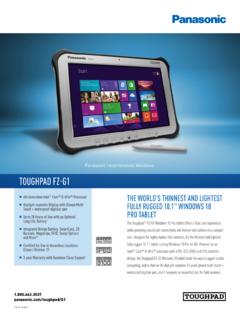
TOUGHPAD FZ-G1 - na.panasonic.com
na.panasonic.comTOUGHPAD FZ-G1 Panasonic is constantly enhancing product specifications and accessories. Specifications subject to change without notice. Trademarks are property of their respective owners.

Panasonic recommends Windows. TOUGHPAD FZ-G1
na.panasonic.comTOUGHPAD FZ-G1 Panasonic is constantly enhancing product specifications and accessories. Specifications subject to change without notice. Trademarks are property of their respective owners.
OPERATING INSTRUCTIONS Basic Guide Model No. CF-20 …
na.panasonic.com“Operating Instructions Reference Manual” and “Operating Instructions Connect to a net-work” as the “Reference Manual” and “Connect to a network”. l Screen messages are explained in [English (United States)]. (Depending on the language preference, some screen messages in these instructions are dif-
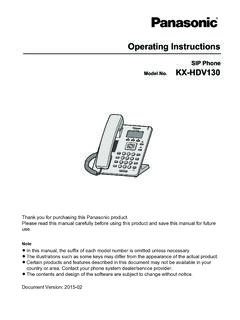
KX-HDV130 Operating Instructions - Panasonic
na.panasonic.comContact your phone system dealer/service provider. ... networks making use of Voice over IP technology are required to provide echo cancellation for all voice calls. The combined effect of audio/VoIP conversion delay and IP routing delay can cause the echo cancellation time of ³ 64 ms to be required.

IP Proprietary Telephone KX-NT551/KX-NT553 KX-NT556
na.panasonic.comIP Proprietary Telephone Model No. KX-NT551/KX-NT553 KX-NT556 Thank you for purchasing an IP Proprietary Telephone (IP-PT). Please read this manual carefully before using this product and save this manual for future use. For more details, please refer to the manuals of the PBX.

Digital Proprietary Telephone KX-DT521/KX-DT543 /KX-DT546
na.panasonic.comDigital Proprietary Telephone Model No. KX-DT521/KX-DT543 /KX-DT546 Digital DSS Console Model No. KX-DT590 Thank you for purchasing a Digital Proprietary Telephone (DPT). Please read this manual carefully before using this product and save this manual for future use. For more details, please refer to the manuals of the PBX.

Toughbook 54 Operating Instructions - Panasonic
na.panasonic.comNov 11, 2011 · Model No. CF-54 series Please read these instructions carefully before using this product, and save this manual for future use. 2 Getting Started Thank you for purchasing this Panasonic product. For optimum performance and safety, please read these instructions carefully.

Toughbook 33 FAQs - Panasonic
na.panasonic.comapplications such as Computer Aided Dispatch (CAD) for law enforcement officers. Other benefits of a 3:2 over a widescreen include less vertical scrolling, more closely resembles the size and feel of 8.5 x 11 paper, and less interference around airbag zones for …
Related documents

“SOLAR BASED MOBILE CHARGER”
www.kscst.iisc.ernet.inThe block diagram of solar mobile charger consists of solar panel with control unit, fixed voltage regulators, rechargeable battery, ADC, Schmitt trigger, micro-controller and an LCD. The solar panel of 12V, 10W is used, the output of which varies based on the intensity of incident light.

INDRA Smart PRO
www.ovobyus.comThe Smart PRO is the most feature-rich EV charger available on the market, ensuring your EV is always ready when you need it whilst maximising opportunities to charge from local solar and from the Grid when it is cheapest to do so. The Smart PRO features a simple on-unit interface and a supporting Mobile

Arlo Pro 4 Wire-Free Spotlight Camera
www.arlo.com• Solar Panel Charger. Connect an Arlo Solar Panel charger to your camera and harvest power from the sun to keep your camera battery charged. See Solar Panel charging on page 78. • Rechargeable battery. Keep fully charged spare batteries (sold separately) on hand. • Dual Charging Station. Quickly charges up to two batteries at the same time.
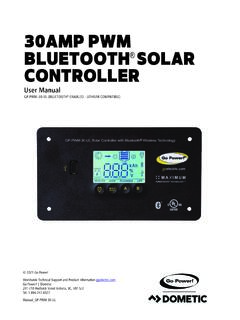
30AMP PWM BLUETOOTH SOLAR CONTROLLER
s3-us-west-2.amazonaws.comA Solar Controller (or Charge Controller / Regulator) is an essential component of your photovoltaic solar system. ... latest versions of GP-PWM-30-UL have integrated Bluetooth® Low Energy wireless technology ready to be paired to your mobile device using the Go Power! Connect app available for download from the App Store and Play Store ...

-II Inverter/Charger Victron online product page
www.victronenergy.com-II Inverter/Charger 230 V Grid parallel topology with MPPT solar charge controller The MultiPlus-II will use data from the external AC current sensor (must be ordered separately) or power meter to optimise self-consumption and, if required, to prevent grid feed. In case of a power outage, the MultiPlus-II will continue to supply the critical loads

VictronConnect manual - Victron Energy
www.victronenergy.comSmart Solar Charger On the device list: tap or click the three-dots menu on the right side of the product description. A menu will pop up offering a 'Reset PIN code' option. Click that, and enter the PUK code. The PUK code can be found on the product label, on the back of the product. BMV-712 Smart