Transcription of Two Factor Authentication procedure - Union Bank …
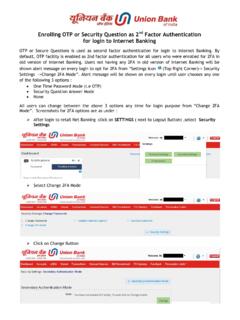
1 Two Factor Authentication (2FA) for internet banking Users A. procedure for Software Token enrollment for Retail Users: i) User has to approach branch to get him registered for two Factor Authentication . He has to ensure that his mobile number & email id are updated in the branch. ii) Bank will enable the User for two Factor Authentication . iii) Browser Setting : User has to install Java Runtime Environment (JRE) or higher in his system. The same can be downloaded from the link Click here to make your browser JAVA enabled provided on the Retail Login page on our web site, iv) Login : User logs in for the first time using his user ID & Login password, the system will prompt to put the activation code, which is sent to the User s registered mobile number via SMS. v) On the next screen, user has to provide PAM (Personal Assurance Message) to ensure the authenticity of the login page.
2 This message will be displayed every time when the user logs in and it cannot be modified. PAM is of maximum 32 characters & it can be any name or number as per user s choice. Special character allowed. vi) Secured PIN : User also has to put Secured PIN as per his choice, which is to be remembered for every subsequent login. Secured PIN is of maximum 32 characters & it can be alphabetic / numeric / alpha - numeric. Special characters also allowed. Then user has to click Generate OTP button, it authenticates the user & a dynamic OTP value populated on the screen. vii) User has to click on the submit button to login to internet banking site. (Steps i to vii are one time activity) viii) In case the user forgets his Secured PIN, then he can reset it using the link Reset Secured PIN provided on the secured login page. ix) In case the user uses any other system other than the regular one, then the activation code will be sent afresh through his registered mobile number.
3 The user has to use the same Secured PIN to login. The rest of the login process will remain same as above. B. procedure for Hardware token enrollment for Corporate Users: i) Corporate user has to approach branch for availing Hardware token. He has to ensure that his mobile number & email id are updated in the branch. ii) Once the user is enrolled for the hardware token, the same is dispatched to him through a reputed courier to him. iii) Login : User logs in using his Corporate ID, User ID and Login password, the system will prompt whether the user has received the token or not. User can select No and proceed with the regular login until he receives the token. Once the token is received by the user, he has to click on Yes which will prompt him to put PAM (Personal Assurance Message). This message will be displayed every time when the user logs in and it cannot be modified.
4 PAM is of maximum 32 characters & it can be any name or number as per user s choice. Special character allowed. User has to enter the hardware Serial Number provided on the rear side of the token. Then the user has to input the activation code received through his registered mobile & proceed. iv) In the next screen, the user has to provide two subsequent OTP values generated on the token. This is done to synchronize the token with the server. This is one time process. The user will be logged out on successful enrollment and has to login again using the hardware token. v) For subsequent login, the user will get the screen with the user s PAM and blank field for OTP. He has to input OTP value generated on the token in the field provided for login. vi) In case the user has lost, misplaced or damaged the hardware token, the user needs to click on the link Lost/misplaced/damaged hardware token provided on the page.
5 The system will allow the user to do a one-time login and then disable the token for further uses. The user has to approach branch for re-issuance with necessary charges or if the lost token is found he can contact the Call Centre 1800 222244 to enable the token. Two- Factor Authentication ensures that only authorized individuals access their sensitive information or do online transaction. It provides substantially better security and makes it much more difficult for an attacker to impersonate the User and access his account. We are sure that introduction of Two Factor Authentication will mitigate identity theft and reduce online fraudulent transactions.