Example: marketing
User Guide - KYOCERA
Before use, please read the User Guide and the supplied Quick Reference Guide for proper ... connection terminal, earphone microphone terminal, etc. Also, do not allow conductive foreign objects (metal fragments, pencil leads, etc.) to come into contact with or get inside the
Tags:
Information
Domain:
Source:
Link to this page:
Documents from same domain

Fine Ceramics for Electronics - KYOCERA GROUP GLOBAL SITE
global.kyocera.com5713 East Fourth Plain Blvd.,Vancouver ,WA 98661 Tel:+1-360-696-8950 Fax:+1-360-696-9804 <EUROPE> KYOCERA Europe GmbH ... or form electrode patterns (metallization) by printing or plating the substrates. 04 For product details, please contact | webmaster.fc@kyocera.jp For product details, please contact | webmaster.fc@kyocera.jp 05
Related documents

Essential Plus Terminal User Guide - CommBank
www.commbank.com.auMerchant Terminal Guide. Model: Move5000 with Linkly integration. 007-082 270721 Contents Support 3 Offline Authorisation over the Floor Limit 3 Stationery orders 3 Service Response Time 3 Getting to know your Essential Plus terminal 4 Integrating the Essential Plus terminal with your POS 6 4G backup 6

NOCO Genius G1100 Smart Battery Charger User Guide
www.batterystuff.com• (1) Eyelet Terminal Connectors • User Guide • Information Guide and Warranty User Guide G1100 V2.0 PRIOR TO USE, READ AND UNDERSTAND PRODUCT SAFETY INFORMATION. Failure to follow the instructions may result in ELECTRICAL SHOCK, EXPLOSION, or FIRE, which may result in SERIOUS INJURY, DEATH, DAMAGE TO DEVICE or PROPERTY.

NAVIS (SPARCS N4) a SIMPLIFIED USER GUIDE
www.transnet.netE-Business NAVIS (SPARCS N4) – User Guide 2.4 2011 Page 9 5.3.2 On N4: Manually pre-advise units – view Units pre-advised. 5.4 Truck / Train arrives at terminal When the container physically arrives at the terminal either on a TRUCK or a TRAIN wagon, it is off-loaded and placed in the terminal YARD.

NI USB-6008/6009 User Guide - National Instruments
www.ni.comUSER GUIDE NI USB-6008/6009 ... Install the 16-position screw terminal plugs by inserting them into the connector jacks, as shown in the following figure. Figure 2. Signal Label Application Diagram 9 0 0 6-B S U I N O /I n o ti c n u if lt M,t i b-4 1 s, t u p n I 8 2 3 l a t i g D 7 1 1 o g a l A n 1 6 3 2 4 1 2 3 1. Overlay Label with Pin ...
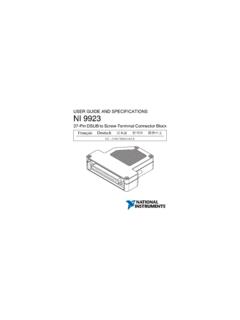
NI 9923 User Guide and Specifications - National Instruments
www.ni.comThis user guide describes the features of the National Instruments 9923 DSUB to Screw-Te rminal Connector Block. You ... SH terminal on the NI 9923 to terminate the shields. 1. Loosen the captive screws and remove the top cover. 2. Prepare the …

NAB EFTPOS MOBILE TERMINAL GUIDE
www.nab.com.auNAB EFTPOS Mobile Terminal Guide – Version 0.7 3 TABLE OF CONTENTS Getting to know your NAB EFTPOS terminal 6 Contactless – Tap & Go 8 Understanding your NAB EFTPOS Mobile terminal Integrated with your POS 9 Understanding your NAB EFTPOS Mobile terminal 10 NAB EFTPOS Mobile Multi-Merchant Terminals 11 NAB EFTPOS Mobile Sale – Tap 12 …

USER MANUAL – ALL TERMINAL PRODUCTS - Dejavoo …
www.dejavoosystems.comThis manual provides basic instructions for user of Dejavoo Systems terminal products. ... This manual will provide explanations, important notations, and step/action charts to guide you through the performance of the V LINE family of terminals and the Z LINE family of
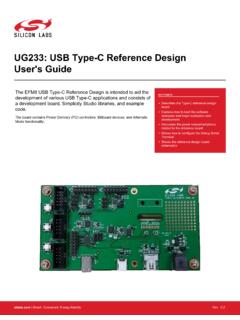
User's Guide schematics UG233: USB Type-C Reference …
www.silabs.comUser's Guide The EFM8 USB Type-C Reference Design is intended to aid the development of various USB Type-C applications and consists of a development board, Simplicity Studio libraries, and example code. The board contains Power Delivery (PD) controllers, Billboard devices, and Alternate Mode functionality. KEY POINTS